Coupler.io is the best Google Sheets add-on for most teams, rated 4.8 out of 5 on G2 with a free plan and Starter at $24 a month. Pick Coefficient for live CRM data in Sheets, or YAMM if you mainly send mail merges from Gmail.
How we make this list: we compare pricing pages, product documentation and public user reviews, then re-check every price before each update. No product paid for a place. Disclosure.
Coupler.io leads the list at 4.8 out of 5 on G2, with a free plan and Starter at $24 a month.
Coefficient is the strongest pick for live CRM data, rated 4.7 out of 5 from 206 G2 reviews.
Zapier connects Sheets to more than 9,000 apps, with a free plan covering 100 tasks a month.
YAMM is the cheapest paid option at $72 a year, and Mailmeteor Starter costs $53.99 a year.
Supermetrics has no free plan, only a 14-day trial, and Starter costs $44 a month.
What a Google Sheets add-on should cover
Google Sheets is free, but moving data in and out by hand is slow. Add-ons fill that gap: connectors pull data in on a schedule, mail merge tools send from rows, and automation tools move data between sheets.
The first split is the job. Data connectors such as Coupler.io, Coefficient, Windsor.ai and Supermetrics keep reports fresh. Mail merge tools such as YAMM and Mailmeteor send email from a contact sheet. Zapier and Sheetgo automate steps between apps and files.
Free plans vary a lot. Most tools in this list have one, but Supermetrics does not, and free tiers cap accounts, rows, refreshes or daily sends. Check the cap that matches your volume before you install anything.
Prices also vary by billing. Monthly plans usually cost more than yearly ones, and per-user pricing adds up fast on team plans. Our guide on growing an email list with WordPress covers the list-building side if your goal is outreach.
Coupler.io is a no-code data connector that moves data from more than 400 sources into Google Sheets, Excel, Looker Studio, Power BI and warehouses. The free plan covers 1 account, 1 user and 1 destination with manual refresh and 100 rows per run. Paid plans add daily or hourly refresh, more accounts and dashboard templates.
The trade off is the account limit. Starter costs $24 a month billed yearly and covers only 3 accounts and 1 destination, so each extra account costs $4.49 a month. It suits small teams that report from a few ad or analytics accounts and want scheduled refreshes without code.
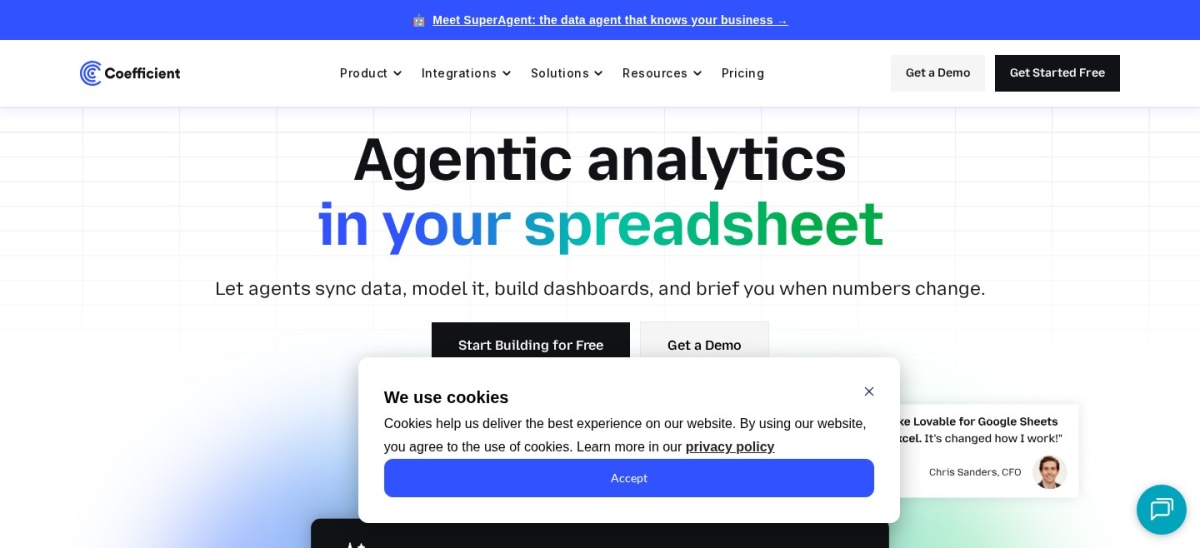
Coefficient is a live-data connector that pulls Salesforce, HubSpot, NetSuite, QuickBooks, Snowflake and dozens of other systems into Google Sheets and Excel. The free plan includes 3 standard sources, imports of up to 5,000 rows and 50 refreshes a month with manual refresh. It also writes data back to Salesforce and HubSpot on paid plans.
The trade off is price. Starter costs $49 a month billed yearly for one user only, and a second person who builds imports forces a move to Pro at $99 per user a month. It suits revenue and finance teams that live in Sheets and need CRM and database data refreshed daily.
Zapier is an automation platform that connects Google Sheets to more than 9,000 apps through workflows called Zaps. The free plan covers 100 tasks a month with two-step Zaps. Paid plans add multi-step Zaps, webhooks and unlimited premium apps, so a new row can trigger email, chat or CRM updates.
The trade off is task pricing. Professional starts at $19.99 a month billed yearly for 750 tasks, and every step in a Zap uses a task, so busy workflows hit the limit fast. It suits teams that automate across many apps and want the widest set of ready-made connections.
Windsor.ai is a data connector that pulls marketing, sales, CRM and ecommerce data from more than 350 sources into Google Sheets, Looker Studio, Power BI and warehouses. The free plan covers 1 user, 1 source and 1 account with daily sync. Every paid plan includes all connectors and destinations with no per-seat charge.
The trade off is the jump between plans. Basic costs $19 a month billed yearly for 3 sources, while hourly refresh needs Standard at $99 a month. It suits marketers and small agencies that want cheap, flat reporting from ad platforms into Sheets.
What we like
Unlimited users on every paid plan
All 350+ connectors on every plan
Cheapest paid data connector in this list
Watch out for
Hourly refresh needs Standard at $99 a month
Basic covers only 3 sources and 5 destination tasks
Supermetrics is a marketing data connector that pulls ad, analytics and CRM data into Google Sheets, Looker Studio, Excel and Power BI. Starter costs $44 a month billed yearly and covers 2 sources, 2 accounts per source and 1 destination for 1 user. There is no free plan, only a 14-day free trial.
The trade off is price and scope. Starter covers only 2 sources, and extra sources cost $37 a month each, so costs climb fast for teams with many platforms. It suits marketing teams and agencies that report on a few large ad accounts and value the wide connector list.
Yet Another Mail Merge (YAMM) homepage, captured Nov 2026.
Yet Another Mail Merge (YAMM) is a mail merge add-on that sends personalized emails from Gmail using rows in Google Sheets. The free plan covers up to 20 recipients a day with open, click and bounce tracking. Pro adds scheduling, follow-ups and personalized attachments, and it never adds branding to emails.
The trade off is the Gmail sending limit. Pro costs $72 a year for a personal Gmail account and caps at 400 recipients a day, while Workspace accounts pay $144 a year for 1,500 a day. It suits anyone who keeps a contact list in Sheets and sends mail merges from Gmail.
What we like
Free plan with tracking and no branding
Cheapest paid plan in this list at $72 a year
Results write back into the same sheet
Watch out for
Daily sending caps follow Gmail limits
Workspace accounts pay twice the Gmail price
Pro adds scheduling, follow-ups and attachmentsVisit yamm.com
07
Sheetgo
4.3/5on G2 (23 reviews, checked Nov 2026)
Paid from$35/mo
Best for sheet-to-sheet automation
Automation credits2,000/mo on Pro
Automations50 on Pro
Free planYes
Paid planAutomations Pro, $35/mo
sheetgo.com
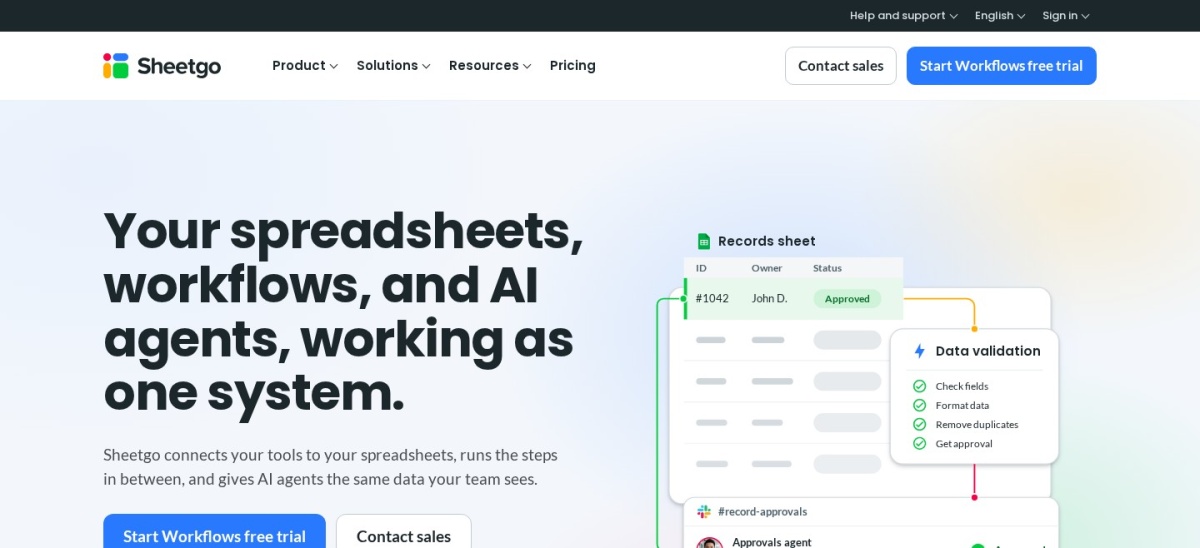
Sheetgo homepage, captured Nov 2026.
Sheetgo is a spreadsheet automation tool that connects Google Sheets and Excel files and runs scheduled transfers between them. The free Automations plan covers simple transfers, and Pro adds 2,000 automation credits a month across 50 automations. It can also turn sheet data into PDFs, documents and emails.
The trade off is the product split. Sheetgo now sells Automations, Workflows, Data Space and Virtual Employees as separate products, so larger processes need the Workflows plan from $88 a month. It suits teams that consolidate many sheets into one master file on a schedule.
Form Publisher is a Google Workspace add-on that turns Google Forms responses or sheet rows into finished documents. It fills Docs, Sheets, Slides, PDF and Word templates, then emails the result and can route approvals and e-signatures. The free plan covers 20 documents a month for one user.
The trade off is the one-user limit on cheaper plans. Individual costs $99 a year for one user with unlimited documents, and unlimited users need Business at $690 a year. Its Marketplace listing shows 4.6 out of 5 from 4,264 ratings. It suits offices that generate certificates, invoices and agreements from form data.
Mailmeteor is a mail merge tool that sends personalized email campaigns from Gmail, Outlook and Google Sheets. The free plan covers 500 emails a month and 50 a day with tracking and scheduling. It adds an email assistant, verification and templates on paid plans.
The trade off is that the useful extras sit on Premium. Starter costs $53.99 a year but leaves out follow-ups, warmup and bounce detection, which need Premium at $161.99 a year. It suits small teams that send mail merges from Sheets and want a simple Gmail-based tool.
What we like
Free plan with 500 emails a month
Works in Gmail, Outlook and Sheets
Simple setup with no separate platform
Watch out for
Follow-ups and warmup need Premium at $161.99 a year
Free plans cover the basics well. Most include a few sources or sends, manual refresh and the core add-on.
Paid plans mostly add frequency and volume. You get scheduled refreshes, more accounts, higher row limits and extras such as follow-ups or warmup.
If you send mail merges, the paid jump matters most. YAMM's free plan stops at 20 recipients a day, and Mailmeteor's Starter leaves follow-ups and bounce detection to Premium.
For reporting, start free and upgrade when refreshes or accounts run out. Coupler.io's Starter at $24 a month is the cheapest paid data connector here.
How we chose
We started from the add-ons most often recommended for Google Sheets, then kept nine with a public rating on G2 and a published pricing page.
Prices come from each vendor's pricing page, checked on 25 November 2026. Ratings and review counts come from G2 on the same day. Where a vendor shows a sale, the list shows the regular price.
We left out tools with no public rating anywhere, including Apipheny. No vendor paid for a place, and we do not claim hands-on testing for this list.
How to choose a Google Sheets add-on
Start with the job the add-on must do, then check the free plan's limits against your volume.
Name the job first. Data import, mail merge, document generation and automation are different tools. Pick the category before you compare prices.
Check the free plan's cap. Count your sources, accounts, rows or daily sends, then match them to the free limit. A plan that fits today may not fit next quarter.
Compare the cheapest paid plan, not the headline. Yearly billing is usually cheaper than monthly, and per-user pricing multiplies with each teammate. See how to connect WPForms to Mailchimp for a related email workflow.
Read the rating with the review count. A 4.8 from 100 reviews means more than a 4.3 from 3. G2 review counts are listed for every tool in this guide.
FAQ
What is the best Google Sheets add-on?
Coupler.io is the best pick for most teams. It is rated 4.8 out of 5 on G2 from 104 reviews, has a free plan, and Starter costs $24 a month billed yearly with daily refresh across 400+ sources.
Are there free Google Sheets add-ons?
Yes, eight of the nine tools here have a free plan. Supermetrics is the exception, with a 14-day trial instead. Free plans cap accounts, rows, refreshes or daily sends, so check the limit that matches your volume.
Which Google Sheets add-on is best for mail merge?
YAMM is the best mail merge pick for Gmail users, at $72 a year for up to 400 recipients a day. Mailmeteor is the simpler alternative at $53.99 a year, with a free plan covering 500 emails a month.
How much do Google Sheets add-ons cost?
Cheapest paid plans in this list run from $53.99 a year for Mailmeteor Starter to $588 a year for Coefficient Starter. Most data connectors charge $19 to $49 a month billed yearly, and per-user plans cost more for teams.
Do I need a paid plan to refresh data automatically?
Yes, in most cases. Free plans usually refresh manually, while scheduled refresh is a paid feature. Coupler.io, Coefficient, Windsor.ai and Sheetgo all require a paid plan for daily or hourly refresh.
Can Google Sheets add-ons pull data from Salesforce or HubSpot?
Yes. Coefficient pulls live Salesforce and HubSpot data into Sheets and can write changes back on paid plans. Coupler.io, Windsor.ai and Supermetrics also connect to CRMs, though premium sources may need a higher plan.
SaaS SEO and WordPress specialist with about 8 years of experience. Rakib compares WordPress plugins, themes, hosting and software using public pricing, documentation and user reviews. See how we rank.