Best Gallery Plugins for WordPress in 2026: 9 Tools Compared
WLWPLegible EditorsLast verified 22 Nov 2026How we test13 min read
★ Short answer
Meow Gallery is the best gallery plugin for WordPress in 2026, with a 4.9 out of 5 rating on WordPress.org and a Pro plan that starts at $29 a year. FooGallery is the best runner-up for flexible layouts, and WP Photo Album Plus is the best free option, with no paid plan at all.
How we make this list: we compare pricing pages, product documentation and public user reviews, then re-check every price before each update. No product paid for a place. Disclosure.
Meow Gallery leads with a 4.9 out of 5 rating, and its Pro plan starts at $29 a year.
Every plugin in this list has a free version, and WP Photo Album Plus is free in full.
NextGEN Gallery runs on more than 300,000 sites, the largest install base here.
First-year discounts are common: Envira, Modula and NextGEN all charge about half price in year one, then double at renewal.
Robo Gallery is the only one with a one-time payment: $30 once for one site.
What to look for in a gallery plugin
A gallery plugin does two jobs: it lays out your photos, and it opens them in a lightbox. The layout matters most for portfolios, where a masonry or justified grid suits mixed photo sizes, while a simple grid suits product shots. Check that the plugin is responsive, so the same gallery looks right on a phone.
Speed matters too. A gallery that loads every full-size image at once slows the page, so look for lazy loading and thumbnail sizes that match the layout. Our guide to image optimization explains how to shrink files before upload.
Free versions cover the basics in every plugin here, but albums, video, watermarking and client proofing usually need a paid plan. If you sell prints, pick a plugin with proofing and e-commerce; if you run a blog, the free version of any of the top five is enough.
Ratings and install counts come from WordPress.org, checked on 22 November 2026, and prices are the regular yearly price from each vendor's pricing page, not a sale price.
4.9/5on WordPress.org (204 reviews, checked Nov 2026)
Paid from$29/yr
Best for clean, lightweight galleries
Rating4.9 / 5
Reviews204
Active installs10,000+
Cheapest paid plan$29 / yr
meowapps.com
Meow Gallery homepage, captured Nov 2026.
Meow Gallery is a lightweight gallery plugin from Meow Apps, the team behind Meow Lightbox. The free version builds responsive galleries with masonry, justified and square layouts, plus a lightbox, and it works with the block editor. It holds a 4.9 out of 5 rating from 204 reviews on WordPress.org, the highest in this list.
The trade off is that Pro starts at $29 a year for one site, and the free version covers only the basics, so albums, pagination and video need a paid plan. It suits photographers and bloggers who want a fast gallery without a heavy page builder. Pro adds albums, a map view and more layouts.
What we like
Highest rating in this list at 4.9 out of 5
Lightweight with a modern block-editor workflow
Pro starts at $29 a year
Albums and a map view in Pro
Watch out for
Only 204 reviews, a small sample
Free version covers only basic layouts
No e-commerce or proofing features
Pro adds albums, a map view and more layouts for $29 a year.Visit meowapps.com
02
FooGallery
4.8/5on WordPress.org (1,000 reviews, checked Nov 2026)
Paid from$49.99/yr
Best for flexible gallery layouts
Rating4.8 / 5
Reviews1,000
Active installs100,000+
Cheapest paid plan$49.99 / yr
fooplugins.com
FooGallery homepage, captured Nov 2026.
FooGallery is a gallery plugin with a drag-and-drop builder and a library of built-in templates. The free version includes responsive grids, a lightbox and lazy loading, so images load only when a visitor scrolls to them. It holds a 4.8 out of 5 rating from 1,000 reviews on WordPress.org and runs on more than 100,000 sites.
The trade off is that the best layouts and features sit in FooGallery PRO, which starts at $49.99 a year for one site, and the free version has no albums or video. It suits site owners who want one plugin for portfolios, product galleries and photo stories. PRO adds albums, video, filtering and hover effects.
What we like
4.8 rating from 1,000 reviews
Drag-and-drop builder with built-in templates
Lazy loading keeps pages fast
Albums and video in PRO
Watch out for
Best layouts need PRO at $49.99 a year
No client proofing
Free version has no video galleries
PRO adds albums, video, filtering and hover effects for $49.99 a year.Visit fooplugins.com
03
Envira Gallery
4.7/5on WordPress.org (1,600 reviews, checked Nov 2026)
Paid from$79/yr
Best for photographers
Rating4.7 / 5
Reviews1,600
Active installs100,000+
Cheapest paid plan$79 / yr
enviragallery.com
Envira Gallery homepage, captured Nov 2026.
Envira Gallery is a drag-and-drop gallery plugin aimed at photographers and small businesses. The free Lite version builds responsive galleries with albums and a lightbox, and it works inside the block editor. It holds a 4.7 out of 5 rating from 1,600 reviews on WordPress.org and runs on more than 100,000 sites.
The trade off is that most of the power sits in the paid plans, which start at $79 a year after a $39.50 first year, and the free version has no watermarking or social sharing. It suits photographers who sell prints or run client proofing galleries. Paid plans add watermarking, proofing, WooCommerce integration and more.
4.7/5on WordPress.org (619 reviews, checked Nov 2026)
Paid from$78/yr
Best for grid galleries
Rating4.7 / 5
Reviews619
Active installs100,000+
Cheapest paid plan$78 / yr
wp-modula.com
Modula homepage, captured Nov 2026.
Modula is a gallery plugin built around a visual grid builder, where you drag images into place and adjust each tile. The free version includes responsive grids, a lightbox, hover effects and social sharing buttons. It holds a 4.7 out of 5 rating from 619 reviews on WordPress.org and runs on more than 100,000 sites.
The trade off is that albums, filtering and video galleries need a paid plan, which starts at $78 a year after a $39 first year. It suits bloggers and small businesses who want a tidy grid without touching code. Paid plans add albums, filters, video, EXIF data and speed controls.
What we like
Visual grid builder with drag-and-drop tiles
4.7 rating from 619 reviews
Hover effects and social sharing in free
Albums and video in paid plans
Watch out for
Paid plans start at $78 a year
First-year price doubles at renewal
No client proofing
Paid plans add albums, filters, video and EXIF data for $78 a year.Visit wp-modula.com
05
WP Photo Album Plus
4.7/5on WordPress.org (199 reviews, checked Nov 2026)
PriceFree
Best for large photo archives
Rating4.7 / 5
Reviews199
Active installs10,000+
Cheapest paid planFree
wppa.nl
WP Photo Album Plus homepage, captured Nov 2026.
WP Photo Album Plus is a free gallery and album system that has been maintained since 2010. It builds albums, slideshows, a photo of the day widget and front-end upload forms, all without a paid plan. It holds a 4.7 out of 5 rating from 199 reviews on WordPress.org and runs on more than 10,000 sites.
The trade off is that the interface looks dated next to newer plugins, and there is no paid support tier to call on, so help comes from the forums and the docs site. It suits clubs, archives and community sites with large photo collections. Everything is free, including slideshows and upload forms.
4.6/5on WordPress.org (498 reviews, checked Nov 2026)
Paid from$49/yr
Best for galleries, carousels and sliders
Rating4.6 / 5
Reviews498
Active installs20,000+
Cheapest paid plan$49 / yr
supsystic.com
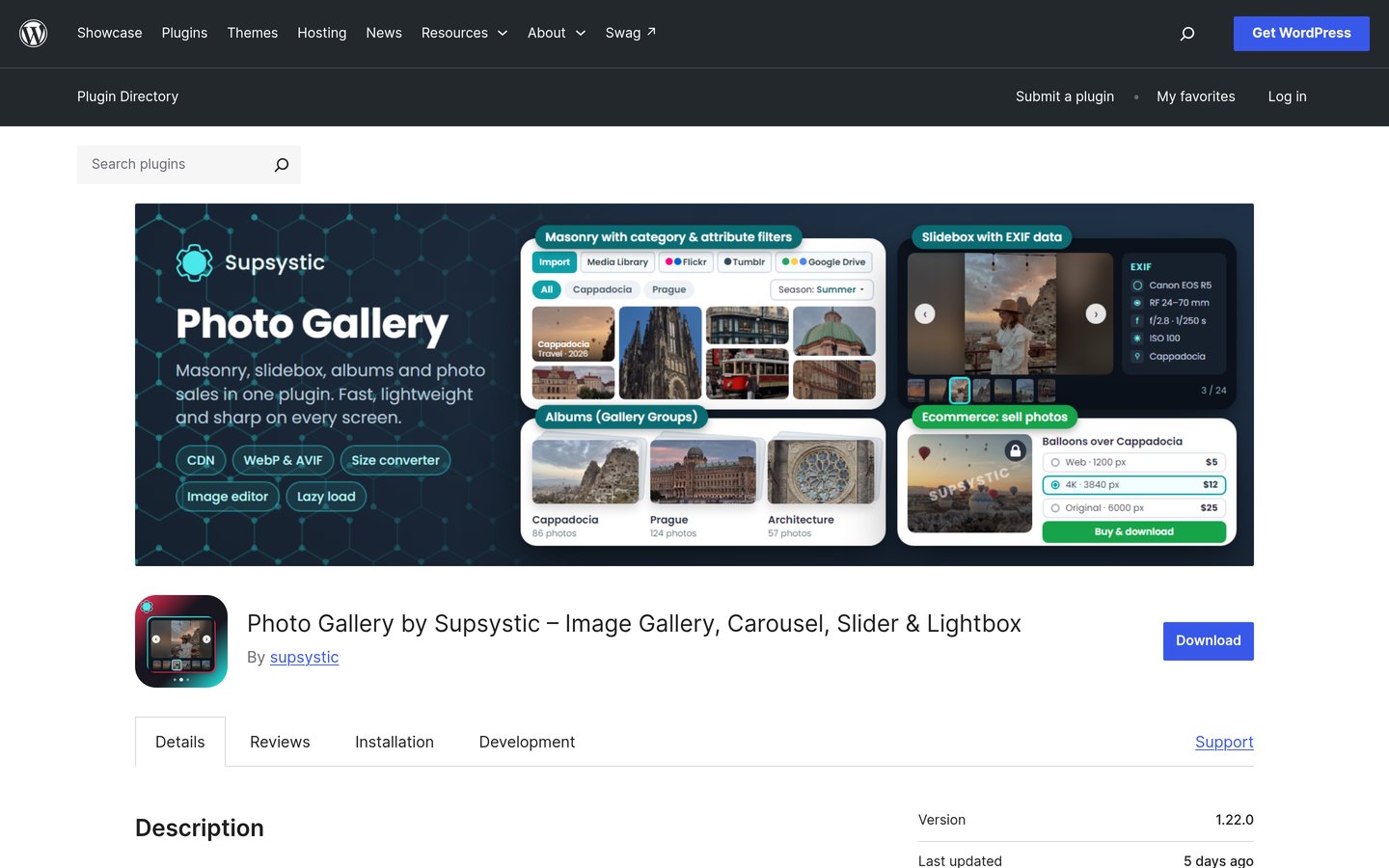
Supsystic Gallery homepage, captured Nov 2026.
Supsystic Gallery is one plugin for three display types: photo galleries, image carousels and sliders. The free version includes eight layouts, a modern lightbox and a creation wizard, plus WooCommerce product carousels. It holds a 4.6 out of 5 rating from 498 reviews on WordPress.org and runs on more than 20,000 sites.
The trade off is that Pro starts at $49 a year, and the mosaic layout, watermarking and paid gallery access sit behind that paywall. It suits shops and studios that want carousels and sliders from the same plugin. Pro adds all 100-plus styles, video slides, before-and-after comparisons and a CDN.
What we like
Galleries, carousels and sliders in one plugin
100-plus ready-made styles in Pro
WooCommerce product carousels included
Pro from $49 a year
Watch out for
Mosaic and watermarking need Pro
Only 498 reviews
Smaller install base than the leaders
Pro adds all 100-plus styles, video slides and watermarking for $49 a year.Visit supsystic.com
07
Photo Gallery by 10Web
4.5/5on WordPress.org (1,581 reviews, checked Nov 2026)
Paid from$30/yr
Best for SEO-friendly galleries
Rating4.5 / 5
Reviews1,581
Active installs100,000+
Cheapest paid plan$30 / yr
10web.io
Photo Gallery by 10Web homepage, captured Nov 2026.
Photo Gallery by 10Web is a gallery plugin for photography sites and blogs, with albums, slideshows and video galleries. The free version includes responsive views, watermarking and right-click protection for your images. It holds a 4.5 out of 5 rating from 1,581 reviews on WordPress.org and runs on more than 100,000 sites.
The trade off is that Pro starts at $30, and the free version limits some views and add-ons, so larger sites often need the paid plan. It suits photographers who want image protection built into the gallery. Pro adds more views, e-commerce integration and extra add-ons.
What we like
Watermarking and right-click protection in free
4.5 rating from 1,581 reviews
Pro starts at $30
Watch out for
Some views need the paid plan
Pro price rests on third-party comparisons
No client proofing features
Pro adds more views and e-commerce integration for $30.Visit 10web.io
08
NextGEN Gallery
4.3/5on WordPress.org (4,342 reviews, checked Nov 2026)
Paid from$139/yr
Best for long-running sites
Rating4.3 / 5
Reviews4,342
Active installs300,000+
Cheapest paid plan$139 / yr
imagely.com
NextGEN Gallery homepage, captured Nov 2026.
NextGEN Gallery is the longest-running gallery plugin on WordPress, first released in 2007 and rebuilt by Imagely. The free version builds galleries and albums with a lightbox, and it works with the block editor. It holds a 4.3 out of 5 rating from 4,342 reviews on WordPress.org and runs on more than 300,000 sites, the most in this list.
The trade off is that the paid plans are the priciest here, starting at $139 a year after a $69.50 first year, and the free version lacks proofing and e-commerce. It suits photographers who need client proofing and print sales in one place. Paid plans add proofing, e-commerce, watermarking and more layouts.
What we like
Most installs in this list at 300,000 plus
4,342 reviews, the largest sample here
Proofing and print sales in paid plans
Running since 2007
Watch out for
Paid plans start at $139 a year
First-year price doubles at renewal
Lower rating than the leaders at 4.3
Paid plans add proofing, e-commerce and watermarking for $139 a year.Visit imagely.com
09
Robo Gallery
4.3/5on WordPress.org (406 reviews, checked Nov 2026)
Paid from$30/once
Best for a one-time payment
Rating4.3 / 5
Reviews406
Active installs40,000+
Cheapest paid plan$30 once
robosoft.co
Robo Gallery homepage, captured Nov 2026.
Robo Gallery is a gallery plugin with a one-time payment instead of a yearly subscription. The free version builds responsive galleries with a lightbox, hover effects and social sharing. It holds a 4.3 out of 5 rating from 406 reviews on WordPress.org and runs on more than 40,000 sites.
The trade off is that PRO costs $30 once for one site, and the free version has fewer layouts and no video support, so bigger galleries need the paid version. It suits small sites that want to pay once and move on. PRO adds more layouts, video galleries, pagination and custom CSS.
What we like
One-time payment, no yearly renewal
PRO costs $30 for one site
Free version includes hover effects and sharing
Watch out for
Only 406 reviews
Free version has fewer layouts
No video galleries in the free version
PRO adds more layouts, video and pagination for a one-time $30.Visit robosoft.co
What do you get free, and what costs extra?
Every plugin in this list has a free version that builds a working gallery, and WP Photo Album Plus charges nothing at all. The free versions cover responsive grids, a lightbox and basic layouts, which is enough for a blog or a small portfolio.
Paid plans add the extras: albums, video galleries, watermarking, filtering and client proofing. Prices run from $29 a year for Meow Gallery Pro to $139 a year for NextGEN Gallery, with Robo Gallery the exception at $30 once.
Watch the renewal price. Envira, Modula and NextGEN all sell the first year at about half price, then charge the full price from year two, so budget for the renewal, not the headline.
How we chose
We started with the gallery plugins listed on WordPress.org and ranked them by rating, number of reviews and active installs. Nine made the list; plugins with ratings under 4.3 or fewer than 150 reviews did not.
We checked every rating, review count and install figure on WordPress.org on 22 November 2026, and every price on the vendor's own pricing page the same day. First-year discounts are noted in the text; the ladder shows the regular yearly price.
No vendor paid for a place, and we do not claim hands-on testing for this list.
How to choose a gallery plugin
Pick the plugin that fits your photos and your budget, not the one with the longest feature list.
Decide what you show. Portfolios suit masonry or justified grids, product shots suit a plain grid, and mixed media needs a plugin with video and carousels.
Check the free version first. Install the free version and build one real gallery with your own photos before paying, so you see the editor and the lightbox as visitors will.
Count the renewal price. Several plugins charge about half price in year one, so check what the second year costs and whether the plan covers all your sites.
Test it on a phone. Open your gallery on a small screen and tap through the lightbox, since most visitors will view your photos on a phone, not a desktop.
FAQ
What is the best free gallery plugin for WordPress?
WP Photo Album Plus is the best fully free option, with albums, slideshows and upload forms and no paid plan at all. Meow Gallery, FooGallery, Envira and Modula also have capable free versions, but their best features need a paid plan.
Which gallery plugin is best for photographers?
Envira Gallery is the strongest pick for photographers, with drag-and-drop building, albums and client proofing in its paid plans. NextGEN Gallery is the other classic choice, with proofing and print sales, but its paid plans start at $139 a year.
Do gallery plugins slow down WordPress?
A good gallery plugin should not slow your site much, since most load thumbnails first and open full-size images only in the lightbox. Look for lazy loading, and compress your images before upload so the files stay small.
Can I sell photos with a gallery plugin?
Yes, with the right plan. NextGEN Gallery and Envira Gallery both offer e-commerce and client proofing in their paid plans, and Supsystic Gallery Pro adds paid gallery access. The free versions do not include selling features.
What is the cheapest paid gallery plugin?
Meow Gallery Pro is the cheapest yearly plan here at $29 a year for one site. Robo Gallery PRO costs $30 once, with no yearly renewal, and Photo Gallery by 10Web starts at $30 as well.
Does WordPress have a built-in gallery?
Yes, the block editor includes a Gallery block that lays out images in a grid and opens them in a lightbox. A dedicated plugin adds albums, masonry layouts, filtering, watermarking and other features the block does not offer.