DaVinci Resolve is the best freeware video editor for most people: its free version covers editing, colour, effects and audio, exports 4K with no watermark, and G2 users rate it 4.7 out of 5. Pick Shotcut for a lighter free desktop editor, CapCut for quick social clips, and Kdenlive for a full open-source timeline.
How we make this list: we compare pricing pages, product documentation and public user reviews, then re-check every price before each update. No product paid for a place. Disclosure.
DaVinci Resolve Free is the only free editor here with pro colour, Fusion effects and Fairlight audio in one install, plus 4K export with no watermark.
Shotcut, Kdenlive, OpenShot and Blender cost $0 forever, with no paid tier, no watermark and no account needed to export.
CapCut is the fastest route to TikTok and Reels cuts, but its Trustpilot score is 1.3 out of 5 from 471 reviews, mostly about billing and support.
VSDC Pro is the cheapest paid upgrade at $19.99 a year, and the free version already exports 4K without a watermark on Windows.
Clipchamp Premium now comes through Microsoft 365 Personal at $9.99 a month; the free plan exports 1080p with no watermark.
What to look for in a freeware video editor
Freeware video editors split into two kinds: full desktop editors that cost nothing, and free tiers of paid apps that hold back exports, stock or AI tools.
The first check is the free export. DaVinci Resolve, Shotcut, Kdenlive, OpenShot, Blender and VSDC all export finished videos with no watermark at no cost, while CapCut and Clipchamp keep some features behind a paid plan.
The second check is where the editor runs. Desktop editors work offline and handle long timelines better, while browser and mobile editors are quicker for short social clips. If the finished video goes on a site, our guide on embedding a video in WordPress covers the upload and embed options.
Ratings here come from G2, Capterra, SourceForge or Trustpilot, checked on 25 November 2026, and prices come from each vendor's own pricing page. A low score on one review site does not always mean weak editing tools, as CapCut shows.
DaVinci Resolve is a full professional editor that costs nothing to download. The free version covers editing, colour grading, Fusion visual effects and Fairlight audio in one app, and exports 4K video with no watermark. Blackmagic lists Studio as a $295 one-time licence for the extra AI tools and effects.
The trade off is the learning curve and the hardware it wants. The interface is built for professionals, and some GPU effects such as noise reduction are Studio-only. It suits editors who want one free tool that can grow with them from first cuts to finished films.
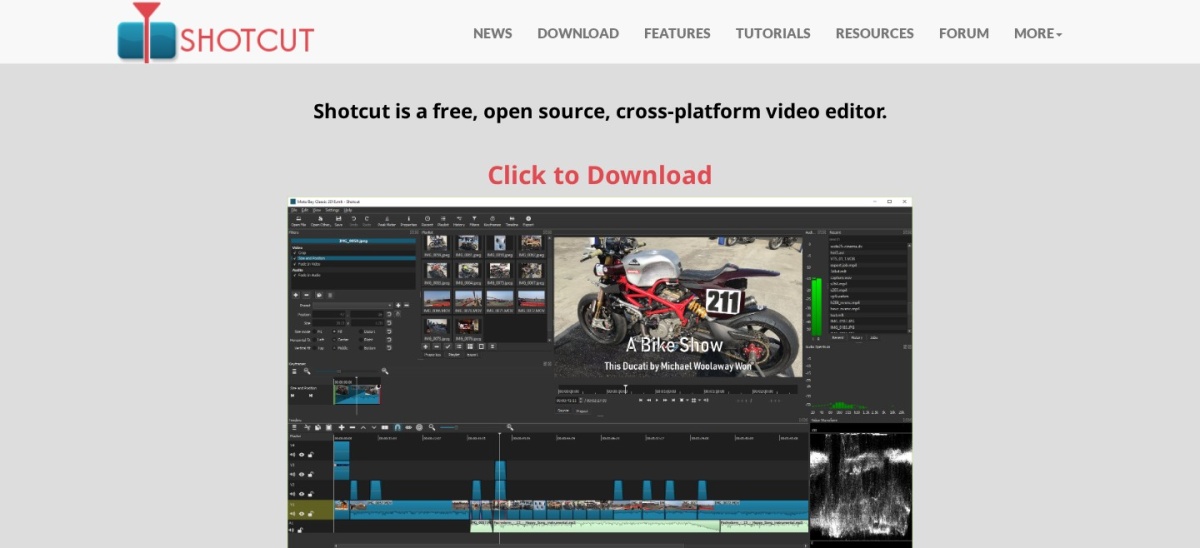
Shotcut is a free, open-source video editor for Windows, Mac and Linux. It edits natively on the timeline with no import step, supports a wide range of formats, and exports with hardware acceleration and no watermark. There is no paid tier at all.
The trade off is polish. The interface looks dated next to CapCut or Clipchamp, and there is no stock library or cloud workspace. It suits editors who want a $0 desktop tool that never asks for a subscription.
What we like
Fully free with no paid tier or watermark
Native timeline editing with no import step
Runs on Windows, Mac and Linux, including older machines
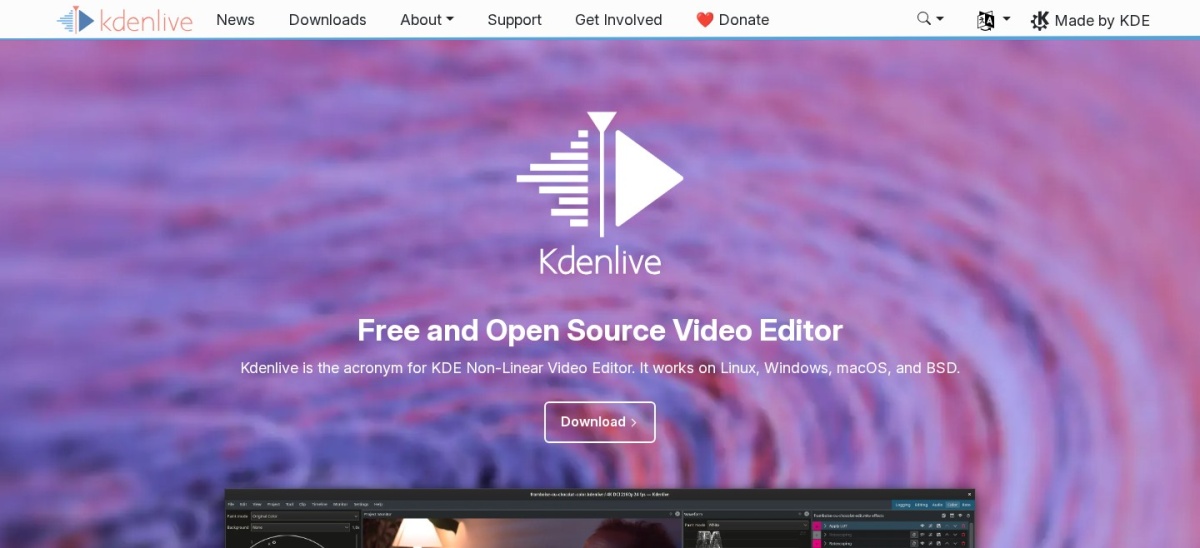
Kdenlive is a free, open-source editor built by the KDE community. It offers a multi-track timeline, proxy editing for smooth 4K playback, keyframed effects and colour grading with LUTs, and it runs on Linux, Windows and Mac. Every feature is free.
The trade off is stability on very large projects, a long-running complaint in community reviews, and a steeper learning curve than OpenShot. It suits editors who want a Premiere-style workflow with no paywall at all.
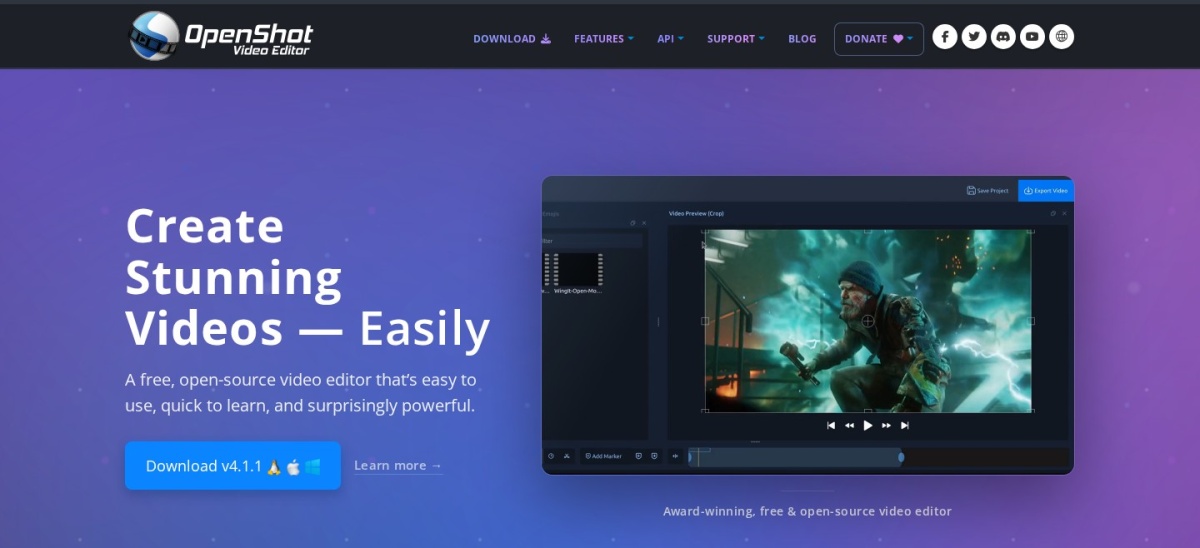
OpenShot is a free, open-source editor aimed at first-time editors. It has a drag-and-drop timeline, 3D animated titles, curve-based keyframe animation and a simple interface, and it runs on Windows, Mac, Linux and ChromeOS. The current desktop build is version 4.1.1.
The trade off is depth. Colour grading and long-form timelines trail DaVinci Resolve and Kdenlive, and large 4K projects can stutter. It suits beginners who want the fastest path from raw footage to a finished video.
What we like
Fastest free editor to learn on the desktop
3D animated titles and keyframe animation built in
Blender is a free, open-source 3D suite with a built-in Video Sequence Editor. The editor supports up to 32 tracks of video, audio, images and effects, and it sits beside full modelling, compositing and rendering tools. G2 users rate Blender 4.6 out of 5 from 319 reviews.
The trade off is that video editing is secondary to 3D work, so it lacks some dedicated-editor conveniences such as proxy media, and the learning curve is steep. It suits motion designers and VFX artists who already work in Blender.
1.3/5on Trustpilot (471 reviews, checked Nov 2026)
Paid from$19.99/mo
Best free editor for social clips
Free exportYes, with limits
Paid planPro, $19.99/mo
PlatformsWeb, desktop, mobile
Free templatesYes
capcut.com
CapCut homepage, captured Nov 2026.
CapCut is a free video editor for web, desktop and mobile, built for short social video. The free plan covers basic editing, free templates and auto-captions, and Pro costs $19.99 a month with 1,200 monthly AI credits, premium templates and 1 TB of storage.
The trade off is the review record. Trustpilot users rate CapCut 1.3 out of 5 from 471 reviews, with most complaints about billing and support rather than the editor itself. It suits creators who cut TikTok and Reels daily and want templates and captions fast.
What we like
Fastest editor here for short social video
Templates and auto-captions on the free plan
Works on web, desktop and mobile
Watch out for
Trustpilot score of 1.3 out of 5 from 471 reviews
Premium templates and AI need the $19.99 Pro plan
Pro adds premium templates, AI credits and 1 TB of storageVisit capcut.com
07
VSDC
4.2/5on G2 (55 reviews, checked Nov 2026)
Paid from$19.99/yr
Best free editor for Windows on a budget
Free export4K, no watermark
Paid planPro, $19.99/yr
PlatformsWindows only
Hardware accelerationPro only
videosoftdev.com
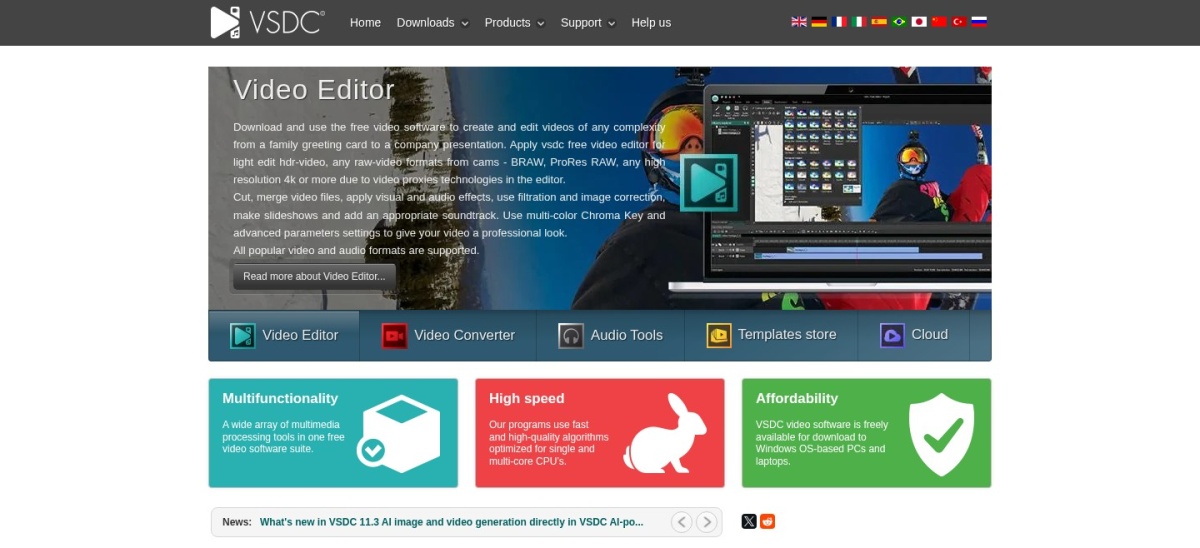
VSDC homepage, captured Nov 2026.
VSDC is a free non-linear video editor for Windows. The free version exports 4K video without a watermark, covers colour correction, motion tracking and masking, and supports MP4, MOV, AVI, MKV and ProRes files. Pro costs $19.99 a year.
The trade off is the interface, which hides many functions in submenus and takes time to learn, and the editor runs on Windows only. It suits Windows users who want a genuinely free editor with pro features at the lowest paid upgrade on this list.
Clipchamp is Microsoft's free online video editor, shipped with Windows 11 and also available as a Windows app. The free plan includes unlimited projects, 1080p exports with no watermark, AI subtitles, text-to-speech and silence removal. Premium features come with Microsoft 365 Personal at $9.99 a month.
The trade off is the ceiling. 4K export, the full premium stock library and the brand kit need a Microsoft 365 subscription, and the editor needs an internet connection. It suits Windows and Microsoft 365 users who want a quick browser cut.
What we like
Free 1080p export with no watermark
AI subtitles and silence removal on the free plan
Premium included if you already pay for Microsoft 365
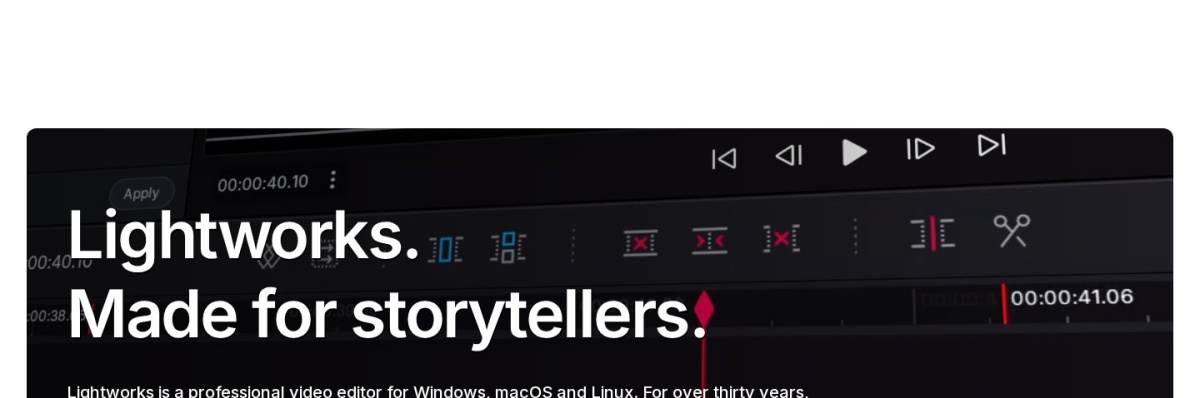
Lightworks is a professional video editor for Windows, Mac and Linux, used in film editing for over thirty years. The free version covers trimming, colour grading and keyframing with no watermark on exports. Create costs $20 a month per user.
The trade off is the price of the paid tiers and the crash reports in user reviews. G2 users rate Lightworks 3.6 out of 5 from 31 reviews, the lowest desktop score here. It suits editors who want a pro-grade timeline and are willing to learn its unusual interface.
What we like
Pro-grade timeline with a long film history
Colour grading and keyframing on the free plan
Runs on Windows, Mac and Linux
Watch out for
Lowest G2 score here at 3.6 out of 5
Paid tiers start at $20 a month per user
Create adds more export options; Pro costs $35 a monthVisit lwks.com
Free vs paid: what you give up
Free plans cover real editing here. Six of the nine tools export finished videos with no watermark at no cost, and DaVinci Resolve Free includes pro colour and audio tools.
Paid plans mostly add exports, stock and AI. Clipchamp holds 4K behind Microsoft 365, CapCut holds premium templates and AI credits behind Pro, and VSDC holds hardware acceleration behind Pro.
The cheapest paid upgrade is VSDC Pro at $19.99 a year. Our free vs premium plugins guide makes the same point for WordPress tools: pay when a locked feature blocks real work, not before.
For a tool you open every day, the first year of a paid plan often costs less than the time lost to a free tier's limits.
How we chose
We started from the freeware and free video editors with a permanent free plan and a public rating on G2, Capterra, SourceForge or Trustpilot, then kept the nine with the strongest free export.
Prices come from each vendor's pricing page, checked on 25 November 2026, and ratings and review counts come from the review site named on each card on the same day. Where a vendor shows a sale, the list shows the regular price.
We left out HitFilm, whose new licences were discontinued in 2025, and tools with no permanent free plan such as Premiere Pro and Movavi. No vendor paid for a place, and we do not claim hands-on testing for this list.
How to choose a freeware video editor
Start with the export, then match the editor to the job and the machine.
Check the free export first. Make sure the free plan exports the resolution you need with no watermark. DaVinci Resolve, Shotcut, Kdenlive, OpenShot, Blender and VSDC all do.
Match the editor to the video. Short social clips belong in CapCut or Clipchamp. Long-form, colour work and multi-cam belong in DaVinci Resolve, Kdenlive or Lightworks.
Check your machine before you commit. DaVinci Resolve and Blender want a capable computer with a good GPU. Shotcut and OpenShot run better on older machines.
Try the free plan on a real project. Cut one finished video end to end before you pay. That shows whether the interface, export speed and limits fit your work.
FAQ
What is the best freeware video editing software?
DaVinci Resolve is the best free option for most editors. Its free version covers editing, colour, effects and audio, exports 4K with no watermark, and G2 users rate it 4.7 out of 5 from 221 reviews.
Is DaVinci Resolve really free?
Yes. DaVinci Resolve Free is a permanent free editor, not a trial. Studio is a separate $295 one-time licence that adds AI tools, extra effects and higher frame rates, with free updates.
Which free video editor is best for beginners?
OpenShot is the easiest desktop editor to learn, with a drag-and-drop timeline and 3D titles. CapCut is easier still for short social clips, and Clipchamp is the simplest browser option on Windows.
Do free video editors add a watermark?
The six desktop editors on this list do not: DaVinci Resolve, Shotcut, Kdenlive, OpenShot, Blender and VSDC all export without a watermark. CapCut and Clipchamp also export watermark-free on their free plans, with some features held back.
What happened to HitFilm?
Artlist discontinued new HitFilm licences in 2025, so it is no longer a current buy. Shotcut and Kdenlive are the closest free replacements, and DaVinci Resolve Free covers the pro end.
Which free editor works on Windows, Mac and Linux?
DaVinci Resolve, Shotcut, Kdenlive, OpenShot, Blender and Lightworks all run on Windows, Mac and Linux. VSDC is Windows only, and Clipchamp runs in the browser and as a Windows app.
SaaS SEO and WordPress specialist with about 8 years of experience. Rakib compares WordPress plugins, themes, hosting and software using public pricing, documentation and user reviews. See how we rank.