DaVinci Resolve is the best free video editor without a watermark for most creators, with free 4K exports, pro color tools and a 4.7 out of 5 G2 rating. Pick CapCut for fast social clips and Shotcut for a fully free editor with no account.
How we make this list: we compare pricing pages, product documentation and public user reviews, then re-check every price before each update. No product paid for a place. Disclosure.
DaVinci Resolve is the only free editor here with pro color grading and 4K exports at no cost, rated 4.7 out of 5 on G2.
CapCut exports HD video without a watermark on its free plan, with Pro at $179.99 a year for AI credits and premium templates.
Shotcut, OpenShot and Kdenlive are fully free and open source, with no watermark, no account and no paid tier at all.
Lightworks Free is watermark-free but caps exports at 1080p MP4, and 4K needs Create at $20 a month.
Clipchamp exports unlimited 1080p videos free in a browser, with 4K inside Microsoft 365 Personal at $99.99 a year.
What to check before you pick a free editor
A free editor is only free if the export is clean. Some editors let you edit for free and stamp a watermark on the finished video, so the export rule matters more than the feature list.
Resolution caps are the second trap. Lightworks Free stops at 1080p and Clipchamp Free stops at 1080p too, while DaVinci Resolve, Shotcut, VSDC and iMovie export 4K without paying.
Accounts and upsells are the third check. Shotcut, OpenShot and Kdenlive never ask you to sign in, while CapCut and Clipchamp need an account and hold premium effects behind paid plans.
If you publish videos on a WordPress site, keep the page fast once the video is live. Our guide on speeding up YouTube embeds shows how to lazy load embeds so they do not slow the page.
The 9 best free video editing software without watermark
01
DaVinci Resolve
4.7/5on G2 (223 reviews, checked Nov 2026)
Paid from$295/yr
Best free video editor overall
Free exportYes
WatermarkNone
Max free export4K UHD, 60fps
Paid planStudio, $295 once
blackmagicdesign.com
DaVinci Resolve homepage, captured Nov 2026.
DaVinci Resolve is a professional video editor from Blackmagic Design, and its free version is the full editor, not a trial. It includes cutting, color grading, Fairlight audio and effects pages, and exports up to 4K UHD at 60fps with no watermark.
The trade off is the learning curve and the hardware. Resolve wants a decent GPU and plenty of RAM, and its multi-page layout takes a weekend to learn. Studio costs $295 once and adds AI tools and 10-bit video. It suits creators who want pro results free and are willing to learn.
What we like
Full professional editor, color grading and audio free
Free 4K exports with no watermark
Rated 4.7 out of 5 on G2 from 223 reviews
Runs on Windows, Mac and Linux
Watch out for
Demanding on hardware
Steep learning curve for beginners
AI tools and 10-bit video need the $295 Studio version
CapCut is the ByteDance editor built for short social video, on Windows, Mac, mobile and the web. The free plan covers trimming, transitions, auto captions and effects, and exports HD video without a watermark.
The trade off is that premium effects, some AI features and extra cloud storage sit behind Pro at $19.99 a month or $179.99 a year. You also need a free account. It suits creators posting Reels, Shorts and TikTok clips who want speed over depth.
What we like
Very easy to learn
Free HD exports without a watermark
Auto captions, templates and effects built in
Desktop, mobile and web versions
Watch out for
Premium effects and AI features need Pro
Requires a free account
No free export resolution published on the pricing page
Pro adds 1,200 monthly AI credits, premium templates and 1 TB of storageVisit capcut.com
03
Shotcut
4.2/5on G2 (42 reviews, checked Nov 2026)
PriceFree
Best fully free open source editor
Free exportYes
WatermarkNone
Max free export4K and 8K
Paid planNone, open source
shotcut.org
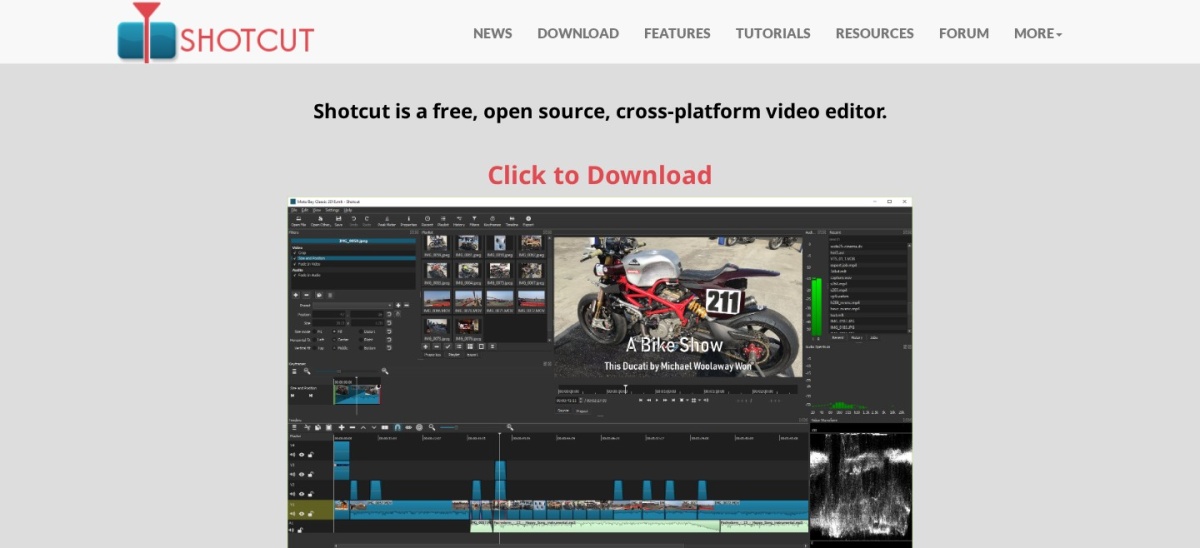
Shotcut homepage, captured Nov 2026.
Shotcut is a free, open source video editor for Windows, Mac and Linux, built on the MLT framework. It edits natively with no import step, supports 4K and 8K timelines, and exports without a watermark, an account or any paid tier.
The trade off is the interface, which is functional rather than friendly, with panels you enable yourself. There are no trending templates or stock libraries. It suits editors who want a free tool that never asks for money, an account or space on the video for a logo.
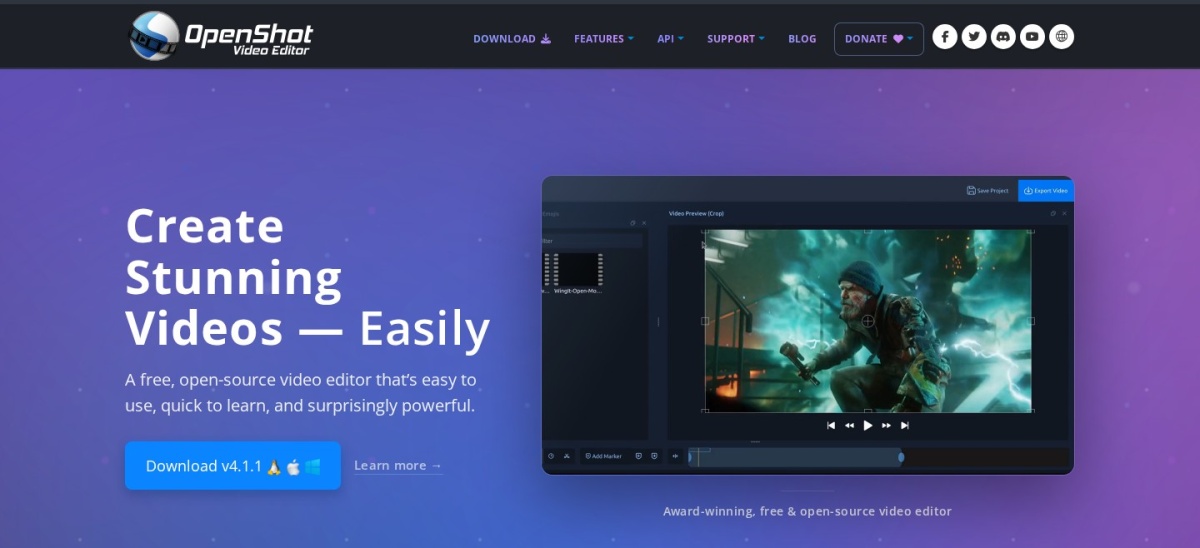
OpenShot is the friendliest timeline on this list. It keeps editing simple: drag clips onto unlimited tracks, trim, add transitions, animate with keyframes and export, all free and open source with no watermark and no project limits.
The trade off is performance and depth. Large projects with many effects can slow down, and the 3D animated titles need Blender installed to render. It suits school projects, family videos and simple YouTube edits where ease matters more than power.
What we like
Easiest open source timeline to learn
Unlimited tracks and keyframe animation
40+ title templates and Blender 3D titles
No watermark, no account, no limits
Watch out for
Can be slow on long projects
No multicam or subtitles on its features page
3D titles need Blender installed
No paid edition exists, so the free download is the whole editorVisit openshot.org
05
Kdenlive
5/5on SourceForge (25 reviews, checked Nov 2026)
PriceFree
Best open source editor for growing skills
Free exportYes
WatermarkNone
Max free exportNo stated cap
Paid planNone, open source
kdenlive.org
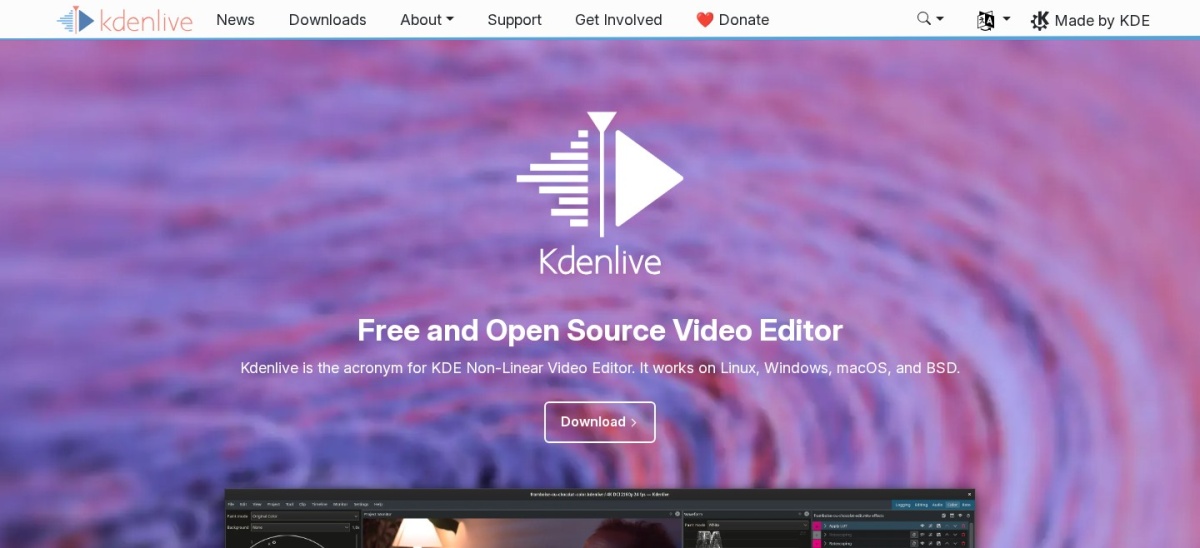
Kdenlive homepage, captured Nov 2026.
Kdenlive is a full-featured open source editor from the KDE project, for Linux, Windows, macOS and BSD. It offers multi-track timelines, hundreds of effects and transitions, audio mixing, color scopes and proxy editing, all free with no watermark.
The trade off is the learning curve, which sits between OpenShot simplicity and Resolve complexity. Stability on Windows has improved but still trails Linux, so save often on long projects. It suits editors who want a free timeline that keeps growing with their skills.
What we like
Deep feature set with multicam and nested sequences
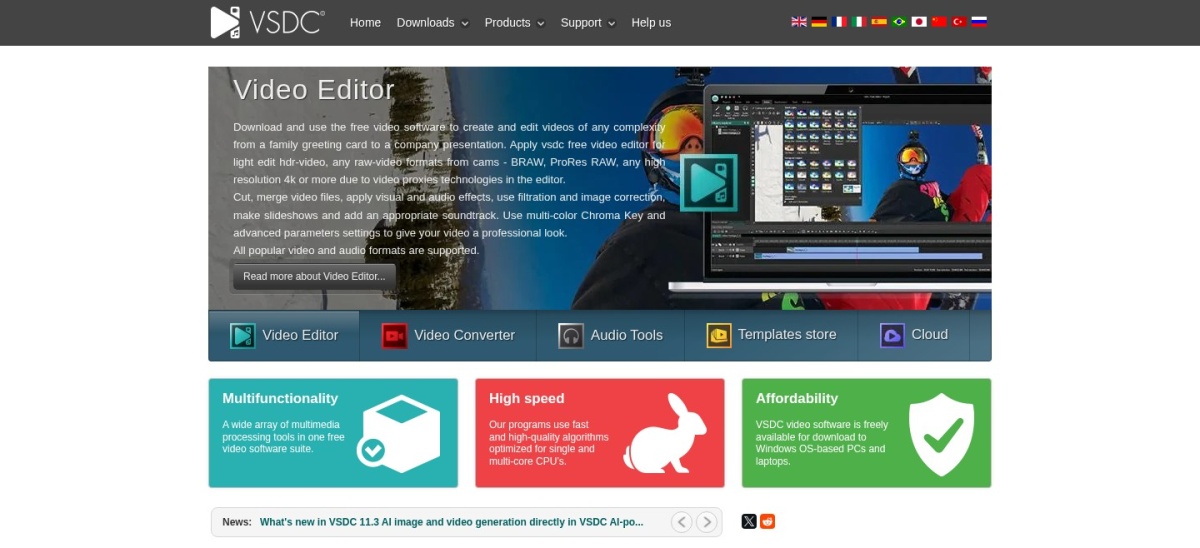
VSDC Free Video Editor homepage, captured Nov 2026.
VSDC Free Video Editor is a Windows-only editor that runs well on old laptops that choke heavier tools. The free version offers non-linear editing, chroma key, color correction and 4K export with no watermark, plus GPS telemetry tools for action-camera footage.
The trade off is the interface, which follows its own logic rather than Premiere conventions, and the Windows-only limit. Motion tracking, stabilization and audio waveform editing need Pro at $19.99 a year. It suits Windows users with modest hardware who need a capable free editor now.
What we like
Runs well on low-spec PCs
Exports 4K without a watermark
Chroma key and color correction on the free tier
GPS speedometer and map overlays for action cameras
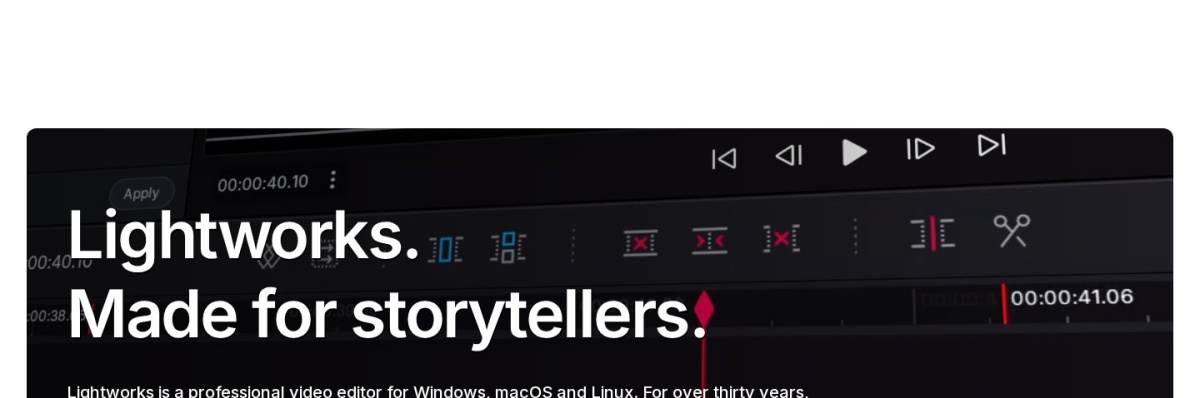
Lightworks is a professional editor with a free plan that gives you the real timeline: multicam, real-time effects, color grading, multitrack audio and direct uploads to YouTube and Vimeo, with no watermark on exports.
The trade off is resolution. Free exports stop at 1080p MP4, and 4K needs Create at $20 a month. The workflow follows film-editing conventions, so the learning curve is real. It suits learners who want pro habits and can live with 1080p for now.
What we like
Professional timeline, color grading and audio on Free
Free tier has no watermark
Direct upload to YouTube and Vimeo
Runs on Windows, Mac and Linux
Watch out for
Free exports capped at 1080p, MP4 only
4K costs $240 a year on Create
Unusual workflow takes serious learning
Create adds 4K export and ProRes and BRAW decodingVisit lwks.com
08
Clipchamp
4.1/5on G2 (49 reviews, checked Nov 2026)
Paid from$99.99/yr
Best for browser editing with no install
Free exportYes
WatermarkNone
Max free export1080p, unlimited
Paid planMicrosoft 365, $99.99/yr
clipchamp.com
Clipchamp homepage, captured Nov 2026.
Clipchamp is Microsoft's browser-based editor, already in the Windows Start menu. The free plan records screen, camera and voice, edits on a simple timeline, adds AI voiceovers and captions, and exports unlimited HD videos with no watermark.
The trade off is the browser itself. You need a Microsoft account and a solid connection, heavy projects can feel sluggish, and 4K export, premium stock and the brand kit need Microsoft 365 Personal at $99.99 a year. It suits quick explainers and social clips made without installing anything.
What we like
Runs in the browser with nothing to install
Unlimited HD exports without a watermark
AI voiceovers, captions and silence removal on Free
Built-in screen, camera and voice recorder
Watch out for
Needs a Microsoft account and good internet
Free export stops at 1080p
4K and premium stock need Microsoft 365
Microsoft 365 Personal adds 4K export, premium stock and the brand kitVisit clipchamp.com
09
iMovie
4.3/5on G2 (568 reviews, checked Nov 2026)
PriceFree
Best free editor for Apple devices
Free exportYes
WatermarkNone
Max free export4K, 60fps
Paid planNone
apple.com
iMovie homepage, captured Nov 2026.
iMovie is Apple's free editor for Mac, iPhone and iPad, and it costs nothing with no paid tier at all. It edits up to 4K on Mac and saves up to 4K at 60fps on supported iPhones and iPads, with no watermark on exports.
The trade off is the wall around it: iMovie runs only on Apple devices, and it is a simpler editor than DaVinci Resolve or Kdenlive. Projects move from iPhone or iPad to Mac by AirDrop or iCloud Drive. It suits Apple owners who want every feature free with nothing to upgrade to.
What we like
4K editing on Mac and 4K 60fps saves on iPhone
Projects move from iPhone or iPad to Mac
Trailer templates: 29 on Mac, 14 on iPhone and iPad
No paid plan, so nothing is held back
Watch out for
Apple devices only
Simpler than pro editors
Needs a recent macOS or iOS version
No paid tier exists, so the free app is the whole editorVisit apple.com
Free vs paid: what the upgrade buys
Free plans cover the basics well. Every tool here exports without a watermark on its free tier, which is the whole point of the list.
Paid upgrades mostly buy resolution and AI. Lightworks Create lifts the 1080p cap, Clipchamp's 4K sits inside Microsoft 365, and CapCut Pro adds AI credits and premium templates.
The fully free editors never ask. Shotcut, OpenShot, Kdenlive and iMovie have no paid tier, so there is nothing to upgrade to and nothing held back.
Pay only when a cap blocks a real project. If 4K matters, DaVinci Resolve already exports it free, so check the free tier first.
How we chose
We started from the free video editors most often named in creator round-ups, then kept only those whose free tier exports without a watermark.
Prices come from each vendor's pricing page or a November 2026 read of it, checked on 25 November 2026. Ratings come from G2, with Kdenlive rated on SourceForge where G2 has only 2 reviews. Where a vendor shows a sale, the list shows the regular price.
We left out editors whose free exports carry a watermark, including Filmora and WeVideo. No vendor paid for a place, and we do not claim hands-on testing for this list.
How to choose a free video editor without a watermark
Start with the device you edit on and the resolution you deliver, then check the export rule before you invest learning time.
Check the export rule first. Export a short test clip on the free tier and watch it end to end. Watermarks sometimes appear only on export, not in the preview.
Match the resolution to your audience. If you publish on YouTube in 4K, pick DaVinci Resolve, Shotcut, VSDC or iMovie. Lightworks and Clipchamp stop at 1080p free.
Pick desktop or browser. Desktop editors handle long projects better, while Clipchamp and CapCut Online need nothing installed and work from any computer.
Check the account and the upsell. Shotcut, OpenShot and Kdenlive never ask you to sign in. CapCut and Clipchamp need an account, so check which effects sit behind Pro before building a project around them.
FAQ
What is the best free video editing software without watermark?
DaVinci Resolve is the best overall, with a professional editor, color grading and 4K exports free and no watermark. For beginners, CapCut is easier and faster for social video, while Shotcut is the best fully free option with no account.
Is CapCut really free without watermark?
Yes. CapCut's free tier exports HD videos without a watermark, which its online editor page states directly. Some premium effects, assets and AI features need Pro at $19.99 a month, but basic editing and clean exports cost nothing.
Does DaVinci Resolve free have a watermark?
No. The free version of DaVinci Resolve exports without any watermark, including 4K projects. Blackmagic charges for the $295 Studio version, which adds AI features and 10-bit video, and the free editor is complete for most creators.
Which free video editor is best for PC without watermark?
DaVinci Resolve and CapCut both run well on Windows PCs and export without watermarks. VSDC is the best choice for older or weaker Windows machines, and Clipchamp works in the browser if you cannot install software.
Why do some free editors limit exports to 720p?
Resolution caps are how freemium editors segment their market without watermarks. Lightworks gives away the full editing experience but reserves 4K for paid tiers. If your audience watches on phones, 1080p is fine; for YouTube, choose an editor with free 4K export.
Can I use these editors for commercial videos?
Yes for most of them, but check the licence. Shotcut, OpenShot, Kdenlive and iMovie are free for commercial use. VSDC's free version is for personal and educational use, so commercial work needs Pro.
SaaS SEO and WordPress specialist with about 8 years of experience. Rakib compares WordPress plugins, themes, hosting and software using public pricing, documentation and user reviews. See how we rank.