DaVinci Resolve is the best free video editor with no watermark for most people: its free version exports 4K video and includes pro color and audio tools, rated 4.7 out of 5 on G2. Pick CapCut for fast social video or Clipchamp for the simplest free start on Windows.
How we make this list: we compare pricing pages, product documentation and public user reviews, then re-check every price before each update. No product paid for a place. Disclosure.
DaVinci Resolve gives the most in its free version: 4K export, pro color tools and Fairlight audio, all with no watermark.
CapCut is the fastest free route to a captioned vertical video, but Pro-tagged templates add a watermark unless you pay $9.99 a month for Standard.
Clipchamp exports unlimited 1080p video with no watermark for free; 4K needs Microsoft 365 Personal at $99.99 a year.
Shotcut, OpenShot and Kdenlive are fully free with no paid plan at all, and all three export 4K with no watermark.
iMovie is free on every Mac and iPhone, rated 4.3 out of 5 from 568 G2 reviews, but it only runs on Apple devices.
What to check before you trust a free editor
A watermark is the catch in most free video editors. Many let you edit for free, then stamp a logo on the export until you pay.
The seven tools in this list all export clean video on their free plan, with one condition: CapCut adds a watermark when you use Pro-tagged templates or effects, so stick to the free assets if you never want to pay.
Resolution is the other limit to check. DaVinci Resolve, Shotcut, OpenShot, Kdenlive and iMovie all export 4K for free, while CapCut and Clipchamp cap free exports at 1080p.
Once you have a clean export, the next question is where it goes. Our guide on how to embed a video in WordPress shows how to put a finished video on a site without slowing it down.
The 7 best free video editing software with no watermark
01
DaVinci Resolve
4.7/5on G2 (223 reviews, checked Nov 2026)
Paid from$295/once
Best free video editor overall
Free export4K, no watermark
PlatformsWindows, Mac, Linux
Free version limits8-bit, up to 4K 60fps
Paid planStudio, $295 once
blackmagicdesign.com
DaVinci Resolve homepage, captured Nov 2026.
DaVinci Resolve is a professional editing, color, effects and audio app from Blackmagic Design, and its free version is the most capable here. It exports up to Ultra HD 4K at 60 frames per second with no watermark, and includes the cut and edit pages, the color page, Fusion effects and Fairlight audio in one download.
The trade off is the learning curve. The interface packs in pro tools, so a first project takes longer than in a simple editor, and 10-bit footage, 120 fps and resolutions above 4K need Studio at $295, paid once. It suits editors who want pro tools for free and are willing to learn them.
What we like
Full pro editor free, with color and audio built in
CapCut is ByteDance's free editor for short-form video, on Windows, Mac, iOS, Android and the web. The free version includes a multi-track timeline, auto-captions, templates, effects and 1080p export, and core edits export with no watermark.
The trade off is the watermark on Pro-tagged templates and effects. Free exports stay clean only while you avoid Pro-marked assets, and 4K export needs Pro at $19.99 a month. It suits creators making TikTok, Reels and Shorts who want fast captions and templates.
What we like
Fastest route to a captioned vertical video
Auto-captions and templates included free
Same project moves between phone and desktop
Watch out for
Pro-tagged templates add a watermark on free exports
Free export tops out at 1080p
Free cloud storage was removed, so projects do not sync
Standard at $9.99 a month removes watermarks on Pro templatesVisit capcut.com
03
Clipchamp
4.1/5on G2 (50 reviews, checked Nov 2026)
Paid from$99.99/yr
Best free editor for quick Windows edits
Free export1080p, no watermark
PlatformsWindows app and browser
Screen recorderYes, in the free plan
Paid planPremium via Microsoft 365, $99.99/yr
clipchamp.com
Clipchamp homepage, captured Nov 2026.
Clipchamp is Microsoft's video editor, built into Windows 11 and also available in the browser. The free plan includes unlimited watermark-free exports up to 1080p, a screen and camera recorder, auto-captions and free stock media, with a personal Microsoft account.
The trade off is the 1080p cap on free exports. 4K export, the full premium stock library and a brand kit need Premium, which comes only with Microsoft 365 Personal at $99.99 a year. It suits Windows users who want a quick, simple editor with no install.
What we like
Unlimited watermark-free 1080p exports on the free plan
Built into Windows 11, no install needed
Screen and camera recorder included
Watch out for
Free exports stop at 1080p
Premium cannot be bought on its own
Slows down on longer or higher-resolution projects
Premium adds 4K, premium stock and a brand kit via Microsoft 365Visit clipchamp.com
04
Shotcut
4.5/5on Capterra (78 reviews, checked Nov 2026)
PriceFree
Best fully free open-source editor
Free export4K, no watermark
PlatformsWindows, Mac, Linux
Paid planNone, fully free
Account neededNo
shotcut.org
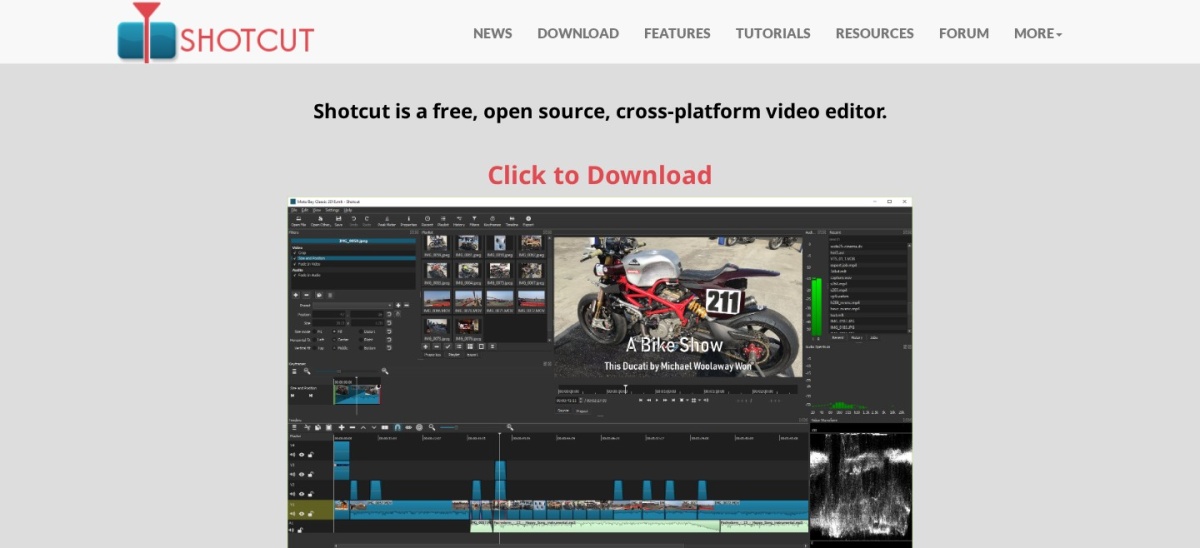
Shotcut homepage, captured Nov 2026.
Shotcut is a free, open-source video editor for Windows, Mac and Linux, with no paid plan and no account to create. It includes a multi-track timeline, 4K export, hardware acceleration and a wide range of filters, and every export is watermark-free.
The trade off is the interface. It looks plain next to commercial editors, and some effects take a while to learn. It suits editors who want a free desktop editor with no company behind their footage and no upgrade to buy.
iMovie is Apple's free video editor, included with every Mac, iPhone and iPad. It offers a simple timeline, 4K export, trailers, titles and green-screen effects, and exports carry no watermark.
The trade off is that it only runs on Apple devices. There is no Windows or Android version, and advanced controls such as keyframing and multi-cam are missing. It suits Mac and iPhone owners who want a quick, clean edit with nothing to buy.
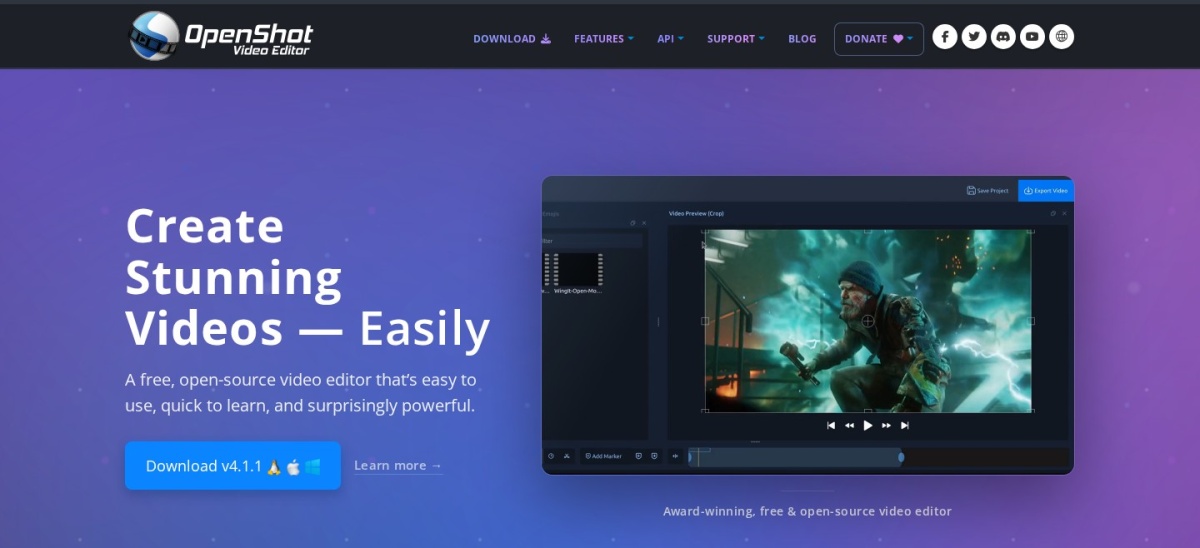
OpenShot is a free, open-source editor for Windows, Mac and Linux, built around a drag-and-drop timeline. It includes unlimited tracks, 3D animated titles, chroma key and 4K export, with no watermark on any export.
The trade off is stability. Reviewers report crashes and slow exports on larger projects, so saving often is wise. It suits beginners who want a simple free timeline and do not mind an editor that can feel rough at the edges.
Kdenlive is a free, open-source multi-track editor from the KDE community, for Windows, Mac and Linux. It includes proxy editing for slow machines, keyframed effects, multi-track color grading and 4K export, with no watermark and no paid plan.
The trade off is the learning curve. The interface shows its open-source roots, and very large projects can feel unstable. It suits editors who want a Premiere-style workflow for free and are comfortable learning a deeper tool.
Free editors hide the watermark in different places. Some stamp every export, some only stamp projects that use premium templates, and some cap the free export at 1080p.
CapCut is the clearest example here: core edits export clean, but anything marked Pro adds a watermark until you pay $9.99 a month for Standard.
Open-source editors avoid the problem entirely. Shotcut, OpenShot and Kdenlive have no paid plan, so there is no premium tier to stamp a watermark from.
Before you commit to a project, export a 10-second test clip and check it. That is the fastest way to find a watermark before you have edited for an hour.
How we chose
We started from the free video editors most often named in 2026 round-ups, then kept only those whose free plan exports without a watermark.
Prices come from each vendor's pricing page, checked on 25 November 2026. Ratings come from G2, Capterra or SourceForge on the same day. Where a vendor shows a sale, the list shows the regular price.
We left out editors whose free exports carry a watermark, and editors with no public rating. No vendor paid for a place, and we do not claim hands-on testing for this list.
How to choose a free video editor with no watermark
Start with the export, not the feature list, then match the editor to your device and your videos.
Export a test clip first. Cut 10 seconds, export it, and check for a watermark before you edit a full project.
Check the free resolution cap. DaVinci Resolve, Shotcut, OpenShot, Kdenlive and iMovie export 4K free; CapCut and Clipchamp stop at 1080p. See our guide on how to resize a video in WordPress if the file ends up too large for your site.
Match the editor to your device. iMovie only runs on Apple devices, Clipchamp is built into Windows 11, and the open-source editors run on Windows, Mac and Linux.
Pick for your video type. Use DaVinci Resolve for longer or polished projects, CapCut for vertical social clips, and OpenShot or iMovie for a first simple edit.
FAQ
What is the best free video editor with no watermark?
DaVinci Resolve is the strongest free pick for most editors. Its free version exports 4K video with no watermark and includes pro color grading and audio tools, and it is rated 4.7 out of 5 from 223 G2 reviews.
Is CapCut really free with no watermark?
Mostly. Core edits export clean on the free plan, but Pro-tagged templates and effects add a watermark. Standard at $9.99 a month removes it, and 4K export needs Pro at $19.99 a month.
Does Clipchamp add a watermark to free exports?
No. Clipchamp's free plan includes unlimited watermark-free exports up to 1080p. The paid Premium tier only adds 4K export, premium stock assets and a brand kit, through Microsoft 365.
Which free video editor exports 4K with no watermark?
DaVinci Resolve, Shotcut, OpenShot, Kdenlive and iMovie all export 4K for free with no watermark. CapCut and Clipchamp cap free exports at 1080p, so pick one of the five if 4K matters.
Is iMovie free on Windows?
No. iMovie only runs on Mac, iPhone and iPad, and there is no Windows or Android version. Windows users should look at Clipchamp, Shotcut or DaVinci Resolve instead, all of which export without a watermark for free.
Do I need to pay to remove a watermark in Shotcut or OpenShot?
No. Shotcut and OpenShot are open-source editors with no paid plan at all, so nothing in them is held back for payment. Every export is watermark-free, including 4K.
SaaS SEO and WordPress specialist with about 8 years of experience. Rakib compares WordPress plugins, themes, hosting and software using public pricing, documentation and user reviews. See how we rank.