Best Free CAD Software for Beginners in 2026: 8 Tools Compared
WLWPLegible EditorsLast verified 23 Nov 2026How we rank12 min read
★ Short answer
Tinkercad is the best free CAD software for most beginners. It runs in a browser, costs nothing and is rated 4.5 out of 5 on G2 from 120 reviews. Pick FreeCAD for precise parametric parts and Onshape for real CAD that runs in a browser.
How we make this list: we compare pricing pages, product documentation and public user reviews, then re-check every price before each update. No product paid for a place. Disclosure.
Tinkercad is the easiest first step: free, in a browser, rated 4.5 out of 5 on G2 from 120 reviews.
FreeCAD is the best free parametric CAD, rated 4.1 out of 5 on G2 from 62 reviews, with no paid plan at all.
Onshape has the highest G2 rating here at 4.7 out of 5 from 725 reviews, but free documents are public.
Fusion's free personal licence covers core CAD, while the commercial plan costs $680 a year.
Four of the 8 tools are fully free with no paid plan. The cheapest paid upgrade is SketchUp Go at $119 a year.
What to look for in free CAD software for beginners
Beginners should start with the model type they need, not the biggest feature list. A 3D printer part, a room layout and a floor plan each point to a different tool.
Free plans differ in what they lock away. Some tools are free with no paid plan, while others keep private files, exports or desktop apps behind a paid tier.
Free plans are worth comparing the same way as any purchase. Our guide on free vs premium WordPress plugins explains when paying is worth it.
Ratings in this list come from G2, checked in November 2026, and prices come from each vendor's own pricing page.
Tinkercad is Autodesk's free, browser-based 3D design tool for beginners. You build models by stacking and cutting simple shapes, with no software to install and no paid plan to buy. It includes 3D design, circuits and lessons, and it exports STL files for 3D printing. It is rated 4.5 out of 5 on G2 from 120 reviews.
The trade off is depth. Tinkercad has no parametric sketches, exact dimensions or assemblies, so precise parts and larger projects soon outgrow it. It suits a first model, a classroom and anyone who wants to print a simple part this weekend.
FreeCAD is a free, open-source parametric 3D CAD program for Windows, macOS and Linux. You sketch a shape, set its dimensions and change them later, and the model updates. It covers part design, assemblies, drawings and 3D printing exports, and it is rated 4.1 out of 5 on G2 from 62 reviews.
The trade off is polish. The interface is less smooth than paid CAD, and some workbenches feel unfinished, so beginners should expect a learning curve and forum help. It suits makers and students who want real parametric CAD without paying.
Onshape is a cloud CAD system from PTC that runs in a browser, with a free plan for non-commercial use. The free plan includes parametric modeling, assemblies, drawings, version control and real-time collaboration, with unlimited public storage. It is rated 4.7 out of 5 on G2 from 725 reviews.
The trade off is privacy. Every document on the free plan is public, and commercial use needs Standard at $1,500 a user per year. It suits learners, open hardware projects and teams who want to work together in a browser.
Autodesk Fusion is a cloud CAD, CAM and simulation platform for product design. The free personal-use licence covers core 3D modeling for non-commercial home projects, with up to 10 active documents. It is rated 4.5 out of 5 on G2 from 520 reviews.
The trade off is the step up. The commercial plan costs $680 a year, and the free licence limits exports and advanced CAM. It suits hobbyists who want near-professional CAD and a clear path to paid work later.
SketchUp is a 3D modeling tool from Trimble, known for fast, push-pull modeling. The free web version covers personal projects, with 10 GB of cloud storage and access to the 3D Warehouse library of models. It is rated 4.5 out of 5 on G2 from 1,327 reviews.
The trade off is precision. SketchUp Free is not parametric CAD, and desktop tools, LayOut and extensions need Go at $119 a year or Pro. It suits room layouts, woodwork and concept models more than machined parts.
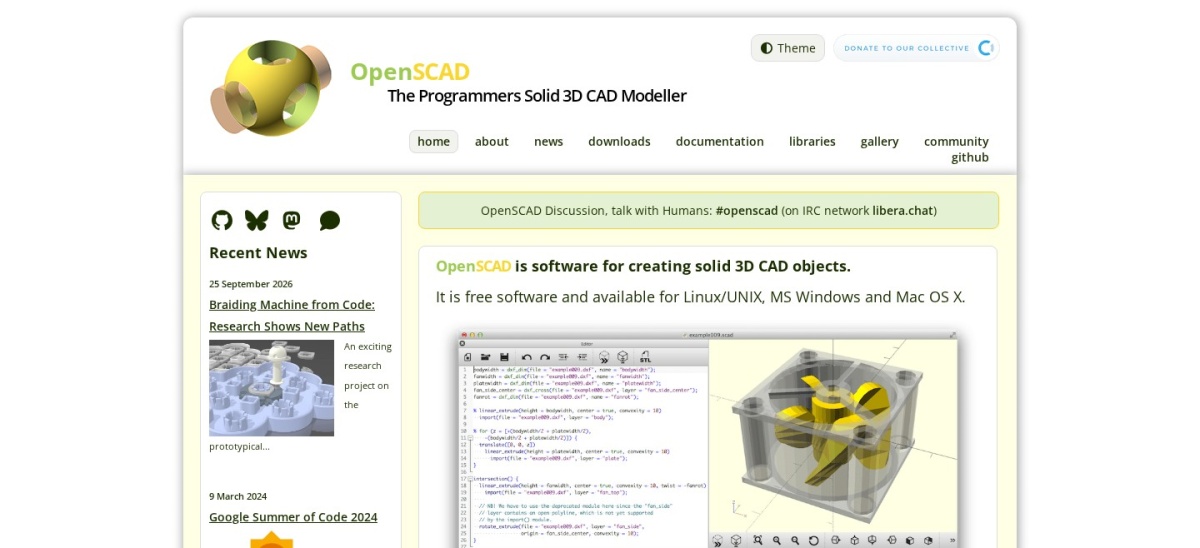
OpenSCAD is a free, open-source CAD tool where you describe a model in code instead of drawing it. You type dimensions and shapes, and the program builds the solid, which makes exact, repeatable parts easy. It is rated 4.3 out of 5 on G2 from 31 reviews.
The trade off is the learning style. There is no mouse-driven sketching, so it fits people who like code and not those who want to drag shapes. It suits programmers, 3D printing fans and parametric parts built from numbers.
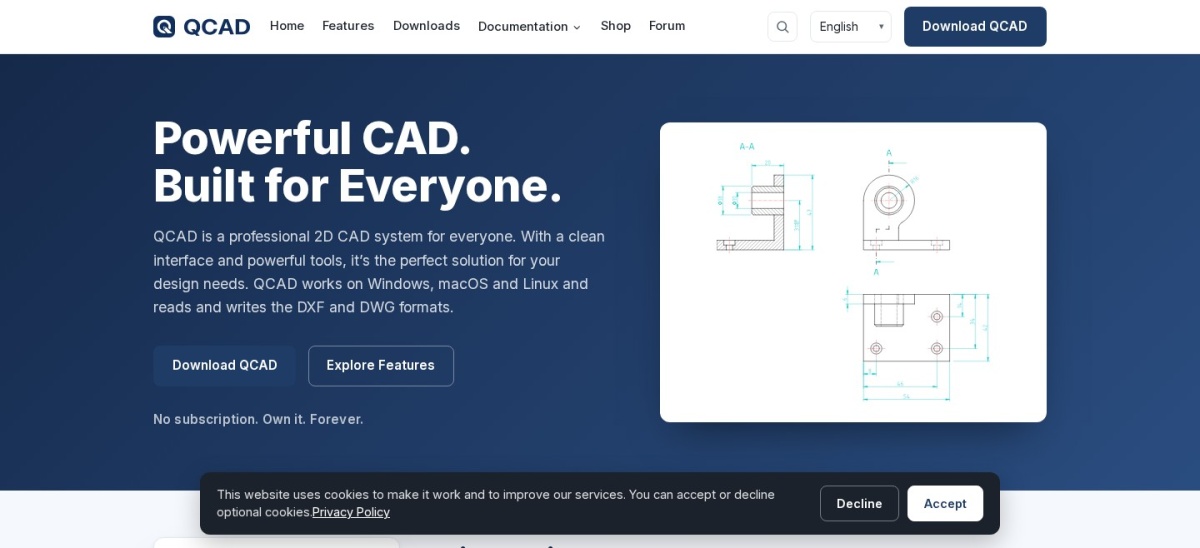
QCAD is a free 2D CAD program for Windows, macOS and Linux, built for technical drawing. The community edition covers layers, dimensions, blocks and hatching, and it reads and writes DXF and DWG files. It is rated 4.4 out of 5 on G2 from 13 reviews.
The trade off is scope. QCAD is 2D only, so it cannot model solid parts or assemblies for 3D printing. It suits floor plans, laser cutting files and anyone who needs clean 2D drawings without a subscription.
Blender is a free, open-source 3D creation tool for modeling, sculpting and rendering. It is not parametric CAD, but it models organic shapes, characters and scenes that CAD tools handle poorly. It is rated 4.6 out of 5 on G2 from 319 reviews.
The trade off is precision. Blender has no dimension-driven sketches or engineering drawings, so machined parts are hard to define. It suits artists, game assets and visual models that sit beside a CAD workflow.
Four tools in this list are fully free, with no paid plan at all. Tinkercad, FreeCAD, OpenSCAD and Blender cost nothing for the full tool.
The other four keep something back. Onshape makes free documents public, Fusion caps free documents at 10, SketchUp keeps the desktop app paid, and QCAD keeps some tools in Pro.
Pay only when a limit blocks your work. A private Onshape document, a Fusion export or a SketchUp desktop licence is worth it once you sell work or need that feature every week.
How we chose
We started from the free CAD tools most often named for beginners, then kept those with a real free plan and a public rating on G2.
Prices come from each vendor's pricing page, checked on 23 November 2026. Ratings and review counts come from G2 on the same day. Where a vendor shows a sale, the list shows the regular price.
We left out tools with no free plan and tools with no public rating. No vendor paid for a place, and we do not claim hands-on testing for this list.
How to choose free CAD software for beginners
Start with the kind of model you want to make, then pick the tool that fits it.
Decide what you will model first. A first 3D print points to Tinkercad, a machined part to FreeCAD, and a room layout to SketchUp.
Check the free plan limits. Onshape makes free documents public and Fusion caps them at 10, so read the limits before you start a long project.
Try the free plan for one small project. Model one real part or room from start to finish, including export, before you commit to a tool.
Plan the move to paid only when needed. Upgrade when a limit blocks paid work or a feature you use every week, not before.
FAQ
What is the best free CAD software for beginners?
Tinkercad is the best first step for most beginners. It is free, runs in a browser and is rated 4.5 out of 5 on G2 from 120 reviews. FreeCAD is the better pick once you need precise, dimensioned parts.
Is FreeCAD really free?
Yes. FreeCAD is free and open source, with no paid plan, licence fee or locked features. You can use it for personal and commercial work at no cost.
Can I use Onshape free for commercial work?
No. The Onshape free plan is for non-commercial use only, and every free document is public. Commercial work needs Standard at $1,500 a user per year.
Is Fusion free for hobbyists?
Yes, for personal, non-commercial use. The free licence covers core 3D modeling with up to 10 active documents. The commercial plan costs $680 a year.
Which free CAD tool is best for 3D printing?
Tinkercad is the easiest for a first print, and FreeCAD is the best free choice for precise, dimensioned parts. Both export STL files, which most 3D printers accept.
Do I need to install CAD software?
Not always. Tinkercad, Onshape and SketchUp Free run in a browser with nothing to install. FreeCAD, OpenSCAD, QCAD and Blender need a download for Windows, Mac or Linux.