Canva is the best free background animation software for most creators, with animated templates, one-click animation and 5 GB of storage on its free plan, rated 4.7 out of 5 on G2. Pick Blender for full control with no watermark, or Animaker for template-driven explainer scenes.
How we make this list: we compare pricing pages, product documentation and public user reviews, then re-check every price before each update. No product paid for a place. Disclosure.
Canva leads on ease: animated templates and one-click animation on a free plan, with Pro at $144 a year.
Blender is the only fully free tool here, with no watermark and no export limits, but it takes time to learn.
Animaker, Renderforest, VEED, FlexClip and Kapwing all watermark free exports, so check the export before you publish.
The cheapest paid upgrades run from $108 a year for Renderforest Lite to $240 a year for VEED Creator.
Kapwing has the lowest rating in this list at 3.9 out of 5 on G2, from 40 reviews, and the second-highest paid price at $192 a year.
What to look for in a free background animation tool
An animated background is a moving loop behind text, a logo or a video clip. It can be a gradient, particles, a short video clip or a full 3D scene, and it usually loops so it can run for any length of time.
The free plan is where these tools differ most. Some give you templates and clean exports, while others add a watermark, cap the resolution at 720p or limit how many videos you can download each month.
Start by deciding where the background will run. A website header needs a short, light loop, while a presentation or social video can use a longer clip with more movement. Our guide on changing the background in WordPress covers the website side.
Check the export format before you build. MP4 works almost everywhere, GIF suits short loops, and a transparent background matters if the animation sits over other content.
The 9 best free background animation software tools
01
Canva
4.7/5on G2 (7,757 reviews, checked Nov 2026)
Paid from$144/yr
Best free background animation software overall
Free animated templatesYes
Free storage5 GB
Premium assets141M+ on Pro
Paid planPro, $144/yr
canva.com
Canva homepage, captured Nov 2026.
Canva is a browser design tool with animated templates for social posts, presentations and website headers. The free plan includes animated templates, one-click animation, 5 GB of storage and exports as MP4 or GIF, so a looping background takes minutes to build.
The trade off is that premium animated templates and stock assets sit behind Pro at $144 a year, and the free plan caps storage at 5 GB. It suits beginners and small teams who want a fast background without learning animation software.
What we like
Fastest way to build an animated background from a template
Rated 4.7 out of 5 on G2 from more than 7,700 reviews
Exports as MP4 or GIF for websites and video
Free plan includes 5 GB of storage
Watch out for
Premium animated templates need Pro at $144 a year
Free storage is capped at 5 GB
Less control than a full animation tool
Pro adds premium templates, 141M+ assets and 100 GB of storageVisit canva.com
02
Animaker
4.7/5on G2 (1,071 reviews, checked Nov 2026)
Paid from$10/mo
Best for template-driven explainer backgrounds
Free exportsWatermarked
Free video length2 minutes
Auto-animationSmart Move
Paid planBasic, $10/mo annual
animaker.com
Animaker homepage, captured Nov 2026.
Animaker is a browser animation tool for explainer scenes, intros and animated backgrounds built from templates. The free plan covers core animation tools, characters and templates, with Smart Move auto-animation to move objects between frames without keyframes.
The trade off is the watermark on every free export, plus a 2-minute video limit and 720p quality until you pay. Basic costs $10 a month billed annually and removes the watermark. It suits marketers making explainer-style backgrounds from templates.
What we like
Large template and character library for explainer scenes
Smart Move auto-animation needs no keyframes
Rated 4.7 out of 5 on G2 from more than 1,000 reviews
Basic is one of the cheapest paid upgrades here
Watch out for
Every free export carries a watermark
Free videos are capped at 2 minutes
Basic exports are limited to 720p
Basic removes the watermark and adds 5 premium exports a monthVisit animaker.com
03
Blender
4.6/5on G2 (319 reviews, checked Nov 2026)
PriceFree
Best fully free tool with no watermark
PriceFree, open source
WatermarkNone
Export limitsNone
Paid planNone, donations only
blender.org
Blender homepage, captured Nov 2026.
Blender is a free, open-source 3D suite for modelling, animation and video editing, with no paid plan at all. It can build particle loops, gradient scenes and full 3D backgrounds, and its video sequencer can cut and loop the result for a website or video.
The trade off is the learning curve. There are no ready-made background templates, and a simple loop can take hours to set up if you are new to 3D. It suits creators who want full control, no watermark and no export limits.
What we like
Completely free with no watermark or export limits
Full 3D modelling, animation and rendering in one tool
Rated 4.6 out of 5 on G2 from 319 reviews
Large community with free tutorials
Watch out for
Steep learning curve for beginners
No ready-made background templates
Needs a capable computer for 3D rendering
There is no paid plan; development is funded by donationsVisit blender.org
04
Adobe Express
4.5/5on G2 (855 reviews, checked Nov 2026)
Paid from$9.99/mo
Best for creators in the Adobe ecosystem
Free templates100,000+
Free storage5 GB
Premium assets200M+ on Premium
Paid planPremium, $9.99/mo
adobe.com
Adobe Express homepage, captured Nov 2026.
Adobe Express is a browser design tool from Adobe for social posts, images and short videos. The free plan includes more than 100,000 templates, over 1 million stock assets, 5 GB of storage and basic animation tools for moving backgrounds.
The trade off is that premium templates and the full 200 million asset library sit behind Premium at $9.99 a month, and free exports carry a watermark. It suits creators already in the Adobe ecosystem who want quick animated designs.
What we like
More than 100,000 templates on the free plan
Access to Adobe Stock assets and fonts
Rated 4.5 out of 5 on G2 from 855 reviews
One-click tools such as remove background
Watch out for
Premium templates are locked on the free plan
Free exports carry a watermark
Generative AI credits are limited on the free plan
Premium adds 200M+ assets, brand kits and 100 GB of storageVisit adobe.com
05
Renderforest
4.7/5on G2 (447 reviews, checked Nov 2026)
Paid from$9/mo
Best for branded intros and logo backgrounds
Free export720p, watermarked
Templates1,200+
Free storage500 MB
Paid planLite, $9/mo annual
renderforest.com
Renderforest homepage, captured Nov 2026.
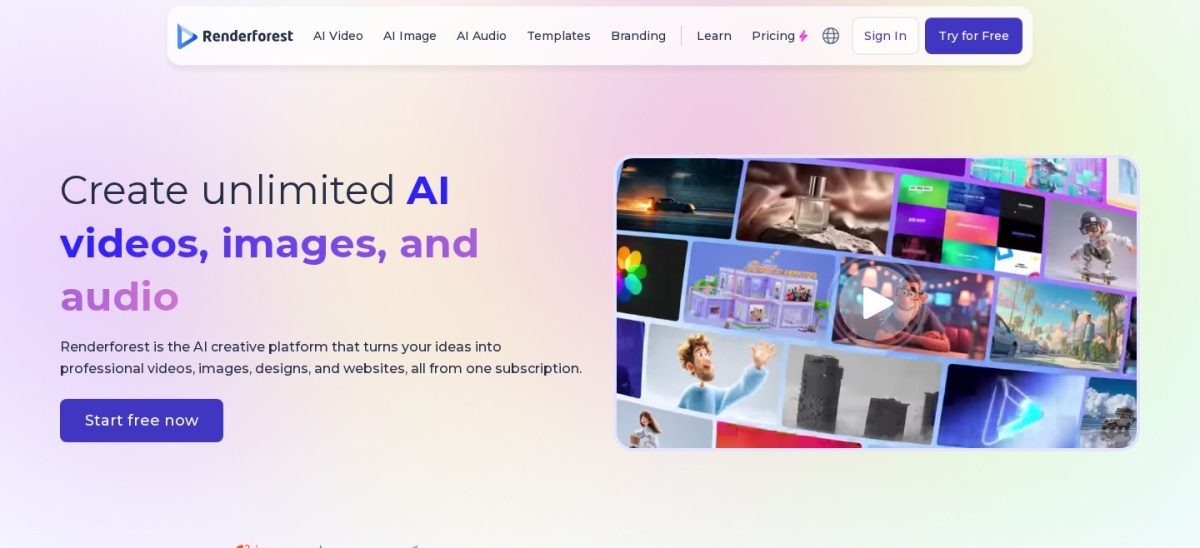
Renderforest is a template video platform for intros, logo reveals and branded animated backgrounds. The free plan covers 1,200+ animated templates, with HD 720p exports, 500 MB of storage and a small set of AI credits to try.
The trade off is the watermark on free exports and the 720p cap, which stays until Lite at $9 a month billed annually. It suits small businesses that want a branded intro or logo background without designing from scratch.
What we like
More than 1,200 animated templates for intros and logos
VEED is a browser video editor for social video, with animated backgrounds, stock clips and auto-subtitles in one place. The free plan covers basic editing and subtitles, so a short background with captions can be built without installing anything.
The trade off is price. Free exports carry a watermark with limited resolution, and Creator starts at $20 a month, the highest entry price in this list. It suits creators who want subtitles and backgrounds in the same editor.
What we like
Subtitles and backgrounds in one browser editor
Rated 4.6 out of 5 on G2 from more than 2,100 reviews
Easy to use with no install
Stock clips included for backgrounds
Watch out for
Highest entry price in this list at $240 a year
Free exports carry a watermark
Advanced AI tools need higher paid plans
Creator removes the watermark and adds 500 AI credits a monthVisit veed.io
07
FlexClip
4.6/5on G2 (68 reviews, checked Nov 2026)
Paid from$11.99/mo
Best for simple video backgrounds from templates
Free export720p, watermarked
Templates6,000+
AI toolsText-to-video, subtitles
Paid planPlus, $11.99/mo annual
flexclip.com
FlexClip homepage, captured Nov 2026.
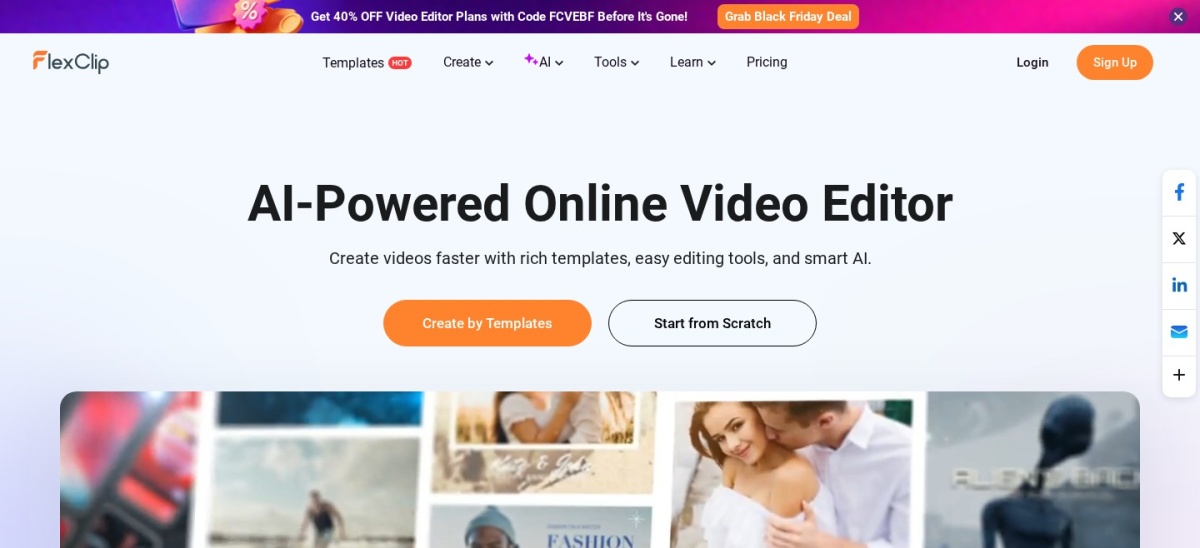
FlexClip is a browser video editor with 6,000+ templates and stock footage for simple animated backgrounds. The free plan covers template editing with 720p exports, plus AI tools for text-to-video and auto-subtitles.
The trade off is the watermark on free exports and the single-track timeline, which limits layered animation. Plus costs $11.99 a month billed annually and removes the watermark with 1080p exports. It suits beginners making simple video backgrounds fast.
Best value for small teams needing animated banners
Free downloads5 a month
Pro seatsUp to 10
Pro assets70M+
Paid planPro, $10/mo annual
vistacreate.com
VistaCreate homepage, captured Nov 2026.
VistaCreate is a browser design tool, formerly Crello, for animated banners, social posts and video backgrounds. The free plan covers core design tools and templates, with animation tools for turning a still design into a moving background.
The trade off is the free plan limit of 5 downloads a month, with premium assets watermarked until you pay. Pro costs $10 a month billed annually and covers up to 10 seats. It suits small teams that need animated banners on a tight budget.
Kapwing is a browser video editor for social video, with templates, stock clips and simple motion effects for animated backgrounds. The free plan gives 10 credits and exports up to 4 minutes, with no install needed to start.
The trade off is value. Free exports carry a watermark, and Pro costs $16 a month billed annually, or $192 a year, one of the highest prices here for a 3.9 out of 5 G2 rating. It suits teams that subtitle and resize short clips every week.
What we like
Browser editor with no install
Strong subtitle and translation tools
Templates and stock clips for quick backgrounds
4K export on the Pro plan
Watch out for
Lowest G2 rating in this list at 3.9 out of 5
Pro costs $192 a year on annual billing
Free exports carry a watermark
Pro removes the watermark and adds 1,000 credits a monthVisit kapwing.com
Free vs paid: what you give up
Free plans cover the basics well. Most include templates, basic animation and an export you can use, even if it carries a watermark.
Paid plans mostly remove the watermark and raise the limits. You get higher resolution, more downloads a month and access to premium templates and stock.
Blender is the exception. It is free with no watermark and no paid upgrade, so the only cost is the time it takes to learn it.
If a background will sit on a homepage or a client video, pay for one month rather than shipping a watermarked export. Our guide on fixing a WordPress video background on mobile shows why a clean, light loop matters.
How we chose
We started from tools that appear in background animation round-ups and on G2, then kept those with a real free plan and an animated background or template feature.
Prices come from each vendor's pricing page, checked on 25 November 2026. Ratings and review counts come from G2 on the same day. Where a vendor shows a sale, the list shows the regular price.
We left out tools with no free plan, including Biteable, which now offers a 7-day trial instead of a free plan. No vendor paid for a place, and we do not claim hands-on testing for this list.
How to choose free background animation software
Start with where the background will run, then check the free export before you build anything.
Decide where it will run. A website header needs a short, light loop, while a social video can use a longer clip with more movement.
Check the free export first. Export a test background on the free plan and look for a watermark, a resolution cap or a download limit.
Pick templates or full control. Template tools such as Canva and Animaker are faster, while Blender gives full control with no watermark and a steeper learning curve.
Compare the paid upgrade, not the sale price. Work out the yearly cost of removing the watermark, since the cheapest upgrades here run from $108 to $240 a year.
FAQ
What is the best free background animation software?
Canva is the best free option for most creators. Its free plan includes animated templates, one-click animation and 5 GB of storage, and it is rated 4.7 out of 5 on G2 from more than 7,700 reviews.
Is there a free background animation tool with no watermark?
Yes, Blender is free and open source with no watermark, no export limits and no paid plan. The catch is the learning curve, since it has no ready-made background templates and a simple loop takes time to build.
Can I use a free animated background for commercial work?
It depends on the tool. Blender allows commercial use with no limits, while free plans from Animaker, Renderforest and others restrict commercial use or add a watermark. Check the licence on the pricing page before using a background in client work.
What format should an animated background be?
MP4 is the safest choice for websites and video, since it plays almost everywhere and loops cleanly. GIF suits short, simple loops, but the file is larger and the quality is lower than MP4.
Do free plans limit video length or resolution?
Most do. Animaker caps free videos at 2 minutes, Kapwing caps free exports at 4 minutes, and Renderforest and FlexClip cap free exports at 720p. Blender is the only tool here with no length or resolution limit.
Which tool is cheapest if I need to remove the watermark?
Renderforest Lite is the cheapest paid upgrade here at $9 a month billed annually, or $108 a year. Animaker Basic and VistaCreate Pro both cost $120 a year, while VEED Creator costs $240 a year.
SaaS SEO and WordPress specialist with about 8 years of experience. Rakib compares WordPress plugins, themes, hosting and software using public pricing, documentation and user reviews. See how we rank.