Best Free AI Tools to Add Person to Photo in 2026: 9 Tools Compared
WLWPLegible EditorsLast verified 23 Nov 2026How we rank11 min read
★ Short answer
Gemini is the best free way to add a person to a photo for most people. Upload the main photo and a clear photo of the person, describe where they should stand, and the image model matches light and scale. ChatGPT is the closest alternative, and Adobe Express is the best quick browser option.
How we make this list: we compare pricing pages, product documentation and public user reviews, then re-check every price before each update. No product paid for a place. Disclosure.
Gemini is the best free starting point: upload two photos, describe the placement, and the model matches light, scale and perspective.
ChatGPT works the same way in chat, rated 4.6 out of 5 on G2 from 3,089 reviews, with Plus at $20 a month for higher image limits.
Adobe Express is the best quick browser alternative: its free plan includes daily Insert and Remove Object generations, and Premium is $9.99 a month.
Fotor, Canva, Photoshop, Pixlr and Picsart add a person by cut-out or generative fill, which takes more manual steps.
Paid plans run from $1.99 a month for Pixlr Plus to $20 a month for ChatGPT Plus, and 8 of the 9 tools have a free plan or free credits.
What to look for in an add-person tool
Adding a person to a photo means blending two images so light, scale and perspective agree. A prompt-based tool does that blending for you; a cut-out workflow leaves the matching to you.
Free limits matter more than the headline price. Most free plans cap how many images you can make, so keep your best source photos ready before you start.
Only add a real person with their permission, and say the photo was edited with AI when you share it. Our guide on generating images with AI in WordPress covers how AI image tools fit into a publishing workflow.
Source photo quality decides the result. A clear, well-lit reference photo of the person, taken from a similar angle, gives every tool on this list a better chance.
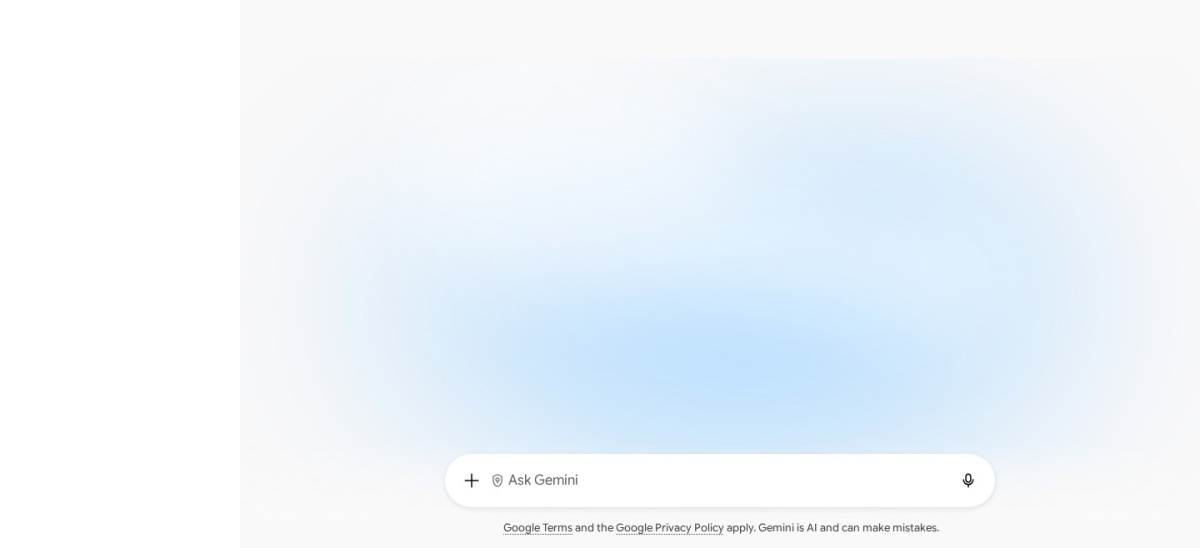
Gemini is Google's AI assistant, and its image model edits photos from plain words. Upload the main photo and a clear photo of the person, describe where they should stand, and it matches light, shadows and perspective in the same image.
The trade off is drift. The model can change faces, clothing or background details while it adds the new person, so state what must stay unchanged in your prompt. It suits a one-off family photo where you want the fastest free result.
What we like
Free image editing with no install
Matches light and scale from a plain prompt
Follow-up prompts fix position and edges
Watch out for
Free image limits apply
The model can alter faces or background details
Higher limits need the $19.99 a month Google AI Pro plan
ChatGPT is OpenAI's chat assistant with image editing built in. Upload the main photo and a clear photo of the person, describe where they should stand, and ask it to keep the other people, lighting and background as close as possible to the original.
The trade off is limits on the free plan. Free users can run only a set number of image generations, so use your best source photos first and keep prompts specific. It suits quick social posts and cards where a chat workflow feels natural.
Adobe Express is Adobe's browser design app with Firefly AI tools built in. Its free plan includes daily Insert and Remove Object generations, so you can add a person to a photo from a description and then place the result in a card or post.
The trade off is depth. Express is a quick design tool, not a full editor, so fine blending and edge fixes are harder than in Photoshop. It suits fast social posts where the photo is one part of a finished design.
Fotor is a browser photo editor with background removal, enhancement and AI editing tools. For adding a person, you cut the person out of one photo, place them in the main photo, and use enhancement tools to match tone and sharpness.
The trade off is steps. That manual workflow gives more control than a single prompt, but it takes longer than a prompt-based edit. It suits beginners who also need general photo fixes, collages or batch edits in the same editor.
What we like
Simple browser editor, no install
Background removal and enhancement tools
Batch options for many photos
Watch out for
Person placement is less direct than a prompt tool
Free exports carry limits
Many AI features need Pro
Pro adds more AI features and higher-quality exportsVisit fotor.com
05
Canva
4.7/5on G2 (7,678 reviews, checked Nov 2026)
Paid from$144/yr
Best when the photo becomes a design
Add person methodMagic Edit + background removal
Free planYes, limited AI use
Paid planPro, $144/yr
AI allowanceHigher limits on Pro
canva.com
Canva homepage, captured Nov 2026.
Canva is a design app with AI photo tools called Magic Studio. Magic Edit can change parts of an image from a description, and background removal helps isolate a person for placement, so the edited photo can go straight into a card, post or poster.
The trade off is manual placement. Canva is not a dedicated add-person tool, so blending takes adjustment, and full AI features need Pro. It suits users who care as much about the design around the photo as the edit itself.
Adobe Photoshop is the desktop editor most professionals use, and Generative Fill adds a person or fills a gap from a text prompt. Layers, masks and adjustment tools then let you fix edges, shadows, color and scale by hand.
The trade off is cost and learning curve. Photoshop is a subscription product with a free trial, and beginners may find the interface crowded. It suits quality-first work, prints or client jobs, and fixing an AI result after the first pass.
What we like
Generative Fill for adding and blending elements
Full layer and mask control
Highest control over edges and light
Watch out for
Subscription cost
Learning curve is steep
AI results still need manual cleanup
Photography plan includes Lightroom and 1,000 credits a monthVisit adobe.com
07
Pixlr
4.4/5on G2 (751 reviews, checked Nov 2026)
Paid from$1.99/mo
Best free browser editing with layers
Add person methodCut-out, layers and generative fill
Free planYes, with ads
Paid planPlus, $1.99/mo billed yearly
AI credits80 a month on Plus
pixlr.com
Pixlr homepage, captured Nov 2026.
Pixlr is a free browser editor with layers, masks and AI tools for background removal, generative fill and upscaling. You can cut out a person, place them in a group photo, adjust size and color, and export without installing software.
The trade off is manual work. Results depend on your patience with edges, shadows and color matching, and the free tier shows ads. It suits users who are comfortable with layers and want a free desktop-style editor in a browser.
Picsart is a mobile-first photo and video editor with cutout tools, background tools and AI Replace. AI Replace lets you highlight an area, type what you want to see, and get a replacement that blends into the image.
The trade off is precision. Desktop control is limited next to Photoshop or Pixlr, and many AI features sit behind a paid plan. It suits casual users who edit on a phone and share online, rather than users who need a large print.
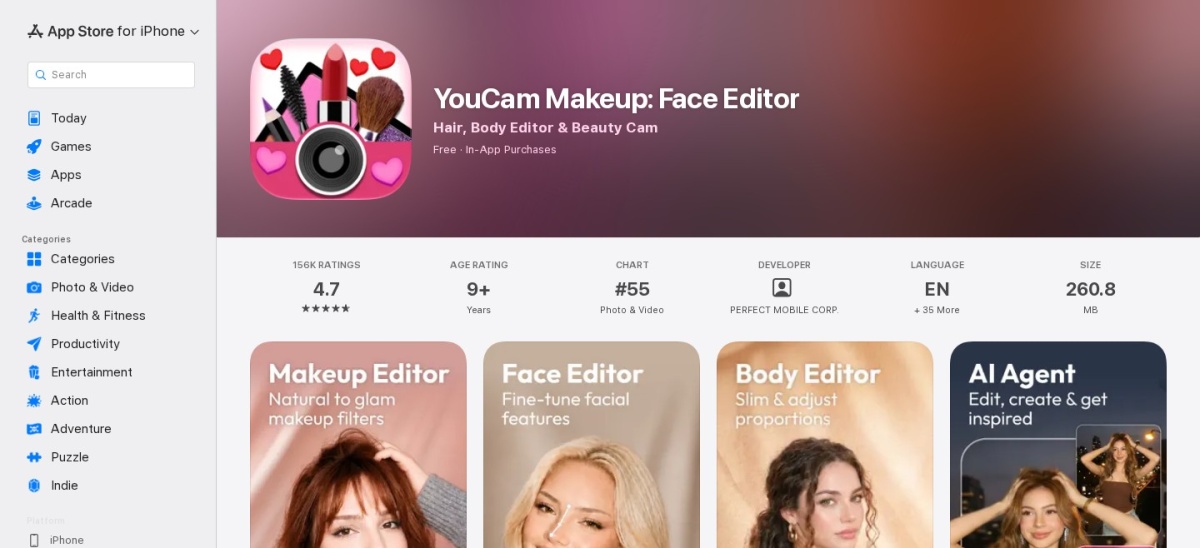
4.7/5on App Store (156,229 reviews, checked Nov 2026)
Paid from$31.99/yr
Best mobile AI agent for this job
Add person methodAI agent + reference photo
Free planYes, with ads
Paid planPremium, $31.99/yr
PlatformsiPhone and Android
perfectcorp.com
YouCam Makeup homepage, captured Nov 2026.
YouCam Makeup is a mobile beauty and selfie editor with an AI agent that can add a person to a photo from a simple instruction. Upload the main photo and a photo of the person, describe the placement, and the app handles detection, blending and color correction.
The trade off is focus. The app is built for beauty and selfies, so the add-person feature sits inside a wider app, and results depend on matching light and camera angle. It suits family photos taken and shared on a phone.
Free plans cover a single photo well. Gemini, ChatGPT and Adobe Express all give you a free way to add one person, with limits on how many images you can make.
Paid plans mostly add volume and control. You get more generations, higher resolution and, in Photoshop, the layers to fix a result by hand.
If the photo is a one-off family picture, start free and only pay if the result needs another try. Our image optimisation guide explains how to keep the finished file light for the web.
For client work or prints, the paid plan is the safer route, because a clean download and a higher resolution matter more than the price of one edit.
How we chose
We started from tools that can actually add a person to an existing photo, not just remove a background or enhance a selfie, and kept only those with a free plan, a free trial or a free first edit.
Prices come from each vendor's pricing page, checked on 23 November 2026. Ratings and review counts come from G2 on the same day, except YouCam Makeup, which is rated 4.7 out of 5 on the App Store. Where a vendor shows a sale, the list shows the regular price.
We left out tools that only remove people or only generate new images. No vendor paid for a place, and we do not claim hands-on testing for this list.
How to choose an AI tool to add a person to a photo
Start with your best photos, then pick the workflow that fits how much control you want.
Pick your two best photos first. Use a clear, well-lit reference photo of the person, taken from a similar angle to the main photo. A tiny or blurred face will not produce a reliable result.
Try a prompt tool for a one-off photo. Gemini or ChatGPT can add the person from a plain description, and Adobe Express does the same job in a browser with no install.
Use a cut-out editor when you want control. Fotor, Pixlr or Photoshop let you place the person by hand and fix edges, shadows and color yourself.
Check the result before you pay. Look at faces, hands and edges at full size, and only buy credits or a plan when the free preview looks right. See how to crop an image in WordPress if the framing needs a final fix.
FAQ
What is the best free AI tool to add a person to a photo?
Gemini is the best free option for most people. Upload the main photo and a clear photo of the person, describe where they should stand, and the model matches light, scale and perspective. It is free with limits, and needs no install.
Can I add a person to a photo for free?
Yes. Gemini and ChatGPT both edit photos free with limits, and Adobe Express gives free daily Insert and Remove Object generations. A clean, full-quality download may still need credits or a paid plan on some tools.
Will the added person look real?
It depends on the source photos. A clear, well-lit reference photo taken from a similar angle gives the most natural result. Faces, hands and shadows are where flaws show first, so check the result at full size before sharing it.
Do I need permission to add someone to a photo?
Yes, only add a real person with their permission, and be open about the AI edit when you share the result. Do not use an edited photo in any official, legal or financial context, and never add a public figure.
Which tool is best for a group photo?
Gemini is the best free general option for group photos, and YouCam Makeup handles the job on a phone with an AI agent. Photoshop gives the most control when you need to fix edges, shadows or scale by hand.
Why does the result change faces or the background?
Image models rebuild the whole picture, not just the new person, so details can drift on each generation. State what must stay unchanged in your prompt, and use your best source photos first to keep changes small.