QuoteIQ is the best fence estimating software for most fence companies, measuring fences by linear foot from satellite images from $29.99 a month, though its 5.0 Capterra rating rests on only 6 reviews. Pick Contractor Foreman for the deepest review base, or Dirt Face for the only fence-specific platform here.
How we make this list: we compare pricing pages, product documentation and public user reviews, then re-check every price before each update. No product paid for a place. Disclosure.
QuoteIQ leads on price and fence measurement: satellite linear-foot takeoff from $29.99 a month, though its 5.0 Capterra rating rests on only 6 reviews.
Contractor Foreman has the deepest review base here, 4.5 out of 5 on G2 from 387 reviews, at $49 a month.
ArcSite is the strongest drawing tool, rated 4.7 on Capterra, but estimating needs the $129 a month plan.
Dirt Face is the only fence-specific all-in-one here, but its only published rating is 3.7 out of 5 from one Trustpilot review.
Cheapest paid plans run from $29 to $155 a month, and every tool offers a free trial or, for Bolster, a 30-day money-back guarantee.
What fence estimating software should do
A fence quote is mostly linear feet, posts, gates and panels, plus labor and tax. Good software turns those inputs into a priced quote without retyping the same numbers into a spreadsheet.
Look for a takeoff that starts from a drawing or a satellite map, your own material prices and tax rules, and a quote the customer can approve online. Scheduling, invoicing and payments matter too, because the quote is only the first step.
Only one tool here, Dirt Face, is built only for fencing. QuoteIQ measures fences by linear foot from satellite images, and ArcSite draws them on a tablet. The three best-known fence-specific tools, FenceTracer, Visual Fence Pro and Fence Cloud, have no public rating on G2, Capterra or Trustpilot, so they are not in this list; the method note below explains why.
General tools need manual line items instead of a fence takeoff, so check how the price is built before you buy. Our guide on how to quote in WordPress covers the same quote-first thinking for a website.
QuoteIQ is quoting and field-service software for home-service crews, with satellite measurement built in. Its MapMeasure Pro tool measures lengths from satellite images, with a linear mode for fences and gutters, and drops the figure straight into the estimate. Essentials costs $29.99 a month for 1 user and includes e-signatures, scheduling, invoicing and payments.
The trade off is the thin review base. Its 5.0 out of 5 Capterra rating rests on only 6 reviews, four of them dated the same day, so treat the score as a signal, not proof. It suits solo operators and small crews that want the cheapest way to measure a fence from satellite images.
What we like
Cheapest entry price here, $29.99 a month
Satellite measurement with a linear mode for fences
E-signatures, scheduling and payments included
4.7 out of 5 on the App Store from about 3,400 ratings
Watch out for
Capterra rating rests on only 6 reviews
Learning curve from the number of features
Trial needs a card and auto-bills if not cancelled
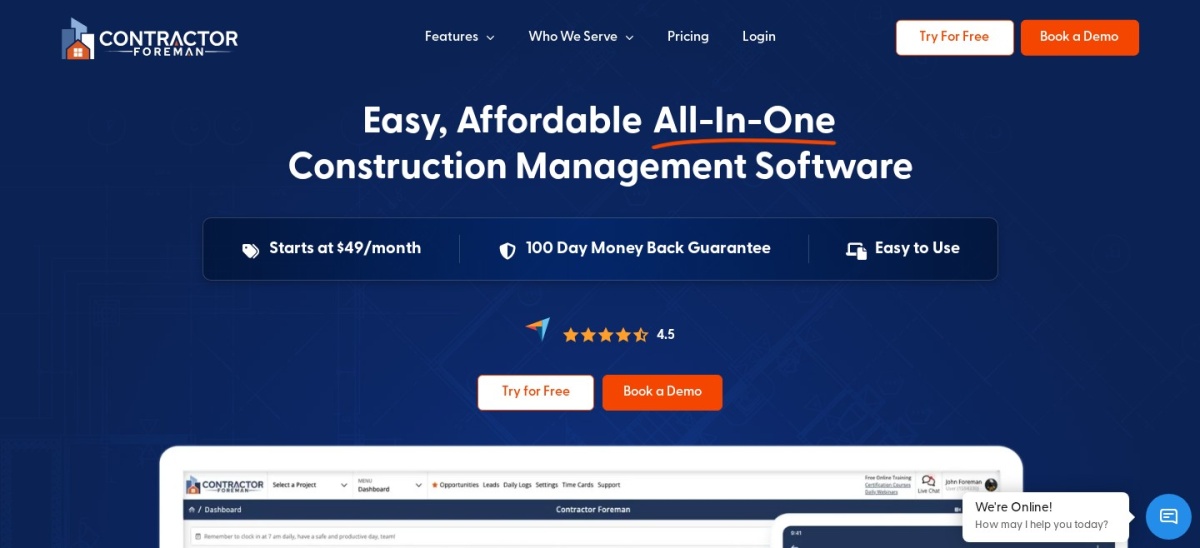
Contractor Foreman is construction management software for small contractors, covering estimating, scheduling, project tracking, documents and invoicing in one place. Basic costs $49 a month for 1 user and includes estimating, invoicing, time cards with GPS and free training. Standard adds up to 3 users at $105 a month.
The trade off is that it is built for general contractors, not fencing. There is no fence takeoff or material count, and the Bid Manager, change orders and QuickBooks integration are not on the Basic plan. It suits fence companies that also run other trades and want one system for the whole business.
What we like
Largest G2 review base among the construction tools, 387 reviews at 4.5 out of 5
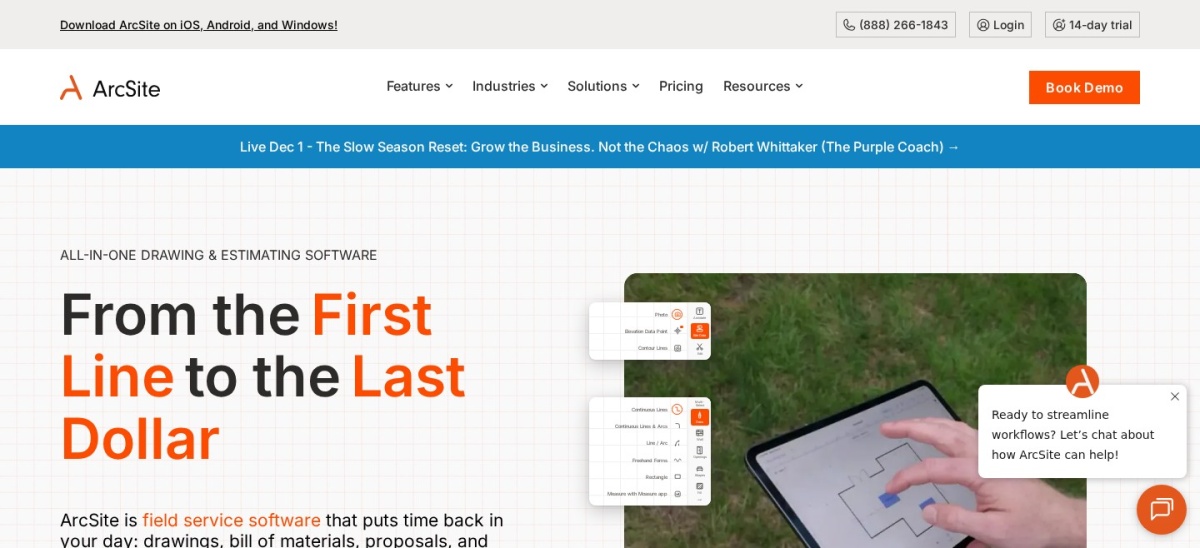
ArcSite is a drawing and estimating app for field contractors. You sketch fence lines, gates and posts on a tablet, and quantities, labor rates, material costs and markup update as you draw. The Estimates plan adds proposals, digital approvals, payments and invoicing, and the app works on iOS, Android and Windows.
The trade off is that estimating sits at the top of the price ladder. Drawing-only plans start at $10 a month billed yearly, but proposals need the Estimates plan at $129 a month billed yearly, and Takeoff and Estimates are sold through a demo. It suits estimators who draw on site and want the quote ready before they leave.
What we like
Highest Capterra rating among the drawing tools, 4.7 out of 5 from 162 reviews
Live pricing as you draw, with a price book
Proposals, approvals and payments in one app
Works on tablet, phone and desktop
Watch out for
Estimating needs the $129 a month plan
Takeoff and Estimates plans are sold through a demo
Not built only for fencing
Estimates adds proposals, approvals, payments and invoicingVisit arcsite.com
04
Jobber
4.6/5on G2 (535 reviews, checked Nov 2026)
Starts at$29/mo
Best general app for small fence crews
Cheapest planCore, $29/mo, billed yearly
Users1 on Core
G2 rating4.6/5 (535 reviews)
Free trial14 days, no card
getjobber.com
Jobber homepage, captured Nov 2026.
Jobber is field-service software for home-service businesses, with quoting, scheduling, invoicing and payments in one app. Quotes convert into scheduled jobs and invoices, and customers can approve and pay online. Core costs $29 a month billed yearly for 1 user, and extra users cost $29 a month each.
The trade off is that it is not built for fencing. There is no fence takeoff or material count, so fence prices come from manual line items or templates, and QuickBooks sync needs the Connect plan. It suits small fence outfits that want one simple app for quotes, scheduling and payments.
What we like
Cheapest paid plan here, $29 a month billed yearly
Largest G2 review base here, 535 reviews at 4.6 out of 5
Quotes turn into jobs and invoices with no retyping
Estimate Rocket is estimating, project and invoicing software for trade contractors. Every plan includes the same core features, with proposals, e-signatures, scheduling, job costing and a client CRM. Launch costs $139 a month for 3 full users, and field users cost $10 a month each.
The trade off is the entry price for a solo estimator. Launch is $139 a month even for one user, and extra full users cost $79 a month each on that plan. It suits growing trade contractors that estimate and run projects in one place and need job costing after the sale.
What we like
Highest rating among the trade tools, 4.9 out of 5 on Capterra
Kickserv is field-service software for small service businesses, with estimates, scheduling, invoicing and QuickBooks Online built in. The START plan costs $60 a month for up to 5 users and includes standard reports, automated customer reminders and a website lead form. Quotes convert into jobs, and customers can pay online.
The trade off is depth. Kickserv is a general field-service app, not a fence tool, so there is no fence takeoff or material count, and payment processing needs a higher tier. It suits small fence crews that want a strong rated app with room for 5 users on the entry plan.
Housecall Pro is field-service software for home-service crews, covering estimates, scheduling, dispatch, invoicing and payments. Basic costs $59 a month billed yearly for 1 user and includes scheduling, estimates, invoicing and a price book. The app works offline in the field, and customers can book and pay online.
The trade off is the step up for common tools. QuickBooks sync, GPS tracking and marketing automation need Essentials at $149 a month billed yearly, and Basic covers only 1 user. It suits solo operators and small crews that want a polished app and fast setup.
What we like
Large review base: 4.7 out of 5 on Capterra from 2,700+ reviews
Offline mobile app for field crews
Online booking and payments built in
Fast setup with a 14-day trial
Watch out for
QuickBooks and GPS need Essentials at $149 a month
Bolster is construction management software for residential contractors, built around interactive estimating. You build estimates from assemblies with formulas, present good, better and best options, and turn a signed proposal into scheduling, project tracking and payments. Core costs $155 a month billed yearly for 1 user.
The trade off is price and the recent price change. Core was $199 a month until October 2026, when it was renamed from Essentials and cut to $155, and coaching now costs extra on Core. It suits residential contractors that sell on polished, option-based proposals rather than plain line-item quotes.
What we like
Option-based proposals with good, better and best tiers
Estimates, scheduling and payments in one platform
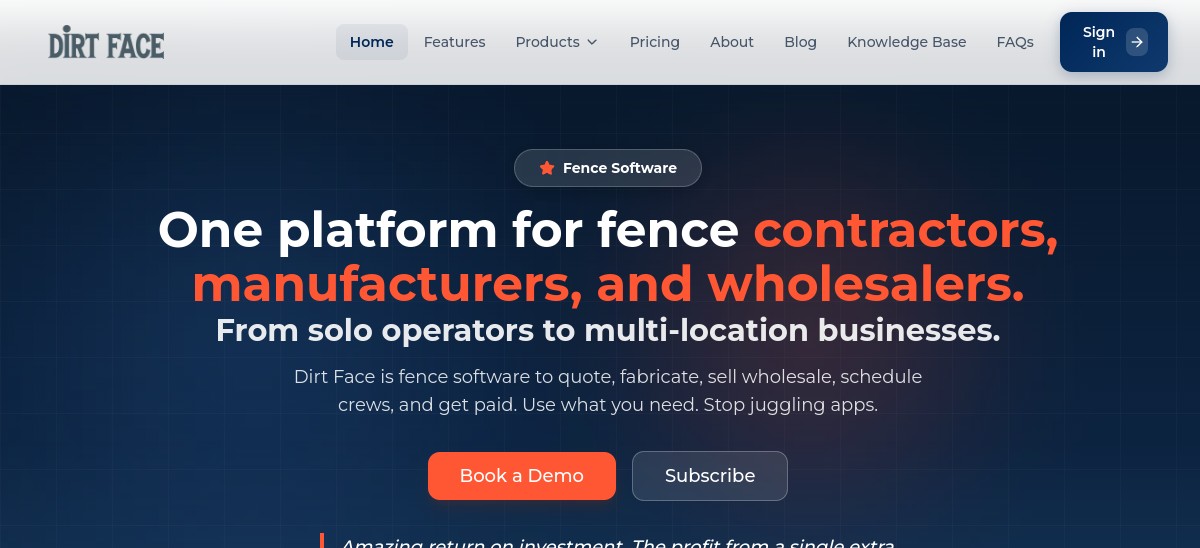
Dirt Face is fence software for contractors, manufacturers and wholesalers, covering the job from drawing to payment. You design on a satellite map, a blueprint or a blank canvas, and it automates material takeoffs, labor and pricing, then handles scheduling, invoicing and payments. Solo costs $78 a month for 1 user, with free done-for-you onboarding.
The trade off is the thin public record. Its only published rating is 3.7 out of 5 from a single Trustpilot review, and the Crew plan at $199 a month is where shop drawings and the lead generator live. It suits fence shops that want one platform for estimating, fabrication and wholesale sales.
What we like
Only fence-specific all-in-one here
Draw on satellite maps, blueprints or a blank canvas
Shop drawings, inventory and wholesale store
Free done-for-you onboarding on every plan
Watch out for
Only 1 published review, a 3.7 on Trustpilot
Shop drawings need the $199 Crew plan
Pricing page and product page disagree on Solo ($78 vs $99)
Pick a fence-specific tool when the takeoff is the bottleneck. Dirt Face is the only fence-specific pick here, and it counts materials from a satellite map, a blueprint or a blank canvas. QuoteIQ sits in the middle, measuring fences by linear foot from satellite images.
Pick a general app when the quote is quick and the job after it matters more. Jobber, Housecall Pro and Kickserv cover scheduling, invoicing and payments for less money, and they fit crews that already know their material counts by heart.
ArcSite sits between the two. It is a drawing tool first, so it fits estimators who measure on site and want the quote ready before they drive away, whatever the trade.
Run a real quote on the trial before you pay. Use a job you already priced by hand, compare the totals line by line, and keep the tool only if the numbers match.
How we chose
We started from the fence-specific tools on the market and the drawing and field-service apps fence companies use for quotes, and kept the 9 with published prices and a public rating on G2, Capterra or Trustpilot.
Prices come from each vendor's pricing page, checked on 25 November 2026. Ratings come from G2 and Capterra on the same day, except Dirt Face, whose only published rating is on Trustpilot. Where a vendor shows a sale, the list shows the regular price.
We left out FenceTracer, Visual Fence Pro and Fence Cloud: the three best-known fence-specific tools have no public rating on G2, Capterra or Trustpilot, and this list requires a rating for every tool. We also left out JobProgress, now Leap, at $249 a month with a 3.4 G2 rating, and quote-only tools such as ServiceTitan. No vendor paid for a place, and we do not claim hands-on testing for this list.
How to choose fence estimating software
Start with how you measure a fence, then match the tool to your crew size.
Decide how you measure. Drawing, satellite map or manual line items each point to a different tool. Pick the method your estimator will actually use on every job.
Price the plan for your headcount. Plans with seats included, such as QuoteIQ Essentials or Kickserv START, cover a small crew for one price, while per-user plans such as Jobber grow with every seat. Count the office and the crew, not just the estimator.
Run a real quote on the trial. Take a job you already priced by hand and rebuild it in the tool. If the post count, material total and tax do not match, the tool is not ready for your jobs.
Check what happens after the signature. A quote should turn into a scheduled job, an invoice and a payment without retyping. See how to create an invoice in WooCommerce for the same quote-to-cash thinking on a website.
FAQ
What is the best fence estimating software?
QuoteIQ is the best pick for most fence companies. It measures fences by linear foot from satellite images from $29.99 a month, with e-signatures, scheduling and payments included. Its 5.0 Capterra rating rests on only 6 reviews, so weigh the price and the trial over the score.
Is there a free fence estimating software plan?
No. None of the 9 tools here has a free plan, but every one offers a free trial or, for Bolster, a 30-day money-back guarantee. The cheapest entries are Jobber Core at $29 a month billed yearly and QuoteIQ Essentials at $29.99 a month.
How much does fence estimating software cost?
The cheapest paid plans here run from $29 a month for Jobber Core to $155 a month for Bolster Core. Most tools sit between $29 and $60 a month, and only ArcSite and Estimate Rocket start above $100 a month.
Do I need fence-specific software, or will Jobber work?
Jobber works if you already know your material counts and only need quotes, scheduling and invoicing. Fence-specific software earns its price when the takeoff itself is slow, and Dirt Face is the only fence-specific pick in this list.
What should a fence estimate include?
A fence estimate should list linear feet, posts, rails, panels, gates and hardware, plus labor, tax and the fence style. It should also state the payment terms and how long the price holds.
Can customers sign and pay a fence quote online?
Yes, on most tools here. QuoteIQ, ArcSite, Estimate Rocket, Housecall Pro, Bolster, Kickserv and Dirt Face all support digital approval and online payment on their estimating plans.
SaaS SEO and WordPress specialist with about 8 years of experience. Rakib compares WordPress plugins, themes, hosting and software using public pricing, documentation and user reviews. See how we rank.