DecisionVault is the best estate planning software for attorneys who want structured client intake and asset questionnaires starting at $83/month billed annually. For probate accounting and court form automation, choose Estateably ($250/month billed annually); for full law practice management with Word-based drafting, choose Clio ($49/user/month billed annually).
How we make this list: we compare pricing pages, product documentation and public user reviews, then re-check every price before each update. No product paid for a place. Disclosure.
DecisionVault starts at $83/month billed annually ($996/year) for up to 10 new matters per month with unlimited firm staff seats.
Estateably starts at $250/month billed annually ($3,000/year) for up to 10 new estate files per year plus a $350 one-time onboarding fee.
Gavel automates custom Word and fillable PDF estate templates starting at $83/month billed annually ($996/year) for 10 workflows.
Clio, PracticePanther, and CosmoLex each start at $49/user/month billed annually ($588/year), while MyCase starts at $50/user/month ($600/year).
Dedicated estate drafting suites like WealthCounsel do not publish public pricing and require custom sales quotes.
What to look for in estate planning software for attorneys
Estate planning practices run on two distinct workflows: gathering detailed family and asset inventories during intake, and assembling multi-document packages like revocable trusts, wills, powers of attorney, and healthcare directives. General legal software often forces attorneys to re-enter client names, beneficiaries, and account values across multiple forms, creating avoidable typographical risk.
Pricing structures also vary widely across this category. Dedicated estate intake and administration platforms typically charge by monthly or annual matter volume with unlimited staff seats, whereas practice management suites charge per user per month and gate automated document templates behind higher subscription tiers.
Before committing to an annual contract, check whether the tool natively supports joint spouse records, conditional questionnaire logic, and direct syncs to your existing document assembly or case management system. Pay close attention to onboarding fees, per-matter overage upgrades, and whether trust accounting is included on the entry tier.
Best for estate planning client intake and asset inventories
Entry planSolo ($83/mo billed annually)
Matter limitUp to 10 new matters/month
Staff seatsUnlimited firm users
Free trial14 days, no credit card
decisionvault.com
DecisionVault homepage, captured Nov 2026.
DecisionVault is a dedicated estate planning intake portal and structured questionnaire platform built to eliminate manual data re-entry. Its Solo plan starts at $83/month billed annually ($99/month billed monthly) and includes up to 10 new matters per month, unlimited firm user accounts, custom questionnaires, financial asset inventories, and integrations with drafting and case management tools.
The trade off is that DecisionVault collects and syncs client data rather than drafting wills or trusts on its own, and exceeding your monthly matter cap triggers automatic tier upgrades starting at $165/month billed annually. It suits estate planning attorneys who already use a drafting or practice management system and want clients to enter accurate family and asset data once.
What we like
Unlimited firm staff seats included on every plan
Purpose-built family tree and asset inventory modules
Syncs captured client data to Clio, MyCase, LEAP, and drafting tools
14-day free trial with no credit card required
Watch out for
Does not generate finished wills or trusts natively
Automatic tier upgrade if matter volume exceeds plan limits
Small public review count on G2
Team plans start at $165/mo billed annually for up to 30 new matters per month.Visit decisionvault.com
02
Estateably
5/5on Capterra (24 reviews, checked Nov 2026)
Starts at$250/mo
Best for estate and trust administration and probate accounting
Entry planStarter ($250/mo billed annually)
File allowanceUp to 10 new files/year
Onboarding fee$350 one-time setup
Pay-as-you-go$149 probate / $399 full file
estateably.com
Estateably homepage, captured Nov 2026.
Estateably is a cloud-based estate, trust, and probate administration platform used by over 800 firms. Its Starter subscription costs $250/month billed annually ($279/month billed monthly) plus a $350 onboarding fee, covering up to 10 new files per year, unlimited users, PDF bank statement imports, holdings lookup, court form automation, and state-specific accounting reports.
The trade off is a higher annual entry cost of $3,000 plus onboarding, and integrations with Clio, DecisionVault, email, and calendar require upgrading to the Growth tier at $583/month billed annually. It suits probate and trust administration practices that want automated court forms, fiduciary accounting, and per-file pay-as-you-go flexibility ($149 or $399 per file).
What we like
Automates court probate forms and fiduciary accounting reports
Unlimited firm users and multi-jurisdiction access on all tiers
Includes PDF bank statement imports and holdings valuation lookup
Offers non-subscription per-file pricing for low-volume practices
Watch out for
Requires a $350 one-time onboarding fee on subscription plans
Clio and DecisionVault integrations require the $583/mo Growth plan
Focused on post-death administration rather than lifetime trust drafting
Growth ($583/mo annually) unlocks 25 new files/year plus Clio and DecisionVault integrations.Visit estateably.com
03
Gavel
5/5on G2 (11 reviews, checked Nov 2026)
Starts at$83/mo
Best for custom Word and PDF estate document automation
Entry planLite ($83/mo billed annually)
Workflows10 workflows, 100 sessions/mo
Seats included1 builder/admin seat
Free trial7 days, no credit card
gavel.io
Gavel homepage, captured Nov 2026.
Gavel is a no-code document automation platform that turns custom Microsoft Word and fillable PDF templates into interactive client questionnaires. The Lite plan starts at $83/month billed annually and includes 1 builder seat, 10 workflows, up to 200 fields per workflow, 100 client sessions per month, 500 GB storage, and direct Clio Manage integration.
The trade off is that Lite provides an empty automation engine rather than pre-built estate templates, and scaling to 25 workflows or extra seats jumps to $165–$210/month on Standard. It suits attorneys who have refined their own estate planning precedents in Word and want conditional logic to assemble full document sets automatically.
What we like
Automates complex nested logic and calculations in Word and PDF
Direct Clio Manage integration included on the entry tier
Pro tier ($290/mo) adds Stripe paywalls and pre-built legal templates
7-day free trial with no credit card required
Watch out for
Requires upfront time to mark up and test your own Word templates
Lite tier caps usage at 10 workflows and 100 sessions per month
Pre-built template library requires upgrading to the $290/mo Pro plan
Pro ($290/mo annually) adds 50 workflows, DocuSign, Stripe payments, and a legal template library.Visit gavel.io
04
Clio
4.7/5on Capterra (1,769 reviews, checked Nov 2026)
Starts at$49/mo
Best practice management ecosystem with estate integrations
Entry planStarter ($49/user/mo annually)
Integrations250+ legal and business apps
Trust accountingIncluded on Starter
Free trial7 days, no credit card
clio.com
Clio homepage, captured Nov 2026.
Clio is a cloud-based legal practice management platform serving over 400,000 legal professionals. Its Starter plan costs $49/user/month billed annually and includes matter and contact management, time and expense tracking, trust and operating account reconciliation, online payments, and 24/5 live support.
The trade off is that Starter omits document templates, custom fields, and the secure client portal, while higher tiers like Core, Signature, and Elite require custom sales quotes. It suits multi-practice or growing estate firms that want a central hub connected to DecisionVault, WealthCounsel, or Gavel.
What we like
Connects natively with DecisionVault, WealthCounsel, and Gavel
Trust and operating account reconciliation included on Starter
Backed by 1,769 verified Capterra reviews and 24/5 live support
7-day free trial with no credit card required
Watch out for
Starter plan lacks document templates and client portal access
Core, Signature, and Elite tiers no longer publish public prices
Client intake via Clio Grow requires higher bundles or add-ons
Core, Signature, and Elite tiers add client portals, AI billing, and intake via custom quote.Visit clio.com
05
MyCase
4.6/5on Capterra (806 reviews, checked Nov 2026)
Starts at$50/mo
Best transparent pricing for small estate planning firms
Entry planBasic ($50/user/mo annually)
Doc automationIncluded on Pro ($100/user/mo)
Client intakeCustom forms on Pro tier
Free trial10 days, no credit card
mycase.com
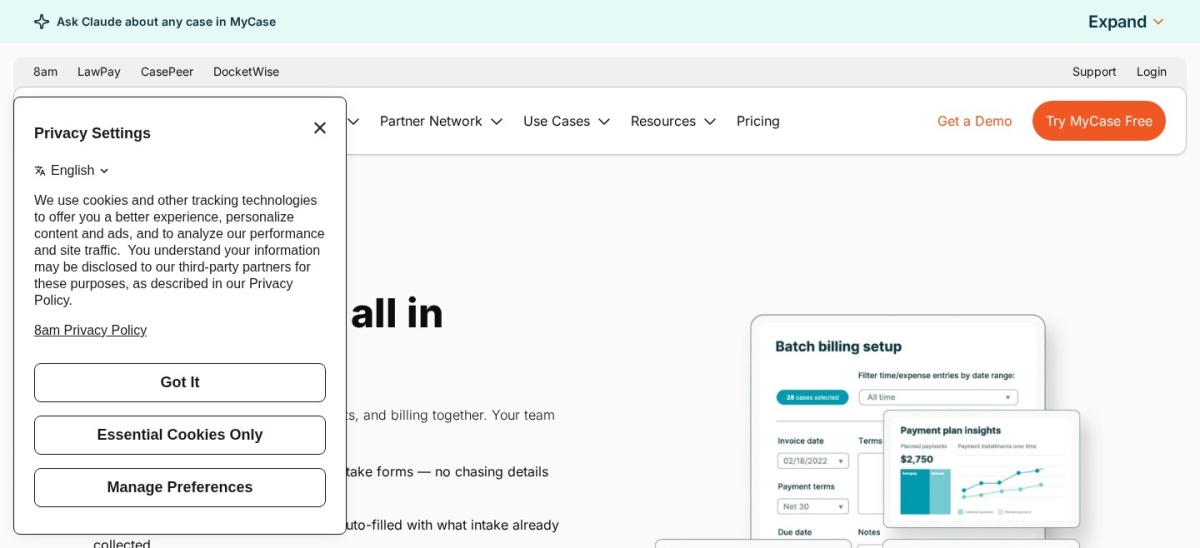
MyCase homepage, captured Nov 2026.
MyCase is a web-based legal practice management platform that publishes every subscription tier upfront. Its Basic plan costs $50/user/month billed annually ($60/user/month monthly) and includes case management, calendaring, trust accounting, invoicing, and built-in 8am IQ AI assistants.
The trade off is that Word-based document generation, custom client intake forms, unlimited eSignatures, and automated workflows require upgrading to the Pro plan at $100/user/month billed annually. It suits solo and small estate firms that want predictable per-user pricing and native intake without third-party add-ons.
What we like
Every plan's monthly and annual rate is published publicly
Pro tier ($100/user/mo) bundles intake forms, eSignatures, and Word templates
Holds both spouses cleanly under unified estate planning matters
10-day free trial with no credit card required
Watch out for
Basic plan excludes document generation and custom intake forms
Full law firm accounting is a $39/user/month add-on on Pro and Advanced
Advanced document automation requires the $130/user/month Advanced plan
Pro ($100/user/mo annually) unlocks Word document templates, intake forms, and unlimited eSignatures.Visit mycase.com
06
PracticePanther
4.3/5on G2 (113 reviews, checked Nov 2026)
Starts at$49/mo
Best for document templates on an entry-level practice plan
Entry planSolo ($49/user/mo annually)
TemplatesIncluded on Solo entry plan
Intake & eSignBusiness ($89/user/mo annually)
Free trial7 days, no credit card
practicepanther.com
PracticePanther homepage, captured Nov 2026.
PracticePanther is a cloud-based practice management platform that includes document templates and task workflows right on its entry tier. The Solo plan costs $49/user/month billed annually ($59/user/month monthly) and provides unlimited data storage, a secure client portal, time and expense tracking, document templates, and QuickBooks sync.
The trade off is that custom intake forms, native eSignatures, and two-way business texting require the Business tier at $89/user/month billed annually, and full trust accounting sits on Business Pro at $114/user/month. It suits solo estate attorneys who want basic document generation and a client portal at the lowest entry price.
What we like
Includes document templates and client portal on the $49/user/mo Solo plan
Four clearly published pricing tiers with no hidden setup fees
Unlimited document storage and live one-on-one training included
7-day free trial with no credit card required
Watch out for
Custom client intake forms require the $89/user/mo Business tier
Full trust and operating accounting requires the $114/user/mo Business Pro plan
No dedicated estate tax or asset visualization calculators
Business ($89/user/mo annually) adds custom intake forms, unlimited eSignatures, and 2-way texting.Visit practicepanther.com
07
CosmoLex
4.2/5on G2 (331 reviews, checked Nov 2026)
Starts at$49/mo
Best for built-in fiduciary and business accounting
Entry planLaunch ($49/user/mo annually)
AccountingTrust and general ledger built in
Accountant seatFree external bookkeeper login
Free trial10 days, no credit card
cosmolex.com
CosmoLex homepage, captured Nov 2026.
CosmoLex is an all-in-one legal practice management and accounting system designed to eliminate separate QuickBooks subscriptions. Its Launch plan starts at $49/user/month billed annually and covers time tracking, billing, trust accounting compliance, a secure client portal, and free login access for an external bookkeeper.
The trade off is that full general-ledger accounting and document management sit on the Core tier at $99/user/month billed annually, while CRM intake forms and eSignatures are paid add-ons. It suits estate and trust attorneys who handle ongoing retainer and fiduciary accounts and want legal accounting under one roof.
What we like
Built-in trust and business accounting can replace QuickBooks
Includes a free portal login for your firm's external accountant
Published pricing from $49/user/month with a 10-day free trial
Unlimited data storage and free data migration assistance
Watch out for
Full document management requires the $99/user/mo Core plan
Logic-based CRM intake forms and LexSign are separate paid add-ons
Core ($99/user/mo annually) unlocks full general-ledger legal accounting and document management.Visit cosmolex.com
What about WealthCounsel, InterActive Legal, and Vanilla?
Specialized drafting suites like WealthCounsel (Wealth Docx) and InterActive Legal are widely used by high-volume trusts and estates practices for their state-specific clause libraries and tax planning modules. Likewise, Vanilla is popular for visual estate diagrams and tax projections.
We excluded them from our ranked comparison because none of these vendors publish transparent pricing on their websites, requiring custom sales calls and multi-year quotes before revealing exact firm costs.
How we chose
We compiled candidate tools from legal technology directories, verified user review platforms (G2 and Capterra), and estate planning software comparisons, evaluating both estate-specific platforms and legal practice management systems with document automation.
Every price, plan limit, rating, and review count in this guide was verified directly against official vendor pricing pages and public G2 or Capterra listings on 22 Nov 2026, using regular annual billing rates converted to yearly USD.
We excluded consumer-only will makers (such as LegalZoom, Trust & Will, and Quicken WillMaker) as well as enterprise legal tools that hide pricing behind custom quotes (such as WealthCounsel, InterActive Legal, Smokeball, and Vanilla). No vendor paid for a place, and we do not claim testing for this list.
How to choose estate planning software for your firm
Follow four practical steps to match your firm's matter volume and drafting workflow to the right platform.
Separate intake from document assembly. Decide whether you need a structured client questionnaire like DecisionVault to feed an existing drafting tool, or an all-in-one system that handles billing, calendars, and Word templates together.
Compare per-matter versus per-seat pricing. Practices with paralegals and legal assistants often save money on matter-capped tools like DecisionVault or Estateably that include unlimited staff seats rather than charging per user.
Verify which tier unlocks document templates and intake. Entry plans around $49–$50/user/month at Clio and MyCase omit document automation and custom intake forms, so budget for mid-tier plans ($89–$100/user/month) if you need those features.
Run a live sample matter during the free trial. Use a 7- to 14-day free trial to test a married-couple joint trust scenario, checking how cleanly spouse data, fiduciary roles, and asset schedules export into your final Word or PDF packet.
FAQ
What is the best estate planning software for solo attorneys?
DecisionVault ($83/month billed annually) is the top choice for solo estate attorneys who want structured client intake and asset inventories with unlimited staff seats. If you need full case management and billing on a tight budget, PracticePanther Solo ($49/user/month annually) includes basic document templates.
How much does estate planning software cost for law firms?
General legal practice management platforms start at $49 to $50 per user per month billed annually ($588 to $600/year). Dedicated estate intake and automation tools like DecisionVault and Gavel start at $83/month ($996/year), while probate administration suites like Estateably start at $250/month ($3,000/year).
Does Clio have estate planning templates built in?
Clio does not include a pre-built estate planning clause library, and its $49/user/month Starter plan omits custom document templates. However, Clio integrates directly with DecisionVault, Gavel, and WealthCounsel so client intake data flows straight into your matters.
What software is best for probate and trust administration?
Estateably is built specifically for estate, trust, and probate administration. Starting at $250/month billed annually (or $149 per probate file pay-as-you-go), it automates court forms, imports PDF bank statements, looks up asset holdings, and generates state-specific fiduciary accounting reports.
Why isn't WealthCounsel priced in the main comparison?
WealthCounsel does not publish subscription prices on its website and requires scheduling a consultation call for a custom quote based on firm size and membership tier. We only rank tools with publicly verifiable pricing.
SaaS SEO and WordPress specialist with about 8 years of experience. Rakib compares WordPress plugins, themes, hosting and software using public pricing, documentation and user reviews. See how we rank.