Best CRM and Accounting Software in 2026: 7 Tools Compared
WLWPLegible EditorsLast verified 22 Nov 2026How we rank12 min read
★ Short answer
SuiteDash is the best overall CRM and billing platform here for small service businesses, combining unlimited CRM contacts, invoicing, expense tracking, and client portals with paid plans starting at $180 yearly. HoneyBook is better for client-facing proposals and payments, while 17hats adds native bookkeeping workflows.
How we make this list: we compare pricing pages, product documentation and public user reviews, then re-check every price before each update. No product paid for a place. Disclosure.
SuiteDash starts at $180 per year, with unlimited CRM contacts and staff accounts, although the entry plan's billing features need careful review.
HoneyBook Starter costs $29 per month billed annually and includes unlimited clients, invoices, payments, and proposals.
17hats costs $600 per year and combines CRM, invoicing, bookkeeping, and workflows in one subscription.
Dubsado Starter costs $335 per year, but its bookkeeping integration requires the $525 Premier plan.
Bonsai starts at $9 per user monthly on annual billing; invoicing and expense tracking begin with the $19 Essentials tier.
Bitrix24 offers a free CRM and a Basic plan at $49 monthly billed annually, while Keap starts at $3,195 annually.
What to look for in CRM and accounting software
CRM and accounting solve related but different problems. A CRM tracks leads, deals, communications, and customer relationships. Accounting software tracks money owed, expenses, payments, and financial records.
Some business platforms combine CRM, invoicing, payment collection, and basic financial reporting. Others connect to dedicated bookkeeping systems such as QuickBooks or Xero. These approaches should not be confused with complete general-ledger accounting.
Start by mapping how a prospect becomes a paying customer. Look for a connected flow covering inquiries, quotes, contracts, invoices, payments, and financial reporting without repeated data entry.
Check whether the entry plan includes the finance features you need. Invoicing may be available immediately, while bookkeeping integration, expense synchronization, workflow automation, and advanced reporting can require higher tiers.
Finally, compare the total subscription cost, not only the advertised monthly figure. Per-user billing, required implementation services, transaction fees, and accounting integrations can change the final expense.
SuiteDash is an integrated business platform covering CRM, client portals, proposals, projects, billing, and financial workflows. Its START plan lists unlimited CRM contacts, unlimited staff accounts, client portals, email marketing, and 100GB of file storage, while the broader platform supports invoices, expenses, recurring billing, and receivables reporting.
The trade off is the learning curve and the need to check which financial modules are available on each tier. START costs $180 yearly, while more advanced functionality can require an upgrade. It suits service businesses seeking a centralized client workspace rather than separate CRM and billing applications.
What we like
Unlimited CRM contacts and staff on START
Client portals and white-labeling options
Combined client, project, and billing workflows
Annual entry pricing below $200
Watch out for
Many modules create a substantial setup process
Advanced financial workflows may require higher tiers
Not a replacement for every general-ledger accounting requirement
Higher tiers expand automation, billing, and business management capabilities.Visit suitedash.com
02
HoneyBook
4.4/5on G2 (253 reviews, checked Nov 2026)
Starts at$29/mo
Best for client-facing proposals and payments
Clients and projectsUnlimited
Lead formsUp to 2 on Starter
InvoicingIncluded
Entry planStarter, $29/mo annually
honeybook.com
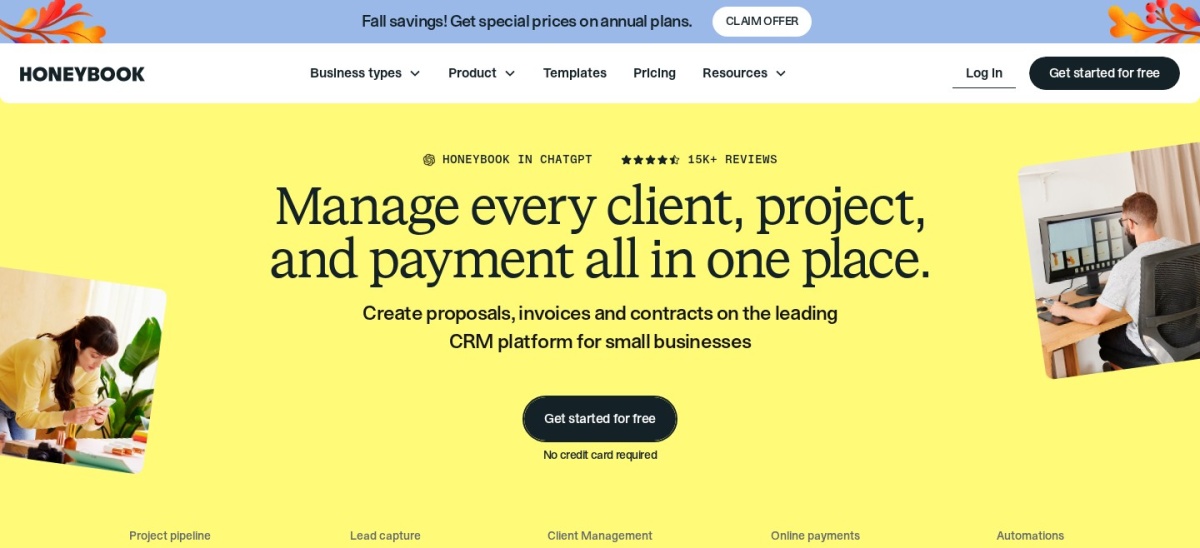
HoneyBook homepage, captured Nov 2026.
HoneyBook is a client management platform for service professionals who handle proposals, contracts, invoices, and payments. Starter includes unlimited clients and projects, a client portal, basic reporting, and up to 2 live lead forms, with the normal annual-billing rate listed at $29 per month.
The trade off is its limited accounting depth and the separation of important integrations into higher plans. Starter costs $348 annually, while Essentials starts at $49 monthly billed annually and adds QuickBooks Online integration, scheduling, and automation. It suits independent professionals managing client bookings and payments.
What we like
Unlimited clients and projects
Proposals, contracts, and invoices in one workflow
Integrated client portal and payment collection
QuickBooks integration available on Essentials
Watch out for
Not a complete accounting ledger
Accounting integration is excluded from Starter
Advanced automation requires an upgrade
Essentials adds QuickBooks integration, scheduling, automation, and expanded lead forms.Visit honeybook.com
03
17hats
4.6/5on G2 (120 reviews, checked Nov 2026)
Starts at$600/yr
Best for CRM with basic bookkeeping
BookkeepingBuilt-in
Lead managementIncluded
Bank connection$5/mo add-on
Annual plan$600/yr
17hats.com
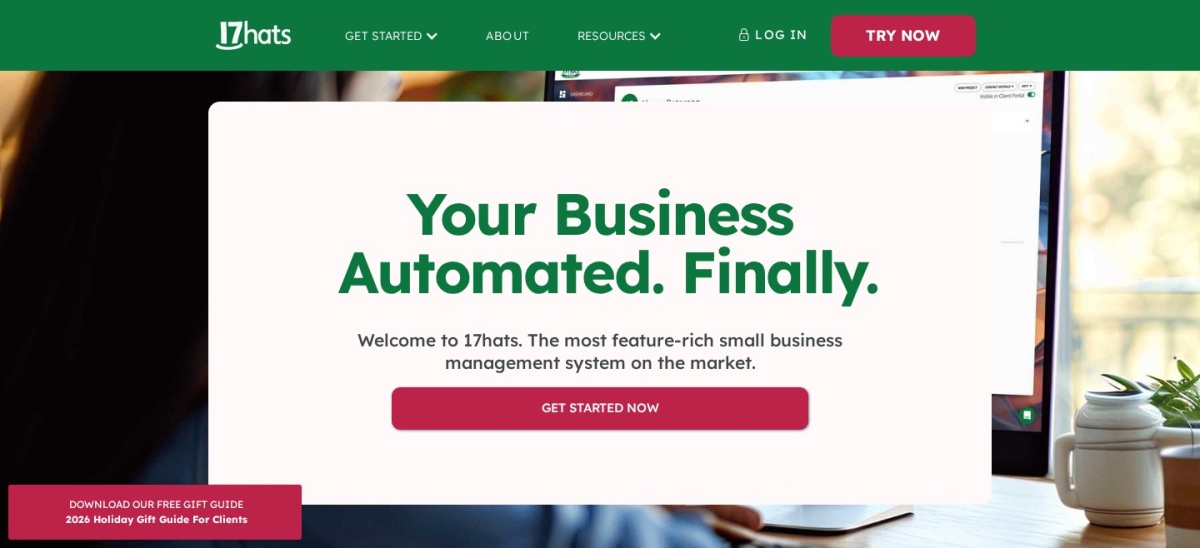
17hats homepage, captured Nov 2026.
17hats is a business management system combining lead capture, CRM, contracts, scheduling, invoices, payment plans, and bookkeeping. Its current pricing page presents an all-inclusive subscription at $600 yearly, with a 7-day trial and optional bank connection for importing expenses.
The trade off is that its bookkeeping features are designed for straightforward service-business administration rather than complex accounting. The regular monthly subscription costs $60, while the annual plan costs $600. It suits solo businesses that want customer management and basic financial organization together.
What we like
CRM and bookkeeping in one platform
Contracts, payments, and scheduling included
Expense import through optional bank connection
Workflows and lead capture features
Watch out for
Bank connection costs extra
Less suitable for complex accounting requirements
Annual price is higher than several entry-level alternatives
The subscription includes core features; optional bank connection adds automated expense imports.Visit 17hats.com
04
Dubsado
4.2/5on G2 (77 reviews, checked Nov 2026)
Starts at$335/yr
Best for customizable client workflows
Clients and projectsUnlimited
Lead capture forms1 active on Starter
InvoicingIncluded
Entry planStarter, $335/yr
dubsado.com
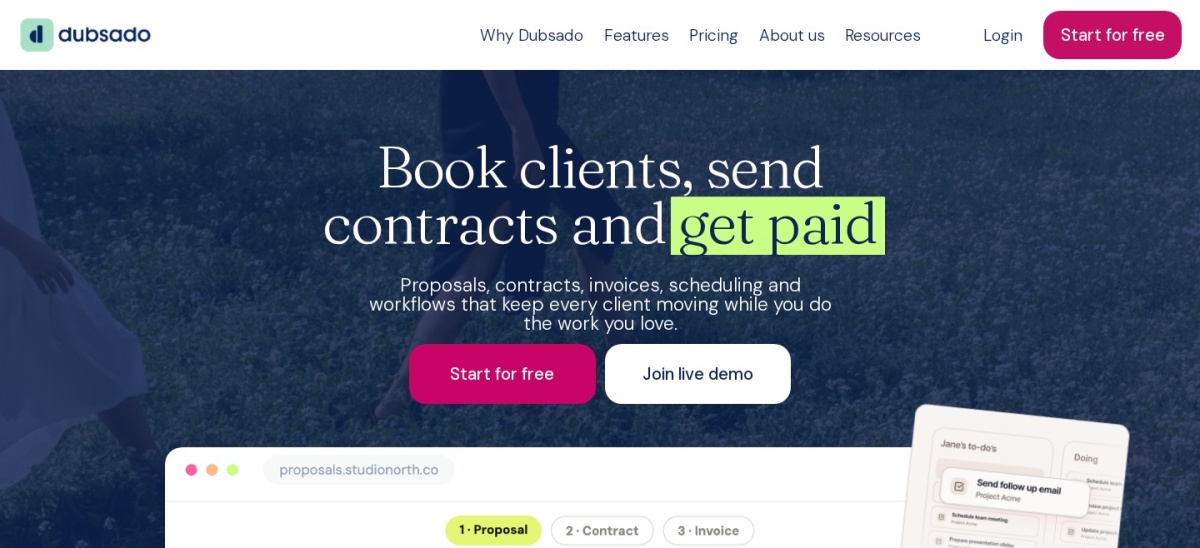
Dubsado homepage, captured Nov 2026.
Dubsado is a client management platform for collecting inquiries, sending contracts, issuing invoices, and managing projects. Its $335 yearly Starter plan includes unlimited clients and projects, email integration, payment schedules, client portals, and 1 active lead capture form.
The trade off is that Starter lacks bookkeeping integration, advanced scheduling, and automated workflows. Those features require Premier at $525 yearly, making the accounting-connected setup more expensive than the entry price suggests. It suits service professionals who need customizable client processes.
What we like
Unlimited clients and projects
Invoices and payment plans on Starter
Client portals and contract management
Bookkeeping integration available on Premier
Watch out for
Bookkeeping integration excluded from Starter
Workflow automation requires Premier
Configuration takes time
Premier adds bookkeeping integration, scheduling, automated workflows, and unlimited lead forms.Visit dubsado.com
05
Bonsai
4.3/5on G2 (101 reviews, checked Nov 2026)
Starts at$9/mo
Best for freelance and agency finances
CRMIncluded in Basic
ClientsUnlimited
InvoicingEssentials and above
Entry planBasic, $9/user/mo annually
hellobonsai.com
Bonsai homepage, captured Nov 2026.
Bonsai is a client and project management platform for freelancers, agencies, and professional service teams. Basic costs $9 per user monthly with annual billing and includes CRM, unlimited clients and projects, time tracking, task management, and a service library.
The trade off is that Basic does not include invoicing or expense tracking. Essentials starts at $19 per user monthly on annual billing and adds invoices, payments, proposals, contracts, income tracking, and expenses; QuickBooks and Xero integrations are listed under the $29 Premium plan. It suits businesses connecting project delivery to billing.
What we like
Low-cost entry-level CRM
Unlimited clients and projects on Basic
Income and expense tracking on Essentials
QuickBooks and Xero integrations on Premium
Watch out for
Basic excludes invoices and payments
Accounting integrations require Premium
Per-user pricing rises with team size
Essentials adds invoicing and expense tracking; Premium adds accounting integrations and deal pipelines.Visit hellobonsai.com
06
Bitrix24
4.1/5on G2 (617 reviews, checked Nov 2026)
Paid from$49/mo
Best for team CRM and sales invoicing
Free CRMAvailable
Basic users5 included
Basic storage24GB
Entry planBasic, $49/mo annually
bitrix24.com
Bitrix24 homepage, captured Nov 2026.
Bitrix24 is a business workspace combining CRM, deals, tasks, communication, sales documents, and payment workflows. Its free offering includes basic contact and deal management, while Basic costs $49 per organization monthly on annual billing and includes 5 users, 24GB of storage, sales pipelines, and online payments.
The trade off is that invoicing and sales payments are not equivalent to full bookkeeping or general-ledger accounting. Basic costs $588 annually, with more advanced features available in higher tiers. It suits teams prioritizing sales coordination and billing-related activities over detailed accounting.
What we like
Free entry option for basic CRM
Fixed organizational pricing rather than individual user billing
Sales pipelines and online payments
Built-in collaboration and project tools
Watch out for
Full accounting requires other software
Large feature set can complicate setup
Advanced automation and administration may require upgrades
Paid plans add storage, expanded sales management, and more advanced collaboration features.Visit bitrix24.com
07
Keap
3.9/5on G2 (34 reviews, checked Nov 2026)
Starts at$3,195/yr
Best for sales automation and recurring invoices
User licenses2 included
CRM automationIncluded
InvoicingOne-time and recurring
Entry pricing$3,195/yr
keap.com
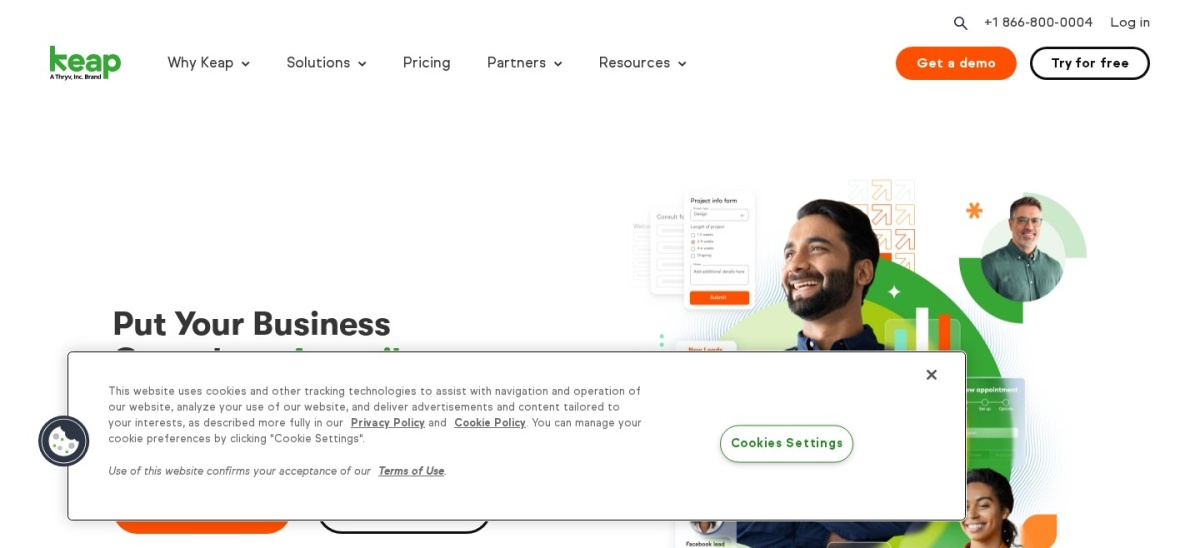
Keap homepage, captured Nov 2026.
Keap is a CRM and business automation platform that connects leads, appointments, sales pipelines, invoices, recurring payments, and customer follow-ups. Its pricing page lists a $3,195 annual entry subscription and includes CRM, sales and marketing automation, billing workflows, and 2 user licenses.
The trade off is its relatively high subscription cost, required implementation services, and dependence on other accounting tools for complete bookkeeping. The monthly billing rate starts at $320, while the annual subscription is listed at $3,195. It suits businesses where automated lead nurturing and repeat billing justify the expense.
What we like
CRM and advanced sales automation together
One-time and recurring invoicing
Automated payment follow-ups
Integrations with external accounting applications
Watch out for
High annual subscription cost
Required implementation services add expense
Not a full accounting system by itself
Additional user licenses cost extra
The paid subscription includes CRM, automation, invoicing, and billing tools; implementation is separate.Visit keap.com
CRM with invoicing vs. full accounting software
The distinction matters because several products in this list manage invoices and expenses without functioning as complete accounting systems. A sales invoice is only one part of the financial records a business may need.
A full accounting application commonly handles a general ledger, reconciliation, accounts payable, accounts receivable, and financial statements. These capabilities should be confirmed individually rather than assumed from an invoicing feature.
17hats provides native bookkeeping for smaller service businesses. HoneyBook, Dubsado, and Bonsai emphasize client-facing workflows, with selected accounting integrations available on higher plans.
If formal bookkeeping is essential, compare the CRM's integration with your accounting application before choosing. Check synchronization direction, supported financial records, additional subscription costs, and whether transactions can be reconciled.
Understand the real cost of CRM and accounting software
Advertised pricing does not always reflect the cost of running a complete CRM-to-accounting workflow. Entry plans may provide contact management while reserving invoicing, expense tracking, or accounting synchronization for more expensive subscriptions.
Bonsai illustrates the difference: Basic starts at $9 per user monthly on annual billing, Essentials adds invoicing at $19, and Premium lists accounting integrations at $29. Dubsado similarly requires Premier for bookkeeping integration.
Organizational subscriptions have different economics. SuiteDash lists unlimited staff accounts on START, while Bitrix24 Basic includes 5 users. Per-user software can be inexpensive for individuals but more costly as teams expand.
Payment processor fees, additional users, implementation services, and third-party accounting subscriptions should be considered separately from the base software price.
How we chose
We selected established CRM and business management platforms with relevant invoicing, bookkeeping, payment, expense tracking, or accounting integration capabilities. The shortlist covers service businesses, freelancers, agencies, and teams with recurring client relationships.
Pricing references and independent review listings were compared against the requested November 22, 2026 editorial baseline, with source pages accessed on November 23, 2026. We used official vendor pricing for subscription figures and G2 for displayed ratings and review counts, distinguishing basic CRM subscriptions from the higher plans required for accounting-related functions.
We excluded products whose current pricing could not be reliably established or whose capabilities did not sufficiently overlap with CRM and financial workflows. Products offering only invoicing were evaluated with their accounting limitations made explicit. No vendor paid for a place, and we do not claim testing for this list.
How to choose CRM and accounting software
Map your sales, billing, and bookkeeping workflow before comparing subscriptions. Use these steps to identify the smallest setup that covers the tasks your business actually needs.
Identify the financial features you actually need. Separate invoice creation and payment collection from bookkeeping, reconciliation, financial statements, and tax reporting. If formal accounting is necessary, prioritize native accounting capabilities or an integration with a dedicated accounting platform.
Follow a client from lead to payment. Check how the system handles initial inquiries, contact records, proposals, contracts, invoices, payments, and follow-ups. Look for information that transfers automatically between stages rather than requiring the same details to be entered repeatedly.
Calculate the cost of the required plan. Compare the cheapest paid plan with the first plan that includes your essential features. Include employee licenses, accounting integrations, payment processing, bank connections, implementation, and other required services.
Review reporting, exports, and integration options. Confirm that customers, invoices, payment records, and expenses can be exported or synchronized. Check permissions, reporting detail, and the process for migrating existing data before committing to an annual subscription.
FAQ
What is the best CRM and accounting software for small businesses?
SuiteDash is a useful overall option when a business wants customer management, client portals, invoicing, and financial workflows under one platform. Its entry subscription costs $180 yearly. Businesses requiring complete bookkeeping should verify the necessary modules and consider a dedicated accounting application alongside their CRM.
Can CRM software replace accounting software?
Sometimes, but only when the CRM includes the accounting functions your business requires. Many CRM platforms support invoices, payments, and basic revenue reports without offering a complete general ledger, bank reconciliation, or financial statements. Check the financial feature list before replacing an existing accounting system.
Which CRM software includes invoicing?
HoneyBook, Dubsado, 17hats, Bitrix24, and Keap offer invoicing or related sales billing functions. Bonsai includes invoices from its Essentials plan at $19 per user monthly with annual billing. Invoice availability does not necessarily mean that the software also provides comprehensive bookkeeping.
What is the cheapest CRM and accounting solution?
Bonsai Basic starts at $9 per user monthly with annual billing, but invoicing and expense tracking require Essentials at $19. SuiteDash START costs $180 annually and includes CRM and client portal tools. Compare the features required for your workflow rather than choosing based on entry pricing alone.
Does HoneyBook integrate with QuickBooks?
Yes. HoneyBook lists QuickBooks Online integration on its Essentials plan, which starts at $49 per month billed annually. The cheaper Starter plan includes invoices and payment collection but not that integration. Confirm the accounting data synchronized before relying on it for bookkeeping.
Is CRM with invoicing enough for a freelancer?
It can be sufficient for tracking clients, issuing invoices, and collecting payments when accounting needs are straightforward. Freelancers who also require expense categorization, reconciliation, tax records, or detailed financial statements may need additional bookkeeping functionality or a connected accounting application.
Which software is best for CRM and bookkeeping together?
17hats is worth considering because it combines client management, invoices, and built-in bookkeeping workflows. Its regular annual plan costs $600, with bank connection available as an extra service. It is more suitable for straightforward service-business finances than complex accounting operations.
Can I connect a CRM with QuickBooks or Xero?
Yes. Several CRM and client management platforms offer accounting integrations, but availability depends on the plan. HoneyBook supports QuickBooks Online on Essentials, while Bonsai lists QuickBooks and Xero integrations on Premium. Review which records sync, whether synchronization works both ways, and any extra costs.