Best Construction CRM Software in 2026: 7 Tools Compared
WLWPLegible EditorsLast verified 22 Nov 2026How we rank12 min read
★ Short answer
JobTread is the best construction CRM software for contractors who want lead management connected to estimates, contracts, and project delivery. Its base subscription costs $199 per month, plus internal-user fees. Contractor Foreman is a lower-cost construction-specific alternative, while FollowUp CRM focuses on bid tracking and commercial construction sales.
How we make this list: we compare pricing pages, product documentation and public user reviews, then re-check every price before each update. No product paid for a place. Disclosure.
JobTread ranks first for construction-specific CRM and project management, with a 4.9/5 Capterra rating from 144 reviews and a $199/month base subscription.
Contractor Foreman starts at $49/month billed annually and holds a 4.5/5 rating across 843 Capterra reviews.
FollowUp CRM targets construction bid management, but its $99/user/month Starter plan requires at least 5 users and a $2,500 launch fee.
Pipeline CRM starts at $25/user/month billed annually, with one sales pipeline and 250 active deals per account.
Pipedrive Lite costs $14/user/month billed annually and has a 4.5/5 rating from 3,078 Capterra reviews.
Jobber Core starts at $29/month billed annually, while HubSpot offers free CRM tools and a paid Starter subscription listed at $20 per seat monthly.
What to look for in construction CRM software
Construction sales involve more than collecting leads. A potential customer may request a site visit, receive an estimate, compare competing bids, negotiate a scope, and approve a contract before construction begins. CRM software helps contractors track those stages without losing conversations or documents.
Look for a visual sales pipeline that separates new inquiries, qualified leads, estimates sent, negotiations, and won projects. Sales teams should be able to see which opportunities need attention and which bids are approaching a decision.
Construction-specific workflows matter. Builders may need estimating, client portals, contracts, and project handoffs. Commercial contractors may care more about bid tracking, relationships with general contractors, sales forecasting, and follow-up responsibilities.
Also compare the true subscription cost. Some platforms include construction management features in the base subscription, while others charge separately for users, automation, onboarding, or advanced reporting. The cheapest CRM is not necessarily the lowest-cost option once the team is fully configured.
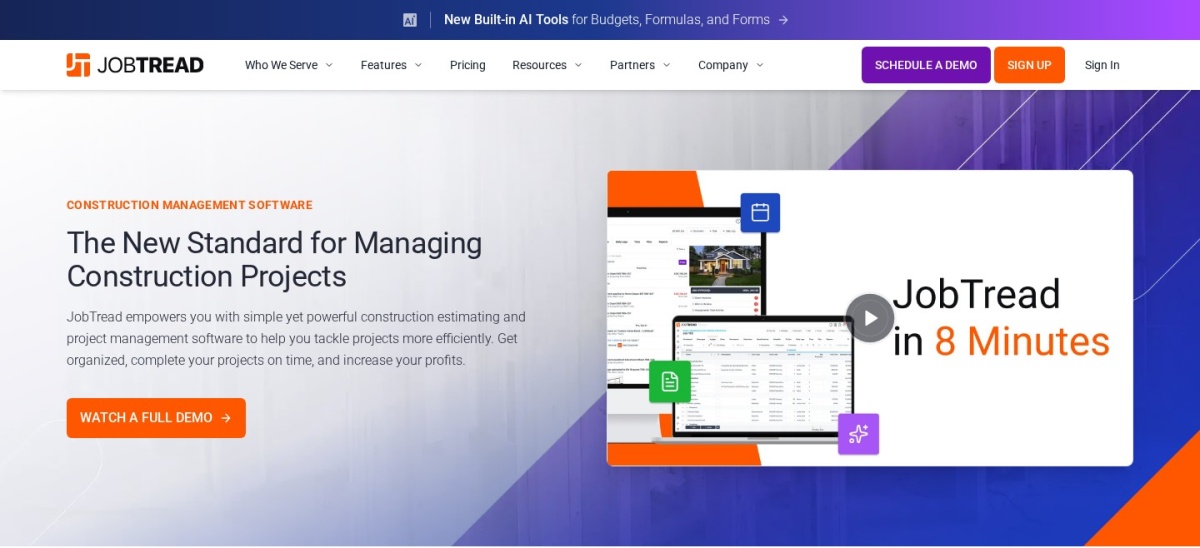
JobTread is construction management software with built-in CRM, lead management, estimating, contracts, and project tracking. Its $199 monthly base subscription includes the platform's features, with internal users charged an additional $20 each per month. Contractors can follow opportunities from the first inquiry through estimates, signed agreements, and active construction jobs.
The trade off is price. The $199 monthly base fee excludes internal-user charges, although the vendor offers a discount for annual subscriptions. It suits residential builders, remodelers, and specialty contractors who want their sales pipeline connected to project operations rather than maintaining separate CRM and job management systems.
What we like
Construction-specific lead and customer management
Connects estimates with contracts and jobs
Customer portals and communication tools
Includes project budgeting and job costing
All platform features included in the base subscription
Watch out for
Higher entry cost than general-purpose CRMs
Additional charges for internal users
More functionality than a sales-only team may need
The paid subscription includes CRM, estimating, contracts, and project management; internal users cost extra.Visit jobtread.com
02
Contractor Foreman
4.5/5on Capterra (843 reviews, checked Nov 2026)
Starts at$49/mo
Best affordable construction CRM suite
Entry planBasic
Starting price$49/mo
Included users1
Free trial30 days
contractorforeman.com
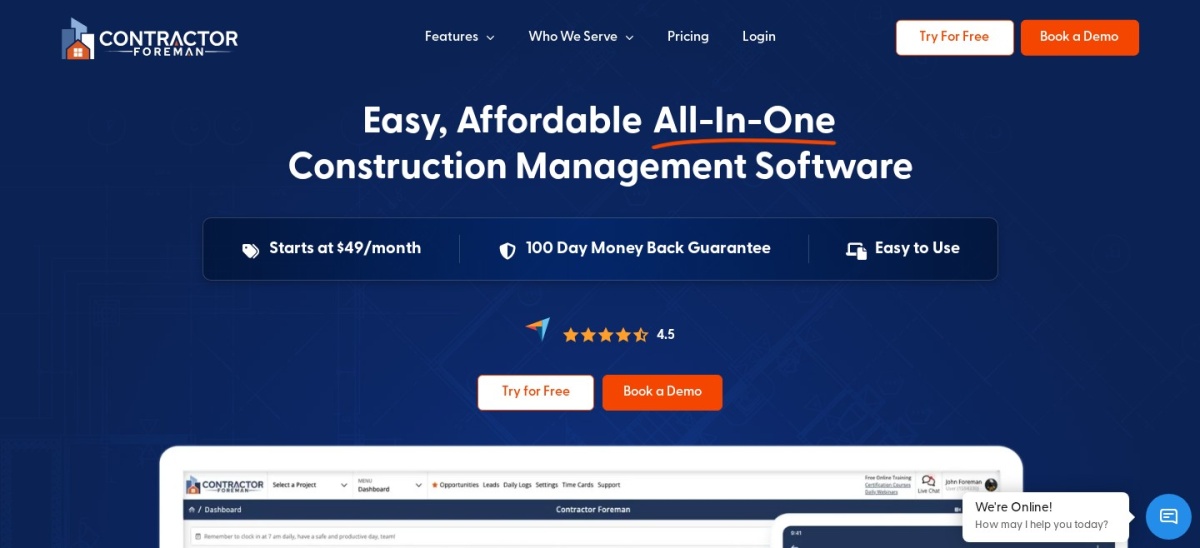
Contractor Foreman homepage, captured Nov 2026.
Contractor Foreman is construction management software covering customer records, opportunities, estimates, scheduling, and financial workflows. Its Basic plan costs $49 per month with annual billing and includes one user. The platform provides construction-specific tools for managing the relationship between prospective projects, customers, and active jobs.
The trade off is that the lowest subscription does not include every advanced CRM and financial capability available in higher plans. Standard starts at $105 per month with annual billing and supports up to three users. It suits smaller contractors who need construction workflows and customer tracking without immediately purchasing a larger platform.
What we like
Affordable construction-specific starting plan
Opportunities and estimating workflows
Customer information alongside project records
Scheduling and document management options
Large verified review history
Watch out for
Basic plan supports only one user
Some CRM capabilities require higher plans
Feature-heavy interface may require onboarding
Higher subscriptions expand user allowances and provide additional CRM and project management features.Visit contractorforeman.com
03
FollowUp CRM
4.5/5on Capterra (229 reviews, checked Nov 2026)
Starts at$99/mo
Best for commercial construction bid tracking
Entry planStarter
Minimum seats5
Starter automations20
Launch fee$2,500
followupcrm.com
FollowUp CRM homepage, captured Nov 2026.
FollowUp CRM is a construction-focused sales platform for tracking bids, proposals, relationships, and follow-up activities. Starter costs $99 per user monthly with annual billing and a five-user minimum, making the minimum recurring commitment $5,940 per year. The entry plan includes proposals, 20 automations, five dashboards, and support for up to three teams.
The trade off is the upfront commitment. Starter also requires a $2,500 launch fee for onboarding, migration, and training, while Professional costs $149 per user monthly with the same five-user minimum. It suits commercial contractors and subcontractors managing substantial bid pipelines, rather than solo contractors seeking an inexpensive CRM.
What we like
Designed specifically for construction sales
Bid and proposal tracking
Follow-up automation and sales dashboards
Supports team-based sales workflows
Guided onboarding and migration
Watch out for
Five-user minimum increases the starting cost
Mandatory one-time launch fee
Annual commitment and renewal terms require review
Less suited to small service businesses
Professional adds unlimited automations, more dashboards, and expanded team capabilities.Visit followupcrm.com
04
Pipeline CRM
4.3/5on Capterra (621 reviews, checked Nov 2026)
Starts at$25/mo
Best for contractor sales pipeline management
Entry planStart
Starting price$25/user/mo
Active deals250/account
Sales pipelines1
pipelinecrm.com
Pipeline CRM homepage, captured Nov 2026.
Pipeline CRM is sales management software with dedicated solutions for construction businesses and contractors. Start costs $25 per user monthly with annual billing and includes one sales pipeline, 250 active deals per account, contact records, reporting, and unlimited file storage. The platform also provides construction-related use cases for trades such as flooring, fencing, and painting.
The trade off is that Start limits sales pipelines and active deals, while full project management features require Grow at $49 per user monthly with annual billing. Pipeline CRM is not a replacement for construction estimating or job costing software. It suits contractors whose main problem is organizing leads, quotes, and follow-up responsibilities.
What we like
Dedicated construction and contractor solutions
Contact and opportunity management
Sales reporting included in Start
Custom fields and activity tracking
Clear published per-user pricing
Watch out for
Entry plan limits active deals
Project management requires Grow
No dedicated construction estimating system
Develop adds another pipeline and more automation; Grow adds project management, e-signatures, and expanded sales tools.Visit pipelinecrm.com
05
Pipedrive
4.5/5on Capterra (3,078 reviews, checked Nov 2026)
Starts at$14/mo
Best for visual construction sales pipelines
Entry planLite
Starting price$14/seat/mo
Free trial14 days
Integrations500+
pipedrive.com
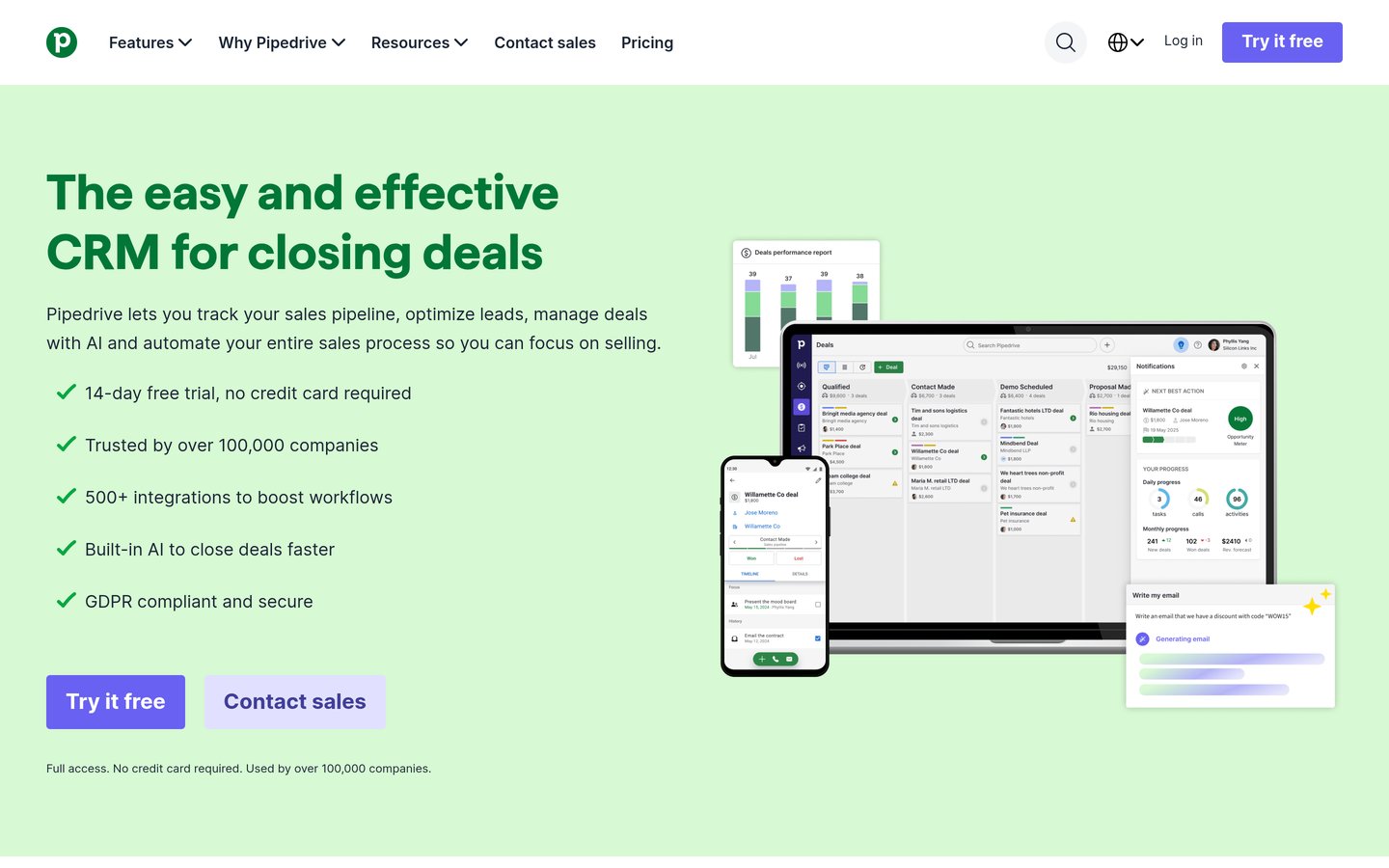
Pipedrive homepage, captured Nov 2026.
Pipedrive is a sales CRM built around visual pipelines, contacts, activities, and deal tracking. Lite starts at $14 per seat monthly when billed annually, or $168 per seat per year. Contractors can organize opportunities by stage, record customer conversations, schedule follow-ups, and review sales progress without adopting a complete construction management platform.
The trade off is that Pipedrive is a general CRM rather than construction-specific software. Full email synchronization and more advanced automation require higher subscriptions, and job costing is outside its core purpose. It suits construction sales teams that already use separate estimating and project management tools but need clearer lead ownership.
What we like
Visual pipeline for tracking construction leads
Low starting cost per seat
Activity reminders and contact management
More than 500 available integrations
Established review history
Watch out for
No native construction estimating
Advanced automation costs more
Separate software needed for job costing
Growth adds full email sync, automation, forecasting reports, and more sales management tools.Visit pipedrive.com
06
Jobber
4.6/5on Capterra (1,507 reviews, checked Nov 2026)
Starts at$29/mo
Best for small service contractors
Entry planCore
Annual-billing price$29/mo
Included users1
Free trialAvailable
getjobber.com
Jobber homepage, captured Nov 2026.
Jobber is field service management software that combines customer records, quotes, scheduling, invoicing, and job details. Core starts at $29 per month with annual billing, includes one user, and provides online booking, professional quotes, invoices, and reporting. The vendor also offers a regular month-to-month Core subscription at $49 per month.
The trade off is that Core focuses on basic customer and job administration rather than complex construction bidding. Connect adds automated quote follow-ups, expense tracking, and QuickBooks Online synchronization, but costs more. It suits smaller trade and service contractors handling shorter jobs, repeat customers, and frequent estimates.
What we like
Customer records linked to quotes and jobs
Scheduling and invoicing in one system
Online booking for incoming inquiries
Mobile-friendly field workflows
Accounting connectivity on higher plans
Watch out for
Core includes only one user
Automated follow-ups require an upgrade
Less suited to complex commercial bidding
Connect adds automated follow-ups, time and expense tracking, and QuickBooks Online integration.Visit getjobber.com
07
HubSpot Sales Hub
4.5/5on Capterra (526 reviews, checked Nov 2026)
Paid from$20/mo
Best for construction marketing and lead nurturing
Free CRMAvailable
Paid entryStarter
Regular price$20/seat/mo
Pricing modelPer seat
hubspot.com
HubSpot Sales Hub homepage, captured Nov 2026.
HubSpot Sales Hub is a sales platform built on HubSpot's customer relationship database, supporting contact records, deals, pipelines, and sales activities. Free CRM tools are available, while the official pricing page lists Starter at $20 per seat monthly as a regular price alongside a discounted new-customer offer. Contractors can use the platform to organize inquiries and coordinate sales follow-ups.
The trade off is that construction estimating, project budgeting, and job delivery are not its primary functions. Advanced sales reporting and automation are also associated with higher subscriptions. It suits contractors investing in website lead generation, marketing campaigns, and long-term customer nurturing who can connect their CRM to separate project software.
What we like
Free CRM tools for starting teams
Contact and deal management
Works alongside marketing tools
Sales activity and communication tracking
Large integration ecosystem
Watch out for
Not designed specifically for construction
Advanced sales features can become expensive
Separate tools required for construction operations
Starter adds paid sales features and greater CRM functionality beyond the free tools.Visit hubspot.com
Construction CRM vs general CRM: which should you choose?
A general CRM organizes contacts, sales opportunities, communication histories, and follow-up tasks. Pipedrive and Pipeline CRM are useful when the sales team needs a clear process for converting inquiries into signed contracts.
A construction-specific CRM can connect those sales activities to estimating, customer approvals, and project management. JobTread and Contractor Foreman are designed to support construction workflows beyond the initial sale.
The distinction matters when a project changes hands. If your sales team frequently transfers estimates, specifications, and customer details to project managers, an integrated construction platform can reduce duplicated administration.
How much does construction CRM software cost?
CRM pricing depends on whether vendors charge by user, organization, or feature tier. Pipedrive Lite costs $14 per seat monthly with annual billing, while JobTread charges a $199 monthly base fee plus $20 for each internal user.
Some construction-specific platforms also require minimum commitments. FollowUp CRM Starter is priced at $99 per user monthly with a five-user minimum and a $2,500 launch fee. The first-year total is substantially higher than the advertised per-user subscription alone.
Before comparing prices, calculate the cost for your actual number of salespeople, estimators, and managers. Include any required automation, bid tracking, onboarding, and integrations that affect the full sales process.
How we chose
We compared established construction-focused CRM platforms and widely used sales systems relevant to contractors. The shortlist combines software designed specifically for construction with general CRMs suitable for tracking inquiries, bid opportunities, and follow-ups. We prioritized identifiable sales workflows, published prices, and sufficient independent customer reviews.
Official vendor pricing pages and Capterra ratings were reviewed for this comparison using the 22 Nov 2026 editorial reference date. We distinguished regular subscriptions from introductory discounts, identified additional per-user charges, and highlighted plans where important sales or project features require an upgrade.
We excluded construction platforms without accessible published prices and products lacking meaningful public review coverage. We also avoided treating general sales CRMs as complete estimating or construction management systems. No vendor paid for a place, and we do not claim testing for this list.
How to choose construction CRM software
Identify how new construction opportunities enter your business, then compare the CRM features required to convert those opportunities into signed projects.
Document your construction sales process. List the stages between a new inquiry and an approved contract. Include site visits, estimates, bid submissions, follow-ups, and client approvals. Choose software that can represent those stages clearly without requiring excessive manual work.
Decide whether CRM must connect to project management. If salespeople pass signed jobs to estimators and project managers, compare construction-specific platforms such as JobTread. If your team already has reliable estimating and operations software, a dedicated sales CRM may be simpler.
Check automation and communication features. Look for reminders, email tracking, contact histories, deal ownership, and reporting. Confirm which features are actually included in the entry subscription, because some vendors reserve email automation and advanced forecasting for higher tiers.
Calculate the full cost for your team. Multiply per-user subscriptions by the required seats and include mandatory onboarding fees or upgrades. Verify minimum user requirements, contract terms, and cancellation conditions before making a long-term commitment.
FAQ
What is the best CRM software for construction companies?
JobTread is the top overall choice in this comparison because it combines construction lead management with estimates, contracts, and project operations. Its base subscription costs $199 per month, with additional internal-user fees. Contractor Foreman is worth comparing for smaller budgets.
What is construction CRM software?
Construction CRM software helps contractors manage prospective customers, sales opportunities, estimates, bids, and follow-up activities. It records customer communication and tracks opportunities through the sales process. Some construction-specific platforms also connect CRM records with contracts, job scheduling, and project financials.
Is there a free CRM for construction businesses?
Yes. HubSpot offers free CRM tools for managing contacts and sales opportunities. However, free CRM access does not mean construction-specific features such as estimating, bid management, scheduling, and job costing are included. Contractors needing those functions may require a specialized paid platform.
Which construction CRM is best for small contractors?
Contractor Foreman is an option for small construction companies because Basic starts at $49 per month with annual billing. Jobber is better suited to smaller service contractors managing customer records, quotes, and appointments. Pipedrive is another choice when the main requirement is organizing sales opportunities.
What CRM should commercial contractors use?
FollowUp CRM focuses on construction bid tracking, proposals, and sales follow-ups. It is relevant to commercial contractors handling multiple bid opportunities and customer relationships. However, Starter requires at least five users and a launch fee, so smaller businesses should compare the total commitment carefully.
Can construction CRM software manage estimates and contracts?
Some platforms can. JobTread connects CRM records with estimating and contracts, while Contractor Foreman provides estimating and additional construction workflows across its subscriptions. General CRMs such as Pipedrive mainly track opportunities and communications, so specialized estimating may require another system.
Does construction CRM software integrate with QuickBooks?
Some construction and contractor management products offer QuickBooks connectivity. Contractor Foreman lists QuickBooks among its integrations, while Jobber provides QuickBooks Online synchronization on Connect. Confirm the exact plan and whether customer records, invoices, or job-related financial data transfer as needed.
How much does construction CRM software cost?
Entry subscriptions vary considerably. Pipedrive Lite starts at $14 per seat monthly with annual billing, Contractor Foreman Basic starts at $49 per month with annual billing, and JobTread has a $199 monthly base subscription plus internal-user fees. More specialized platforms may also require onboarding fees or minimum seats.
What features matter most in a construction CRM?
Prioritize lead capture, contact management, customizable sales stages, estimate tracking, activity reminders, and customer communication histories. Commercial teams may also need bid reporting and forecasting. Builders managing projects after contract approval should consider integrations with scheduling, contracts, and construction management software.