Best Checkout Plugins for WooCommerce in 2026: 7 Tools Compared
WLWPLegible EditorsLast verified 22 Nov 2026How we rank6 min read
★ Short answer
FunnelKit is the best checkout plugin for WooCommerce for most stores, combining custom checkout templates, drag-and-drop field editing, and 1,030 WordPress.org ratings. Pick Fluid Checkout for a mobile-first checkout layout with a free Lite version, or Checkout Field Editor by ThemeHigh if you mainly need checkout form field control.
How we make this list: we compare pricing pages, product documentation and public user reviews, then re-check every price before each update. No product paid for a place. Disclosure.
FunnelKit holds 30,000+ active installs on WordPress.org and pairs checkout templates with order bumps, upsells, and automations.
Fluid Checkout offers a free Lite plugin with 20,000+ active installs and a PRO plan starting at 129 EUR/year.
Checkout Field Editor by ThemeHigh has 400,000+ active installs and starts at $49/year for single-site Pro licenses.
CartFlows runs on 200,000+ active installs with 520 ratings and offers Starter at $149/year regular renewal pricing.
CheckoutWC starts at $249/year for a single site and includes order bumps, a side cart, and abandoned cart recovery in one license.
What to look for in a WooCommerce checkout plugin
Default WooCommerce checkout pages often ask for unnecessary fields, reload slowly, or miss order-value tools like order bumps and express wallets. A checkout plugin can replace the page layout, edit form fields, add sales offers, or skip the cart screen.
Check compatibility with your current checkout setup before installing. Some plugins target classic shortcode checkouts while others support WooCommerce Checkout Blocks or specific page builders.
Watch renewal rates and license limits rather than first-year discounts alone. Several vendors run seasonal promotions in November 2026, so check standard annual pricing for the number of stores you operate.
Pick one primary checkout tool and test changes on a staging site first. Stacking multiple layout or cart plugins can conflict with payment gateways, shipping calculators, or cache rules.
4.9/5on WordPress.org (1,030 reviews, checked Nov 2026)
Paid from$129/yr
Best for full checkout and funnel control
Free versionYes (Funnel Builder Lite)
Entry paid plan$129/yr (Basic, 1 site)
Active installs30,000+
WordPress rating4.9/5 (1,030 ratings)
funnelkit.com
FunnelKit homepage, captured Nov 2026.
FunnelKit is a checkout and sales funnel plugin suite for WooCommerce whose free Funnel Builder Lite includes customizable checkout templates, one-step checkout, and a visual field editor across 30,000+ active installs.
The trade off is that order bumps, one-click upsells, side-cart features, and split testing require paid tiers or companion modules starting at $129/year. It suits stores that want checkout customization plus funnel and recovery tools from one vendor.
What we like
High 4.9/5 rating across 1,030 WordPress.org reviews
Free Lite version covers checkout templates and basic field editing
Works with Elementor, Bricks, Beaver Builder, and Gutenberg
Modular structure lets you enable cart and automation tools as needed
Watch out for
Order bumps, upsells, and A/B testing sit behind paid plans
Higher tiers are priced by site count and bundled modules
Paid plans add order bumps, one-click upsells, conditional fields, and A/B testing.Visit funnelkit.com
02
Fluid Checkout
4.9/5on WordPress.org (159 reviews, checked Nov 2026)
Paid from129 EUR/yr
Best for mobile-first multi-step or single-step layouts
Free versionYes (Fluid Checkout Lite)
Entry paid plan129 EUR/yr (1 site, listed at 129 EUR)
Active installs20,000+
WordPress rating4.9/5 (159 ratings)
fluidcheckout.com
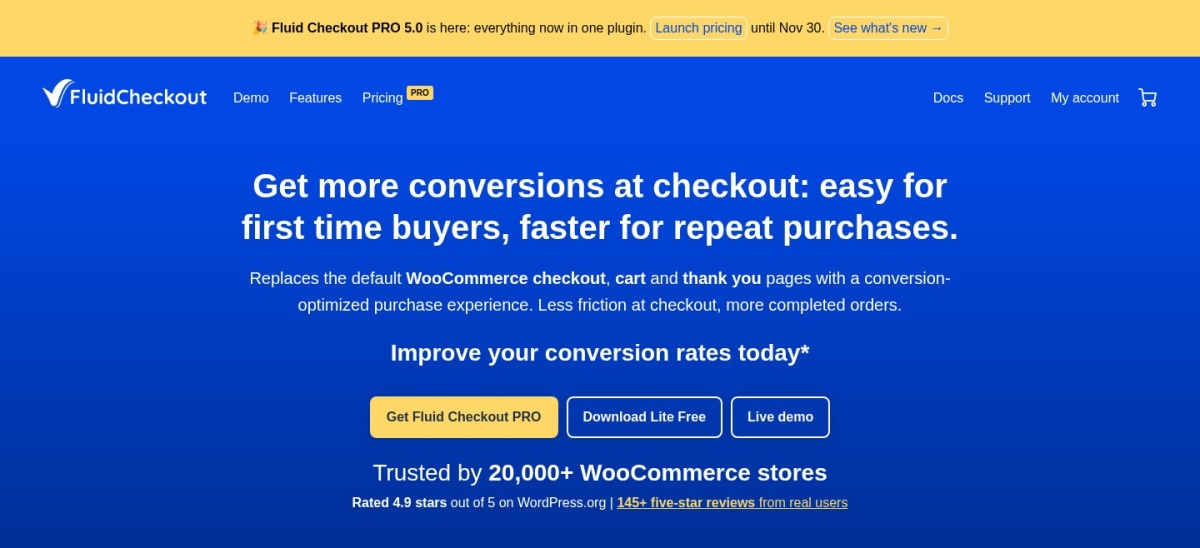
Fluid Checkout homepage, captured Nov 2026.
Fluid Checkout is a WooCommerce checkout layout plugin whose free Lite version offers multi-step and single-step views, inline validation, and hidden optional fields across 20,000+ active installs.
The trade off is that PRO pricing is listed in euros starting at 129 EUR/year for one site and focuses on layout polish rather than funnel upsells. It suits stores that want a cleaner mobile checkout flow without heavy page-builder templates.
What we like
Capable free Lite version with instant field validation and saved customer data
Collapses optional fields behind Add links to keep forms compact
Built around mobile ergonomics and accessibility guidelines
Compatible with 90+ themes and WooCommerce checkout blocks
Watch out for
Paid plans are priced in EUR rather than USD
Less focused on multi-step upsell funnels than funnel builders
PRO adds extra design templates, cart and order-received layouts, express buttons, and add-on features.Visit fluidcheckout.com
03
Checkout Field Editor
4.9/5on WordPress.org (1,056 reviews, checked Nov 2026)
Paid from$49/yr
Best for custom checkout fields and field rules
Free versionYes (WordPress.org)
Entry paid plan$49/yr (Single site)
Active installs400,000+
WordPress rating4.9/5 (1,056 ratings)
themehigh.com
Checkout Field Editor homepage, captured Nov 2026.
Checkout Field Editor by ThemeHigh is a form field manager for WooCommerce whose free plugin lets you add, edit, reorder, and validate checkout fields across 400,000+ active installs.
The trade off is that conditional sections, extra field types, and field-based pricing cost extra starting at $49/year for a single site. It suits stores that want field-level control rather than a full checkout redesign.
What we like
Large install base of 400,000+ active sites and 1,056 reviews
Supports both classic and block-based WooCommerce checkouts
Lets you control field visibility in order details and emails
Watch out for
Does not replace the overall checkout design like a layout plugin
Advanced field types and conditional pricing require the paid upgrade
Paid licenses add conditional fields and sections, custom validators, address autofill, and price-based fields.Visit themehigh.com
04
Checkout Field Editor and Manager
4.9/5on WordPress.org (162 reviews, checked Nov 2026)
Paid from$49/yr
Best budget field editor with block support
Free versionYes (WordPress.org)
Entry paid plan$49/yr (Single site)
Active installs20,000+
WordPress rating4.9/5 (162 ratings)
acowebs.com
Checkout Field Editor and Manager homepage, captured Nov 2026.
Checkout Field Editor and Manager by Acowebs is a drag-and-drop field editor for WooCommerce whose free version supports field reordering, hiding, and block checkout rendering across 20,000+ active installs.
The trade off is that conditional display rules, custom sections, and paid field options start at $49/year for a single site. It suits stores that need straightforward field editing and a low annual price.
What we like
4.9/5 rating across 162 WordPress.org reviews
Affordable $49/year single-site paid tier
Added WooCommerce Checkout Block field support in recent releases
Supports WPML and Polylang for translated checkout labels
Watch out for
Focused on form fields rather than visual funnel building
Seasonal discounts appear in November, so check standard pricing outside sales
Paid plans add conditional logic, custom sections, regex validation, and extra field fees.Visit acowebs.com
05
Direct Checkout for WooCommerce
4.5/5on WordPress.org (407 reviews, checked Nov 2026)
Paid from$49/yr
Best for skipping the cart page
Free versionYes (WordPress.org)
Entry paid plan$49/yr (Personal, 1 site)
Active installs6,000+
WordPress rating4.5/5 (407 ratings)
quadlayers.com
Direct Checkout for WooCommerce homepage, captured Nov 2026.
Direct Checkout for WooCommerce by QuadLayers is a cart-bypass plugin whose free version redirects shoppers straight to checkout and removes unnecessary fields across 6,000+ active installs.
The trade off is that per-product redirect rules and quick-purchase buttons start at $49/year for one site. It suits stores selling single items or impulse purchases where skipping the cart saves clicks.
What we like
Free core plugin covers cart-skipping redirects and field removal
Low $49/year entry price for a single-site license
Established review count with 407 ratings on WordPress.org
Supports AJAX add-to-cart and custom button labels
Watch out for
Lower rating (4.5/5) than top-ranked checkout layout plugins
Limited to shortcut flows rather than full funnel or template builders
4.8/5on WordPress.org (520 reviews, checked Nov 2026)
Paid from$149/yr
Best for dedicated sales funnels and landing pages
Free versionYes (WordPress.org)
Entry paid plan$149/yr (Starter regular renewal)
Active installs200,000+
WordPress rating4.8/5 (520 ratings)
cartflows.com
CartFlows homepage, captured Nov 2026.
CartFlows is a WooCommerce checkout and sales funnel plugin whose free version lets you import funnel layouts and replace store checkout across 200,000+ active installs.
The trade off is a $149/year standard renewal price on Starter, with lower introductory rates during sales. It suits stores building campaign landing pages, order bumps, and upsell flows.
What we like
Widely used with 200,000+ active installs and 520 reviews
Free version includes checkout layouts and field editing
Integrates with Elementor, Bricks, Divi, Beaver Builder, and Gutenberg
Supports order bumps, one-click upsells, and funnel analytics
Watch out for
Standard annual renewal is higher than basic field or redirect plugins
Building separate funnels for large catalogs takes ongoing setup
Paid plans unlock dynamic order bumps, one-click upsells and downsells, A/B testing, and funnel analytics.Visit cartflows.com
07
CheckoutWC
4.8/5on WordPress.org (33 reviews, checked Nov 2026)
Paid from$249/yr
Best for an all-in-one hosted-style checkout
Free versionYes (CheckoutWC Lite)
Entry paid plan$249/yr (1 Site)
Active installs2,000+
WordPress rating4.8/5 (33 ratings)
checkoutwc.com
CheckoutWC homepage, captured Nov 2026.
CheckoutWC is a checkout replacement plugin for WooCommerce whose free CheckoutWC Lite version offers a multi-step layout and express pay buttons with 2,000+ active installs.
The trade off is a $249/year starting price for one site, though all core features sit in every tier. It suits stores that want checkout templates, side cart, order bumps, and cart recovery in one plugin.
What we like
4.8/5 rating on CheckoutWC Lite with recent November 2026 updates
All features included in every paid license tier rather than gated behind top plans
Bundles order bumps, post-purchase upsells, side cart, and abandoned cart emails
Free on local and staging sites
Watch out for
Highest starting price on this list at $249/year for a single site
Smaller WordPress.org review sample (33 ratings) than older field editors
Paid plans add five checkout templates, one-page mode, order bumps, side cart, and recovery emails.Visit checkoutwc.com
Classic shortcode vs. WooCommerce Checkout Blocks
Many stores still run the classic WooCommerce checkout shortcode, while newer builds use WooCommerce Checkout Blocks. Plugins vary in how deeply they support block-based field editing versus template replacement.
Check plugin documentation before switching your checkout page to blocks, especially if you rely on custom fields, address formatting, or third-party shipping extensions.
How we chose
We selected established WooCommerce checkout, field editing, and funnel plugins from WordPress.org and vendor directories that remain actively maintained.
We checked WordPress.org ratings, review counts, active install ranges, and vendor pricing pages on 22 Nov 2026, noting standard annual renewal rates where promotional discounts were running.
We skipped plugins with minimal installs or outdated compatibility and excluded any product whose pricing could not be verified on its official site. No vendor paid for a place, and we do not claim hands-on testing for this list.
How to pick the right checkout plugin
Follow four practical checks before changing your live checkout.
Identify the exact bottleneck first. Decide whether you need fewer form fields, a cleaner mobile layout, cart-skipping shortcuts, or order bumps and upsells.
Confirm checkout and gateway compatibility. Verify that the plugin works with your current checkout template, theme, and payment gateways such as Stripe, PayPal, or WooPayments.
Compare regular renewal prices. Look at the standard annual rate for your site count rather than first-year sale discounts or bundled add-ons.
Test on staging before going live. Place test orders on a staging site with coupons, taxes, and shipping methods active to catch layout or script conflicts.
FAQ
Do I need a paid plugin to improve WooCommerce checkout?
Not always. Free plugins like FunnelKit Lite, Fluid Checkout Lite, and Checkout Field Editor cover basic layout improvements, field management, or cart redirects, while paid plans add upsells, conditional rules, and extra templates.
Should I pick a checkout layout plugin or a field editor?
Choose a layout or funnel plugin like FunnelKit, Fluid Checkout, or CheckoutWC if your checkout design feels clunky or slow. Choose a field editor like ThemeHigh or Acowebs if you mainly need custom fields or field rules.
Can a checkout plugin increase average order value?
Yes, tools such as FunnelKit, CartFlows, and CheckoutWC offer order bumps or post-purchase upsells on paid plans, though relevance to the cart matters more than adding extra offers.
Why do some checkout plugins list lower first-year prices?
Many WordPress vendors discount the first billing year or run seasonal promotions and renew at a higher regular rate. Always budget around the standard annual renewal price for your site count.
Can I run two WooCommerce checkout plugins at the same time?
Avoid running two plugins that both replace the checkout layout or cart flow. If you combine a layout plugin with a field editor, test both together on a staging site first.
Do checkout plugins work with WooCommerce Checkout Blocks?
Support varies by plugin and feature. Some tools support Checkout Blocks directly, while others work best with the classic shortcode checkout, so check compatibility notes before upgrading.