SOLIDWORKS is the best CAD software for mechanical engineers, rated 4.5 out of 5 on G2 from 707 reviews. Pick Autodesk Fusion at $680 a year for the best value with CAM included, or Onshape at $1,500 a year for browser-based teamwork.
How we make this list: we compare pricing pages, product documentation and public user reviews, then re-check every price before each update. No product paid for a place. Disclosure.
SOLIDWORKS is the top pick for machine design at $2,820 a year, rated 4.5 out of 5 on G2 from 707 reviews.
Autodesk Fusion is the cheapest paid option at $680 a year, with CAM and basic simulation included.
Onshape is the only browser-based tool here, rated 4.7 out of 5, the highest rating in this list.
PTC Creo costs the most at $3,190 a year and suits large assemblies, but PTC publishes no list price.
FreeCAD costs nothing and allows commercial use, but its drawings need more manual work.
Rhino is the only one-time licence here at $995, with no yearly subscription.
What mechanical CAD software should cover
Mechanical engineers need more than 3D shapes. A CAD tool for this work must handle parametric parts, assemblies, sheet metal, drawings with tolerances and file exchange with suppliers.
Parametric modeling matters most. Change one dimension and every related feature, drawing view and parts list should update, or a late design change turns into hours of rework.
Simulation and CAM decide how far one tool goes. Basic stress checks and machining prep inside the CAD app save a file transfer, while advanced simulation and multi-axis CAM usually need a higher tier or a second tool.
Price ranges from free to over $3,000 a year per user in this list. The cheapest paid option, Fusion at $680 a year, covers CAM and simulation, while the top tools charge two to four times more for deeper assemblies and drawings.
The 9 best CAD software tools for mechanical engineers
01
SOLIDWORKS
4.5/5on G2 (707 reviews, checked Nov 2026)
Starts at$2,820/yr
Best CAD for mechanical engineers overall
PlatformWindows
Free planNo, 30-day trial
SimulationIn Premium tier
CAM3-axis, in Premium
solidworks.com
SOLIDWORKS homepage, captured Nov 2026.
SOLIDWORKS is the default CAD system for mechanical engineering teams, covering parametric parts, assemblies, sheet metal, weldments and drawings in one Windows app. Standard costs $2,820 a year per user and includes core modeling, drawings and sheet metal tools, while students get a free education version.
The trade off is price and platform. Premium, at $4,716 a year, adds simulation and CAM, and the software runs on Windows only. It suits machine design teams that need strong drawings and a file format most suppliers already open.
What we like
Industry-standard file format suppliers already open
Deep sheet metal and weldment tools
Strong drawings with tolerances and revision tables
Huge user community, so answers are easy to find
Watch out for
Windows only
Simulation and CAM need the $4,716 Premium tier
High price for small teams
Professional adds rendering and a parts library; Premium adds simulation and CAMVisit solidworks.com
02
Autodesk Inventor
4.4/5on G2 (440 reviews, checked Nov 2026)
Starts at$2,585/yr
Best for Autodesk-based engineering teams
PlatformWindows
Free planNo, 30-day trial
SimulationStress analysis included
CAMIn Collection only
autodesk.com
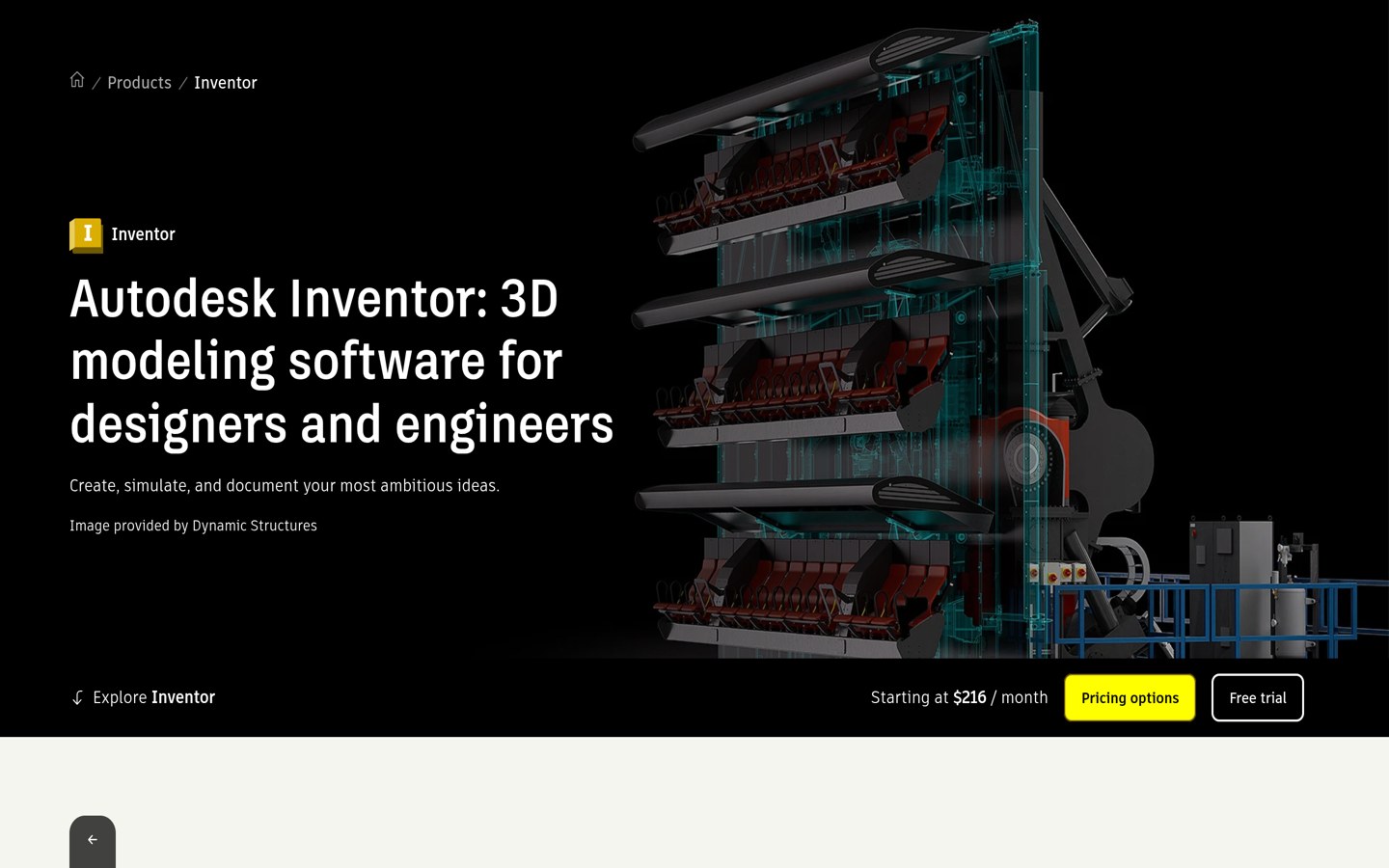
Autodesk Inventor homepage, captured Nov 2026.
Autodesk Inventor is Autodesk's 3D mechanical CAD tool for parts, assemblies, sheet metal and drawings, built for teams that already use AutoCAD and Vault. A one-year subscription costs $2,585 per user, and it includes parametric modeling, frame and weldment design, and stress analysis.
The trade off is the Autodesk-only workflow. Full CAM needs the Product Design and Manufacturing Collection at $3,375 a year, and Inventor runs on Windows only. It suits engineering teams that exchange DWG drawings and manage files in Vault.
What we like
Native DWG drawings linked to the 3D model
iLogic automation for configurable parts
Stress analysis included in the subscription
Vault integration for file management
Watch out for
Windows only
Full CAM costs extra in the Collection
Subscription only, no perpetual licence
The Collection adds CAM, Inventor Nastran and more Autodesk toolsVisit autodesk.com
03
Autodesk Fusion
4.5/5on G2 (520 reviews, checked Nov 2026)
Paid from$680/yr
Best value CAD with CAM included
PlatformWindows, Mac
Free planPersonal use, limits
CAMBuilt-in, 3-axis
SimulationBasic, included
autodesk.com
Autodesk Fusion homepage, captured Nov 2026.
Autodesk Fusion is cloud-connected CAD, CAM, CAE and PCB software in one subscription, covering parametric and direct modeling, assemblies, drawings and machining prep. The paid subscription costs $680 a year per user, and a free personal-use licence covers non-commercial projects earning under $1,000 a year.
The trade off is the licence and the cloud. Personal use caps you at 10 editable documents, and advanced CAM and simulation need paid extensions. It suits small teams and shops that want design and machining in one low-cost package.
Onshape is a browser-based CAD and product data management platform from PTC, built for engineering teams that work together in real time. Standard costs $1,500 per user a year and adds commercial use, unlimited private storage and direct support, while a free plan covers non-commercial projects with public files.
The trade off is that the good extras sit in Professional. Release management, simulation, rendering and CAM need Professional at $2,500 a year, and the browser app needs a steady internet link. It suits distributed teams that want version control without file checkouts.
What we like
Runs in a browser on any device
Real-time multi-user editing
Built-in version control and PDM
No files to lose or check out
Watch out for
Needs an internet link
Simulation and CAM need Professional
Large assemblies can lag on weak links
Professional adds release management, simulation, rendering and CAMVisit onshape.com
05
PTC Creo
4.1/5on G2 (203 reviews, checked Nov 2026)
Starts at$3,190/yr
Best for large assemblies and complex products
PlatformWindows
Free planNo, 30-day trial
SimulationBasic in Essentials
CAMPaid extension
ptc.com
PTC Creo homepage, captured Nov 2026.
PTC Creo is a high-end parametric CAD system for large manufacturers designing complex products, heavy machinery and large assemblies. Design Essentials starts at $3,190 a year per user, based on reseller figures, and covers core parametric modeling, drawings and basic simulation.
The trade off is cost and learning curve. PTC publishes no list price on its public store page, and advanced modules for simulation, CAM and generative design cost extra. It suits large teams that manage assemblies with thousands of parts.
What we like
Strong parametric core for complex products
Handles very large assemblies
Advanced surfacing for housings and covers
Broad extension options
Watch out for
Highest starting price in this list
Steep learning curve
PTC shows no public list price
Higher packages add advanced assembly, simulation and CAMVisit ptc.com
06
AutoCAD
4.4/5on G2 (2,017 reviews, checked Nov 2026)
Starts at$2,095/yr
Best for 2D mechanical drafting and DWG
PlatformWindows, Mac
Free planNo, 30-day trial
Toolsets7 included
File formatDWG
autodesk.com
AutoCAD homepage, captured Nov 2026.
AutoCAD is Autodesk's professional 2D drafting and documentation software, and its Mechanical toolset adds parts libraries, standards-based drawing tools and bills of materials. The annual subscription costs $2,095 per user and includes desktop and web access plus 7 specialised industry toolsets.
The trade off is that it is mainly a 2D tool. Parametric 3D assemblies and simulation belong in Inventor or Fusion, so AutoCAD fits drafting rather than full 3D machine design. It suits teams that exchange DWG drawings and need precise 2D documentation.
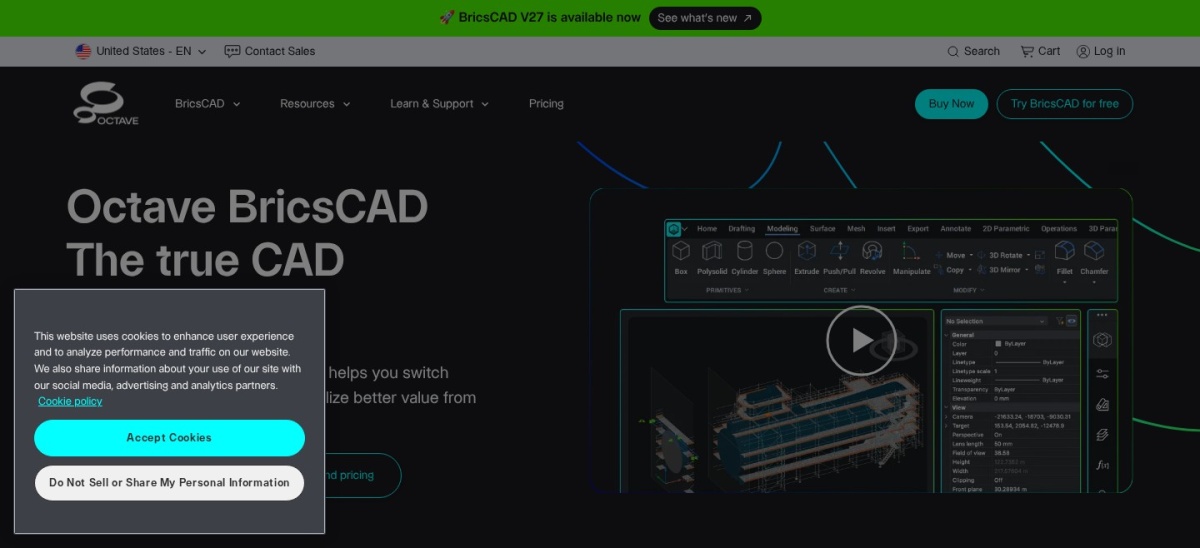
BricsCAD is a DWG-based 2D and 3D CAD platform from Bricsys, now sold as Octave BricsCAD, with parametric and direct modeling, assemblies and sheet metal tools. Lite starts at $345 a year, and higher tiers add 3D modeling, rendering and mechanical design tools.
The trade off is the tier ladder. Lite covers 2D drafting only, so mechanical teams need Pro or Mechanical for 3D parts and assemblies. It suits teams that want DWG compatibility and a familiar AutoCAD-style workflow at a lower price.
Rhino is a NURBS-based 3D modeling tool from Robert McNeel and Associates, known for freeform surfaces, precise curves and a large plug-in ecosystem. A licence costs $995 once, with no yearly subscription, and includes Grasshopper for parametric and generative design.
The trade off is that Rhino is not a parametric history-based CAD system. Assemblies, drawings and sheet metal tools are thinner than SolidWorks or Inventor, and mechanical teams often pair it with another CAD tool. It suits engineers who model complex shapes and prototypes.
FreeCAD is free, open-source parametric 3D modeling software for engineering, mechanical components and technical design. It covers sketch-based parts, assemblies, TechDraw drawings, FEM simulation and CAM toolpaths, and it allows commercial use under the LGPL licence with no fee or sign-up.
The trade off is polish. Drawings take more manual work than SolidWorks, the interface feels rougher, and large assemblies can be slow. It suits students, makers and small shops that accept a steeper learning curve for zero licence cost.
Most tools in this list are desktop apps, and five of them run on Mac as well as Windows. Desktop CAD handles large assemblies fastest and works offline, but it ties you to a workstation.
Onshape is the only fully browser-based tool here. It runs on any device, saves every change automatically and lets several engineers edit the same model at once.
Fusion sits in between. It installs as a desktop app but stores files in the cloud, so teams share versions without a separate data management system.
Pick desktop CAD if your assemblies are huge or your internet link is weak. Pick browser CAD if your team is spread out and version confusion costs you time.
How we chose
We started from the CAD tools mechanical engineers use most, then kept the nine that cover parametric parts, assemblies, drawings and manufacturing prep.
Prices come from each vendor's pricing page, checked on 25 November 2026. Ratings and review counts come from G2 on the same day. Where a vendor shows a sale, the list shows the regular price.
PTC publishes no list price for Creo, so its $3,190 figure comes from reseller listings. We left out tools with no public rating or no public price. No vendor paid for a place, and we do not claim to have used these tools ourselves.
How to choose CAD software for mechanical engineering
Start with the parts you design every day, then match the tool to your files and your team.
List the parts you design most. Machine parts, sheet metal, weldments and large assemblies each favour a different tool. SolidWorks and Inventor cover the widest range.
Check the files your customers demand. If suppliers send CATIA, Creo or SolidWorks files, pick a tool that reads them cleanly. DWG shops should look at Inventor, AutoCAD or BricsCAD.
Decide what simulation and CAM you need. Weekly stress checks justify built-in simulation, and daily CNC work needs real CAM. Fusion includes both at the lowest price.
Count the true yearly cost. Add the subscription, the tier you actually need and training time. A free tool can cost more in staff hours than a $680 subscription.
FAQ
Which CAD software is best for mechanical engineers?
SOLIDWORKS is the best overall pick for mechanical engineers. It covers parametric parts, assemblies, sheet metal, weldments and production drawings in one app, and it is rated 4.5 out of 5 on G2 from 707 reviews.
What is the cheapest CAD software for mechanical engineers?
FreeCAD is free and allows commercial use, so it costs nothing. Among paid tools, Autodesk Fusion is the cheapest at $680 a year per user, and it includes CAD, basic CAM and basic simulation in one subscription.
Is Fusion 360 good enough for professional mechanical engineering?
Yes, for many professional jobs. Fusion covers parametric parts, assemblies, sheet metal, drawings, basic simulation and 3-axis CAM. Large assemblies, advanced simulation and multi-axis CAM need paid extensions or a higher-tier tool.
Do mechanical engineers still need desktop CAD, or is browser CAD enough?
Browser CAD is enough for many teams. Onshape handles real mechanical design with version control built in. Desktop CAD still wins for very large assemblies and offline work, and for shops with a weak internet link.
Can I use FreeCAD for commercial work?
Yes. FreeCAD is open source under the LGPL licence, which allows commercial use with no fee, no seat limit and no expiry. The trade-off is rougher drawings and a steeper learning curve than paid tools.
What is the difference between SOLIDWORKS and Inventor?
Both are parametric mechanical CAD tools for parts, assemblies and drawings. SOLIDWORKS is the wider industry standard with more suppliers using its files, while Inventor fits teams that already use AutoCAD, Vault and other Autodesk tools.
SaaS SEO and WordPress specialist with about 8 years of experience. Rakib compares WordPress plugins, themes, hosting and software using public pricing, documentation and user reviews. See how we rank.