NiceHash Miner is the best bitcoin mining software for most miners. Its free app sells your hashrate on the largest marketplace and pays in bitcoin, with a 2% seller fee, while Kryptex is the easiest Windows start and Awesome Miner fits fleets.
How we make this list: we compare pricing pages, product documentation and public user reviews, then re-check every price before each update. No product paid for a place. Disclosure.
NiceHash Miner leads because it pairs a free app with the largest hashrate marketplace and pays sellers in bitcoin.
Kryptex is the easiest start on Windows, with 10M+ downloads and a 4.8 out of 5 Trustpilot score from 495 reviews.
Hive OS is free for 2 workers, then costs from $0.50 a month per graphics card, capped at $3 per rig.
Awesome Miner is free for up to 2 miners, with paid plans from $4 a month and profit switching built in.
Five of the nine tools cost nothing to install; NiceHash takes 2% of payouts and unMineable takes 1%.
ECOS is the only cloud option here: no hardware to run, but contracts start at $99 and payouts need care.
What bitcoin mining software actually does
Mining software connects your hardware to a pool or marketplace, sends in completed work and routes the reward to your wallet. It does not create bitcoin on its own, and it cannot make an unprofitable rig profitable.
Most tools in this list fall into three groups: desktop apps for one PC, fleet managers for many rigs, and open-source miners for ASIC hardware. Cloud mining, where you rent someone else's hardware, is a different model with different risks.
Electricity is the cost that decides everything. Our average website cost statistics show how running costs add up over a year, and the same thinking applies here: check your power price before you buy hardware.
Fees matter more than sticker prices. Several tools here are free to install and take a percentage of earnings instead, so compare the fee, the payout minimum and the withdrawal terms before you commit.
List prices in each vendor's currency, checked Nov 2026
NiceHashFree
KryptexFree
BFGMinerFree
EasyMinerFree
unMineableFree
ECOSFREECustom
Hive OSFREE$6
minerstatFREE€20
AwesomeFREE$48
The 9 best bitcoin mining software tools
01
NiceHash Miner
4.1/5on G2 (30 reviews, checked Nov 2026)
PriceFree
Best bitcoin mining software overall
Free appYes, Windows
Seller fee2% of payouts
Minimum payout0.00001 BTC
G2 rating4.1/5, 30 reviews
nicehash.com
NiceHash Miner homepage, captured Nov 2026.
NiceHash Miner is a free Windows app that sells your computer's hashrate on the NiceHash marketplace, where buyers rent it to mine coins of their choice. You are paid in bitcoin for valid shares, and the platform has run since 2014 as the largest hashrate marketplace of its kind.
The trade off is the fee and the fine print. Sellers pay a 2% service charge on payouts, and inactive balances can attract extra fees after 60 days. It suits miners who want the simplest route to bitcoin payouts without picking a pool or a coin.
What we like
Free app with automatic algorithm switching
Paid in bitcoin, with a 0.00001 BTC minimum payout
Largest hashrate marketplace, so orders fill fast
Rated 4.1 out of 5 on G2 from 30 reviews
Watch out for
2% seller fee on every payout
Trustpilot score is far lower at 1.3 out of 5, with reviewers citing inactivity fees
Earnings move with marketplace demand, not a fixed rate
Fees take 2% of seller payouts; buyers pay 3% on hashrate ordersVisit nicehash.com
02
Kryptex
4.8/5on Trustpilot (495 reviews, checked Nov 2026)
PriceFree
Best for beginners on Windows
Free appYes, Windows
Downloads10M+
Minimum payout0.00025 BTC
Trustpilot rating4.8/5, 495 reviews
kryptex.com
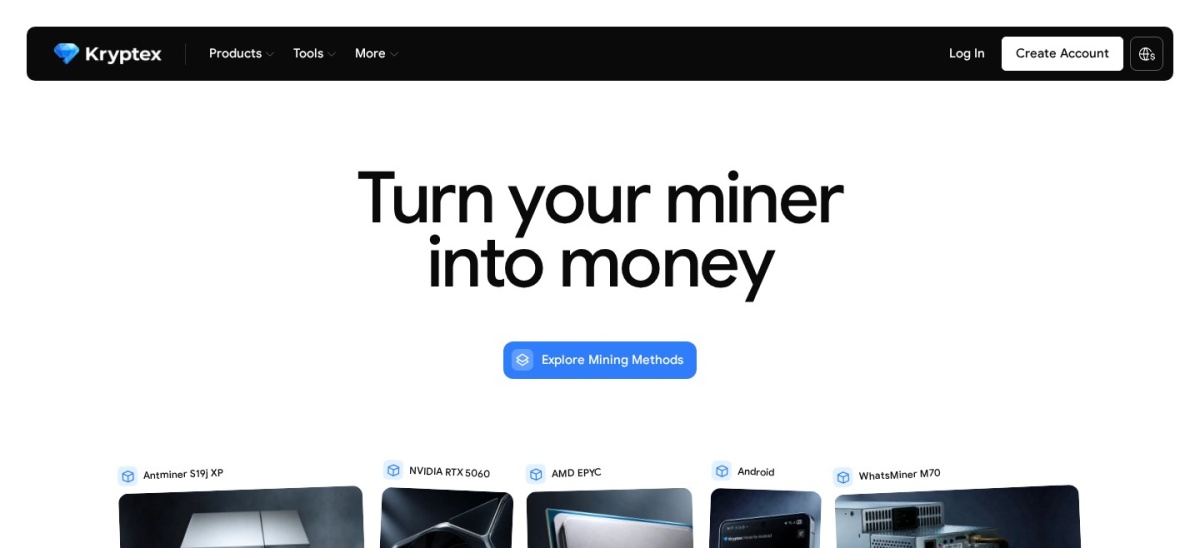
Kryptex homepage, captured Nov 2026.
Kryptex is a free Windows app that benchmarks your hardware, picks the most profitable algorithm and switches coins in real time. It has more than 10 million downloads, and its pool covers over 30 coins with payouts in bitcoin or other currencies.
The trade off is that it is a Windows-only desktop app, and earnings go through pool and withdrawal fees rather than a flat price. It suits casual miners who want to test a home PC first and watch earnings in dollars before buying dedicated hardware.
What we like
Highest public rating in this list at 4.8 out of 5
Automatic coin switching with no manual setup
Payouts in bitcoin, USDT, Ethereum and more
Pool covers 30+ coins for ASIC, GPU and FPGA hardware
4.3/5on G2 (Not published reviews, checked Nov 2026)
Paid from$4/mo
Best for managing a mining fleet
Free planUp to 2 miners
Paid plan$4/mo for 2 miners
ScaleUp to 200,000 ASICs
G2 rating4.3/5
awesomeminer.com
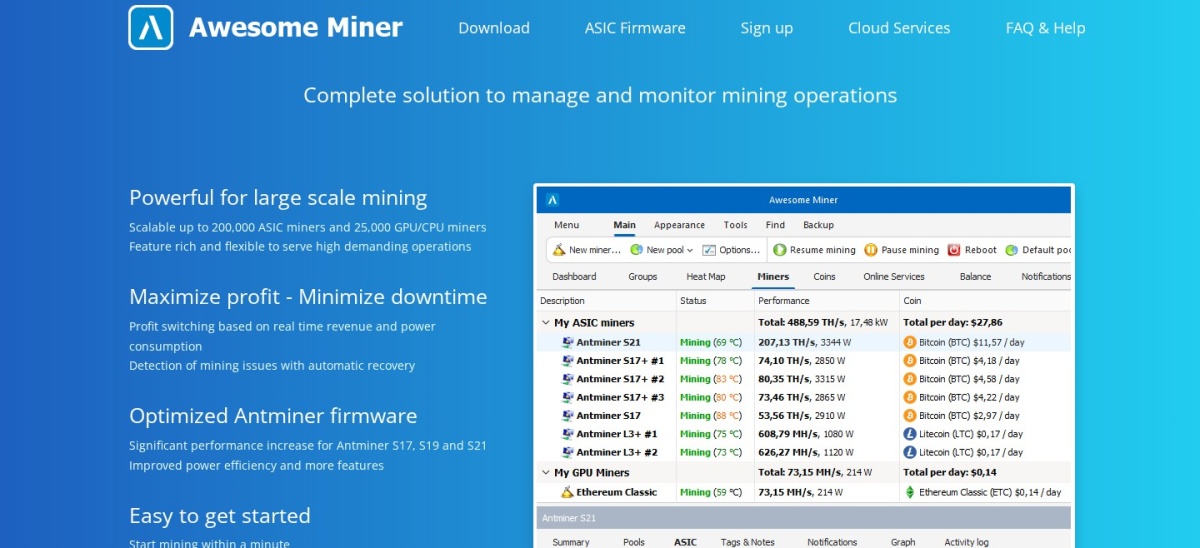
Awesome Miner homepage, captured Nov 2026.
Awesome Miner is a Windows control centre that manages and monitors ASIC, GPU and CPU miners from one dashboard. It scales to 200,000 ASIC miners and 25,000 GPU or CPU miners, with profit switching, 30-plus trigger conditions and 40-plus automated actions such as reboots.
The trade off is that the control centre itself runs on Windows, even though the miners it manages can run on other systems. Paid plans start at $4 a month for 2 miners, or $36 a year. It suits operators who have outgrown checking each rig by hand.
4.2/5on Trustpilot (177 reviews, checked Nov 2026)
Paid from$0.50/mo
Best mining OS for GPU and ASIC farms
Free plan2 workers
Paid planFrom $0.50/mo per card
ASIC price$2/mo, or free on firmware
Trustpilot rating4.2/5, 177 reviews
hiveos.farm
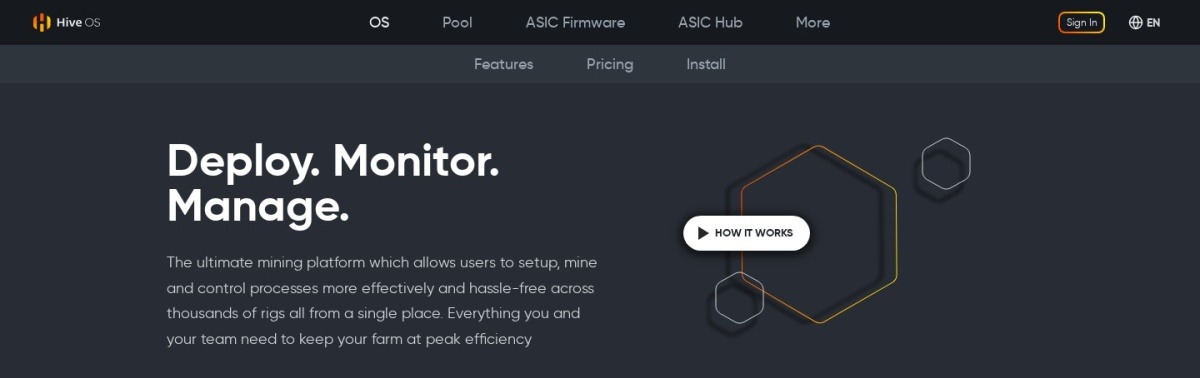
Hive OS homepage, captured Nov 2026.
Hive OS is a Linux-based mining operating system that you flash onto a rig and manage from a web dashboard. Flight Sheets set the coin, wallet and pool for each rig, and you can push overclocking profiles, reboot machines remotely and watch temperatures across thousands of workers.
The trade off is the billing rule. Two workers are free, but from the third worker you pay for all of them, at $0.50 a month per graphics card up to $3 per rig. It suits farms that want one dashboard for GPU rigs and ASICs without building their own tooling.
What we like
Two workers free with no card or pool limits
Flight Sheets make pool and wallet changes fast
Remote overclocking, reboots and bulk updates
ASICs on Hiveon firmware run free of the OS charge
Watch out for
Paid billing starts for all workers from the third
You replace the rig's operating system entirely
Payment is in cryptocurrency only
Paid plans start at $0.50 a month per graphics card, capped at $3 per rigVisit hiveos.farm
05
minerstat
4/5on Trustpilot (155 reviews, checked Nov 2026)
Paid from€1.64/worker/mo
Best for profitability data and monitoring
Free plan1 worker, limited features
Paid plan€1.64 per worker/month
Coins tracked168, with live profit data
Trustpilot rating4.0/5, 155 reviews
minerstat.com
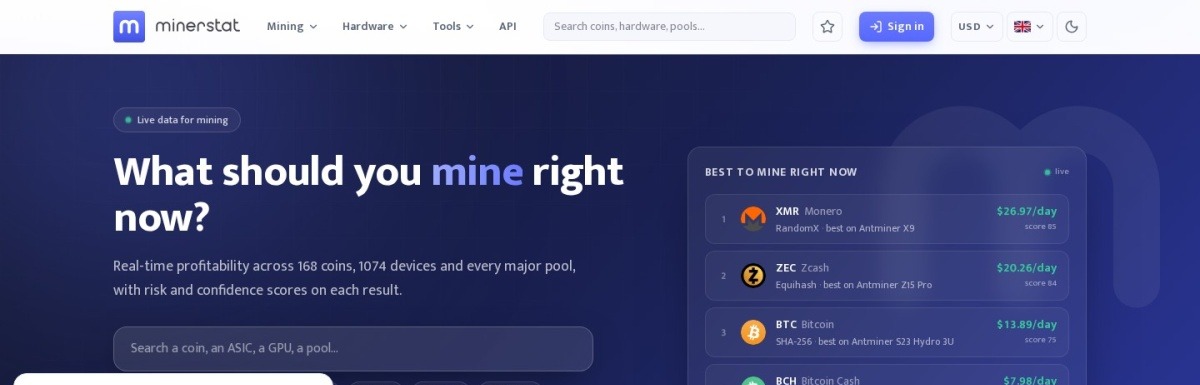
minerstat homepage, captured Nov 2026.
minerstat is a monitoring and management platform for GPU rigs and ASIC machines, with its own mining OS and a Windows app. Its dashboard tracks live profitability across 168 coins and 1,074 devices, with overclocking, temperature and hashrate alerts and remote commands from the web or phone.
The trade off is price and currency. Paid plans start at €1.64 per worker per month, billed in euros, and the free plan covers only 1 worker with limited features. It suits miners who want clean profitability data and broad hardware support more than deep scripting.
4.1/5on FreeDownloadManager (98 reviews, checked Nov 2026)
PriceFree
Best free modular miner for ASIC and FPGA
PriceFree, GPL-3.0
HardwareASIC and FPGA
GitHub stars2.0k, 830 forks
InterfaceCommand line
github.com
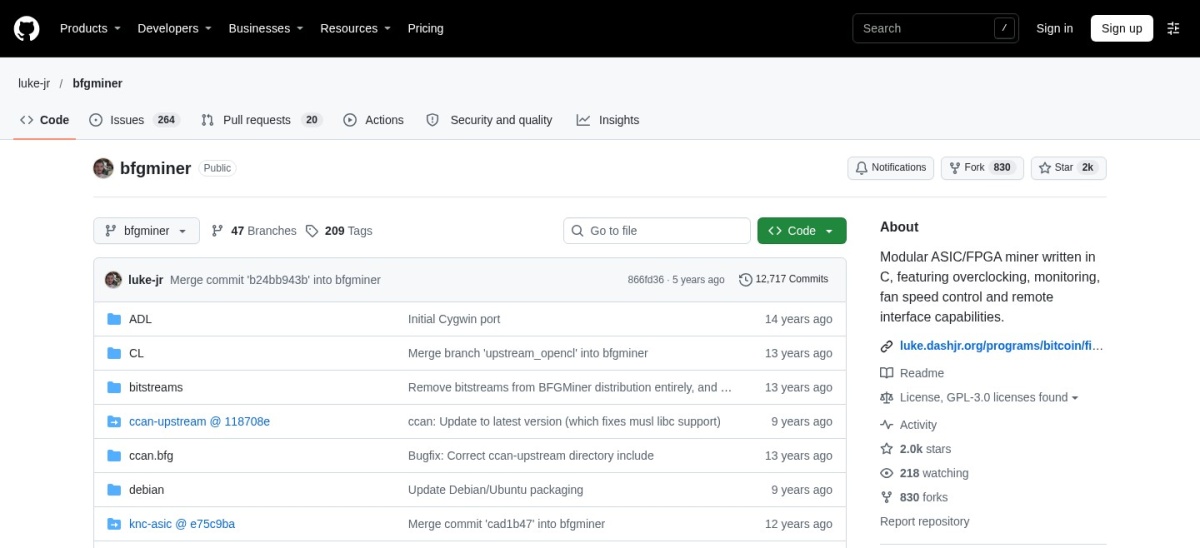
BFGMiner homepage, captured Nov 2026.
BFGMiner is a free, open-source modular miner written in C, built as a fork of CGMiner for ASIC and FPGA hardware. It adds dynamic clocking, fan-speed control, live monitoring and a remote interface, and its GitHub page shows 2.0k stars and 830 forks.
The trade off is age and effort. The latest commit on its GitHub page is 5 years old, and setup is command-line only, so beginners will struggle. It suits experienced operators with older or niche ASIC and FPGA hardware who want fine control.
What we like
Completely free under GPL-3.0
Modular design with drivers for niche hardware
Dynamic clocking, monitoring and remote API
Multi-pool failover keeps rigs connected
Watch out for
Latest GitHub commit is 5 years old
Command-line only, with no graphical interface
GPU support is limited to legacy forks
Free forever; only hardware, pool fees and electricity cost moneyVisit github.com
07
EasyMiner
3.6/5on G2 (Not published reviews, checked Nov 2026)
PriceFree
Best free graphical miner for beginners
PriceFree, open source
HardwareCPU, GPU and ASIC
ProtocolsStratum and getwork
G2 rating3.6/5
easyminer.net
EasyMiner homepage, captured Nov 2026.
EasyMiner is a free, open-source graphical miner for Windows that covers CPU, GPU and ASIC hardware. It supports Stratum and getwork protocols, solo and pooled mining, and shows live hashrate, shares and earnings in one window without touching a terminal.
The trade off is that it is a learning tool more than a fleet platform. It has no central dashboard for many rigs, and its interface and documentation look dated next to newer apps. It suits beginners who want to understand mining before moving to a heavier tool.
3.5/5on SourceForge (Not published reviews, checked Nov 2026)
PriceFree
Best for getting paid in the coin you choose
Free appYes, new unMiner app
Mining fee1% of earnings
Payout coins80+ supported assets
SourceForge rating3.5/5
unmineable.com
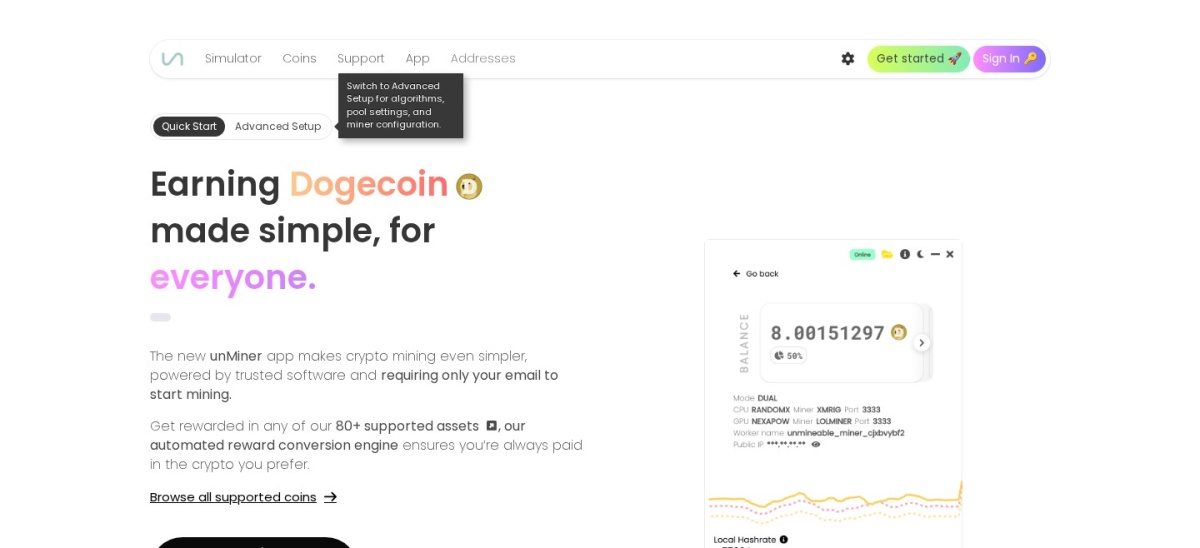
unMineable homepage, captured Nov 2026.
unMineable is a free mining app that mines altcoins and converts the reward automatically, so you can be paid in bitcoin or any of 80-plus supported assets. Its new unMiner app starts with only an email address, and the site warns that antivirus software may flag mining apps as false positives.
The trade off is the 1% mining fee on earnings and a thin public review record, with a 3.5 out of 5 SourceForge score. It suits miners who hold no bitcoin hardware but want payouts in bitcoin from a regular computer.
3.8/5on Trustpilot (2,196 reviews, checked Nov 2026)
PricingCustom/yr
Best cloud mining option without hardware
App accessFree
ContractsFrom $99
Founded2017
Trustpilot rating3.8/5, 2,196 reviews
ecos.am
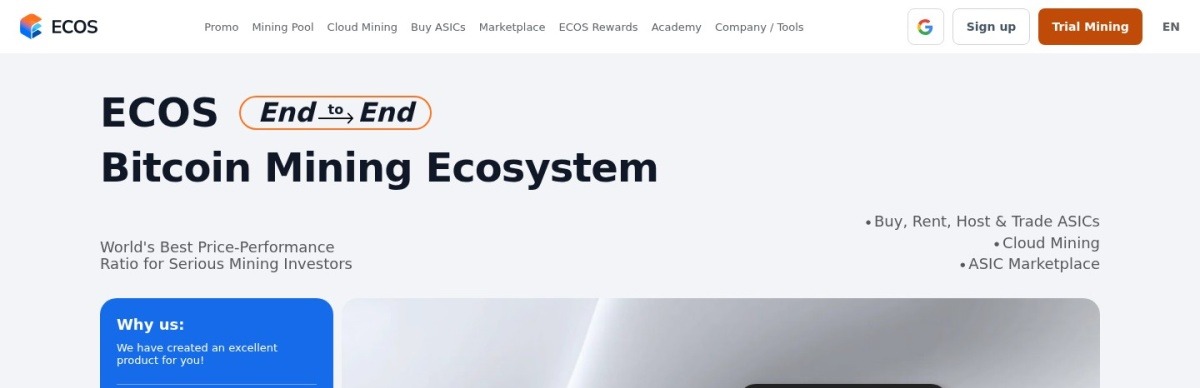
ECOS homepage, captured Nov 2026.
ECOS is a cloud mining platform, not software you install: you buy a hosted mining contract and collect the earnings. It has run since 2017, offers contracts from $99, and adds ASIC rental, hosting, a wallet and an exchange in the same account.
The trade off is custody and withdrawals. Recent Trustpilot reviews report payouts held during identity checks, and contract prices only appear inside the platform. It suits buyers who want mining exposure without hardware, and who read the contract terms first.
What we like
No hardware, power or cooling to manage
Contracts from $99 with a free trial option
Running since 2017 with a large review base
Wallet, exchange and ASIC hosting in one account
Watch out for
Recent reviewers report withdrawals held during checks
Contract prices are not public before signup
You never control the hardware or the pool
App access is free; contract prices vary inside the platformVisit ecos.am
Software vs cloud mining: know which one you are buying
Eight tools in this list are software you run on your own hardware. You keep the machine, pick the pool and pay the electricity bill, and the software takes a fee or a subscription.
ECOS is the exception. Cloud mining rents hardware that stays in someone else's data centre, so there is nothing to install and nothing to cool, but you rely on the operator for payouts.
That reliance is the risk to price in. Before buying any contract, read the withdrawal terms, the minimum payout and the contract length, and treat promised returns as marketing until the first payout lands.
How we chose
We started from the mining tools that appear most often in 2026 roundups and on G2, Capterra, SourceForge and Trustpilot, then kept the ones with a live homepage, a clear price or fee, and a public rating.
Prices and fees come from each vendor's own pages, checked on 24 November 2026. Ratings come from G2, Trustpilot, SourceForge or FreeDownloadManager on the same day, and the source is named on every card. Where a vendor shows a sale, the list shows the regular price.
We left out Cudo Miner because its site is offline and its last release dates to 2021. No vendor paid for a place, and we do not claim hands-on testing for this list.
How to choose bitcoin mining software
Match the software to your hardware first, then check the fee and the payout terms.
Start with your hardware. ASIC miners need ASIC software such as BFGMiner, while a home PC fits NiceHash Miner, Kryptex or EasyMiner. Fleet tools only pay off once you run several rigs.
Compare fees, not just prices. Free apps take a cut of earnings, from 1% at unMineable to 2% at NiceHash, while Hive OS and minerstat charge per worker. Add pool fees and withdrawal minimums to the total.
Check the payout terms. Look for the minimum payout, the payout currency and how withdrawals work. NiceHash pays from 0.00001 BTC, Kryptex from 0.00025 BTC, and cloud contracts can hold payouts during checks.
Run the electricity maths first. No software fixes a power bill that is higher than earnings. Estimate revenue at your local power price, then test with one machine before buying more hardware.
FAQ
What is the best bitcoin mining software?
NiceHash Miner is the best pick for most miners. Its free Windows app sells hashrate on the largest marketplace, pays in bitcoin from 0.00001 BTC, and is rated 4.1 out of 5 on G2. Kryptex is easier for beginners, and Awesome Miner fits fleets.
Is bitcoin mining software free?
Most of it is free to install. NiceHash Miner and unMineable take a fee from earnings instead, 2% and 1%, while BFGMiner and EasyMiner are free with no fee at all. Fleet tools such as Hive OS and Awesome Miner charge per worker or per miner.
Can I mine bitcoin on a normal PC?
You can, but earnings are small. Kryptex says a top-end GPU earns around $22 a month, and a normal PC earns far less. Home PCs usually mine altcoins and convert the reward to bitcoin, which is how NiceHash Miner and unMineable work.
Do I need an ASIC miner for bitcoin?
For serious bitcoin mining, yes. Bitcoin uses SHA-256, and ASIC hardware is far faster than GPUs at it. GPUs still earn through marketplaces and altcoin mining, but they do not compete with ASICs on bitcoin directly.
What fee does NiceHash charge miners?
Sellers pay a 2% service charge on payouts to the NiceHash wallet, with a minimum payout of 0.00001 BTC. Buyers of hashrate pay 3% on what they spend. Withdrawals from the wallet carry separate fees, and inactive balances can attract extra charges.
Is cloud mining the same as mining software?
No. Mining software runs on hardware you own, while cloud mining rents hardware in someone else's data centre. ECOS is the cloud option in this list, with contracts from $99. Read the withdrawal terms before buying any contract.
Is bitcoin mining still profitable?
It depends on your electricity price, hardware efficiency and the bitcoin price, all of which move. Use a profitability calculator with your real power cost before buying hardware, and test with one machine first rather than scaling on estimates.
SaaS SEO and WordPress specialist with about 8 years of experience. Rakib compares WordPress plugins, themes, hosting and software using public pricing, documentation and user reviews. See how we rank.