Best Backup Software for Servers in 2026: 9 Tools Compared
WLWPLegible EditorsLast verified 22 Nov 2026How we rank14 min read
★ Short answer
Veeam Backup & Replication is the best backup software for servers, with instant VM recovery and a free Community Edition for up to 10 workloads, rated 4.6 out of 5 on G2. Pick Acronis Cyber Protect for backup plus security in one agent, and NAKIVO for the lowest published price at $2.50 per workload a month.
How we make this list: we compare pricing pages, product documentation and public user reviews, then re-check every price before each update. No product paid for a place. Disclosure.
Veeam leads for virtualized servers, with instant VM recovery and a free Community Edition covering 10 workloads.
Acronis Cyber Protect starts at $85 per workload a year, with server licenses at $595 a year, and adds anti-malware to backup.
NAKIVO starts at $2.50 per workload a month, the lowest published subscription price in this list.
Altaro VM Backup starts at $59.80 per VM a year, with a free edition covering 2 VMs per host.
MSP360 Server backup costs $109.99 a year per computer, but cloud storage is billed separately.
Veeam, Barracuda, Unitrends and Commvault publish no list price for their main editions, so budget from quotes.
What server backup software should cover
Server backup is judged by the restore, not the backup. Every tool here can copy data, but they differ on how fast a failed server comes back, whether a single file can be pulled without restoring the whole machine, and whether backups survive ransomware.
Licensing is the first thing to pin down. Vendors charge per workload, per socket, per host or per terabyte, so count your servers, VMs and sockets before comparing any price. Our guide to backing up a WordPress site covers the same restore-first thinking for smaller sites.
Free editions are genuinely useful at small scale. Veeam covers 10 workloads free and BDRShield covers 10 VMs free, which is enough for a two-host shop to run real protection at no cost.
Cloud storage is often a separate bill. Acronis meters cloud storage apart from its licenses, and MSP360 writes to storage you buy yourself, so add that line to any comparison.
Veeam Backup & Replication homepage, captured Nov 2026.
Veeam Backup & Replication is the best-known server backup product, covering VMware, Hyper-V, Proxmox, Windows and Linux servers, NAS and cloud workloads from one console. The free Community Edition protects up to 10 workloads, and instant VM recovery boots a failed machine straight from the backup file.
The trade off is licensing. Paid editions are quote-based under the Veeam Universal License, so budgeting needs a reseller quote, and the edition list takes work to navigate. It suits virtualized estates where fast recovery matters more than a published price.
What we like
Instant VM recovery boots failed machines in minutes
Deep VMware and Hyper-V integration
Free Community Edition for 10 workloads
Application-aware backup for SQL Server and Exchange
Watch out for
No published price for paid editions
Edition list is complex to navigate
More product than a few physical servers need
Paid editions add monitoring, ransomware detection and orchestrationVisit veeam.com
02
Acronis Cyber Protect
4.7/5on G2 (1,462 reviews, checked Nov 2026)
Starts at$85/yr
Best backup plus security in one agent
Cheapest paid planStandard, $85/workload/yr
Server license$595/server/yr
Cloud storageMetered separately
Free trial30 days
acronis.com
Acronis Cyber Protect homepage, captured Nov 2026.
Acronis Cyber Protect is backup and endpoint security in a single agent. One install handles image-based backup, anti-malware, vulnerability patching and ransomware defense, so a backup cannot silently capture an infected system. Standard starts at $85 per workload a year, while server licenses cost $595 a year.
The trade off is breadth. You pay for security features whether you use them or not, and cloud storage is metered separately from the license. It suits small IT teams that want one vendor and one console for both jobs.
What we like
Backup, anti-malware and patching in one agent
Active ransomware defense built in
Published starting price per workload
Highest G2 rating in this list at 4.7 out of 5
Watch out for
Server licenses cost far more than workstation ones
NAKIVO Backup & Replication homepage, captured Nov 2026.
NAKIVO Backup & Replication is the simpler, cheaper alternative to Veeam for virtualized environments. It covers VMware, Hyper-V, Nutanix AHV and Proxmox VE from one web console, with backup, replication and instant recovery for VMs plus physical and cloud workloads.
The trade off is ecosystem depth. Veeam has more storage integrations, more community knowledge and more third-party tooling. It suits mid-size firms that want reliable VM backup without a licensing project.
Altaro VM Backup is built for small businesses running Hyper-V or VMware, and is now sold as Hornetsecurity VM Backup. The pitch is simplicity: install it, point it at your hosts, and get reliable VM backup without learning enterprise backup concepts. The free edition covers 2 VMs per host.
The trade off is scope. Altaro covers the mainstream hypervisors well but does not match the platform breadth of Veeam or NAKIVO, and physical server backup is not its strength. It suits a small virtualized shop, not a mixed estate.
What we like
Built for small teams with no backup specialist
Straightforward per-host perpetual pricing
Strong support reputation in the SMB channel
Free edition for 2 VMs per host
Watch out for
Narrower platform support than Veeam
Physical server backup is not its strength
Now part of Hornetsecurity, so the roadmap follows the parent
Barracuda Backup is an appliance-based product: you buy a physical or virtual appliance sized to your data, back up locally for fast restores, and replicate to Barracuda Cloud for disaster recovery. Pricing is based on appliance capacity with no per-agent or per-server fees.
The trade off is hardware. Appliances eventually need refreshing, and the capacity you buy today limits you tomorrow. It suits stable environments with predictable data growth, less so for companies whose storage needs double every year.
What we like
Physical appliance plus cloud replication in one purchase
MSP360 Managed Backup homepage, captured Nov 2026.
MSP360 Managed Backup is backup software that separates the software from the storage. You buy the software, connect your own cloud storage account, and pay the storage provider directly for what you use. The Server edition costs $109.99 per computer a year, and the platform covers Windows, Linux, macOS, VMware, Hyper-V and Microsoft 365.
The trade off is that you own the storage side. Setting up buckets, lifecycle rules and immutability is your job, and misconfigured storage is the most common way backups fail silently. It suits teams that already have a cheap object storage account.
What we like
Works with AWS, Wasabi, Backblaze B2 and Azure
Pay for software, storage billed separately
Central management console for many machines
Low per-server license cost
Watch out for
Cloud storage is an extra cost on top
You manage the storage account yourself
VM backup needs a separate VM edition
The top tier at $179.99 a year adds SQL and Exchange backupVisit msp360.com
07
Unitrends
4.2/5on G2 (433 reviews, checked Nov 2026)
PricingCustom/yr
Best all-in-one backup appliances
ModelSoftware plus appliances
Recovery testingAutomated
Ransomware detectionBuilt in
PricingQuote-only
unitrends.com
Unitrends homepage, captured Nov 2026.
Unitrends is backup sold as a complete system, now part of Kaseya: software plus purpose-built appliances plus cloud replication. The appliances handle the heavy lifting locally, and automated recovery testing verifies that backups are actually restorable.
The trade off is the buying dynamic. Pricing is quote-only and increasingly bundled with the broader Kaseya IT management stack. It suits teams that want one vendor for software and hardware support.
Commvault Cloud is the enterprise data protection platform for organizations with real complexity: multiple clouds, on-premises data centers, SaaS applications and compliance rules that require provable retention policies. Its policy engine automates backup, archiving and recovery across all of it from one console.
The trade off is cost and effort. Pricing is quote-only and implementation is a project, not an afternoon. It suits an enterprise with thousands of workloads, not a company with a few dozen servers.
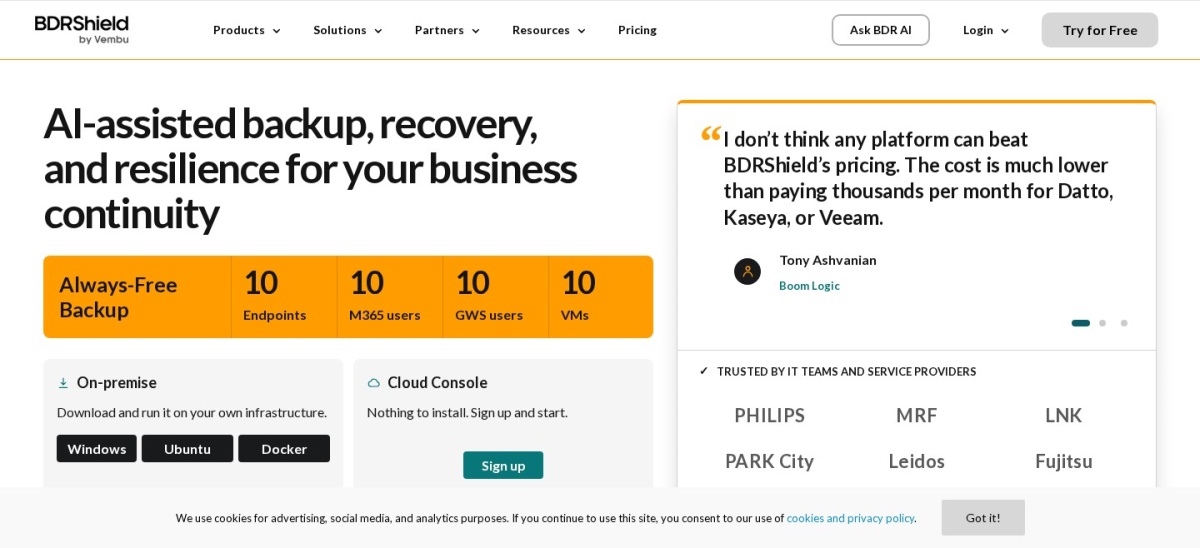
BDRShield is the budget entry in this list, formerly known as Vembu BDRSuite. The free edition protects up to 10 VMs with no time limit, which makes it a legitimate option for a small virtualized shop that cannot justify any backup spend. Paid editions start at $1.80 per workload a month.
The trade off is polish and ecosystem. The interface and reporting feel a step behind Veeam and NAKIVO, and there is less community knowledge to draw on when something unusual breaks. It suits teams where budget is the binding constraint.
Per-socket, per-workload or per-terabyte: how backup pricing works
Server backup vendors cannot agree on what to charge for, and the model changes the bill. Per-socket licensing charges by the CPUs in your virtualization hosts, which favors dense hosts with many VMs.
Per-workload licensing charges per protected server or VM, which favors small estates. Per-terabyte or capacity pricing charges by data volume, which favors environments with small but numerous servers.
Before comparing quotes, count your sockets, workloads and terabytes so you can normalize every proposal to the same unit. Get the three-year total cost in writing, including storage, before you compare vendors.
How we chose
We started from the vendors that dominate buyer shortlists for server backup: Veeam, Acronis, Commvault, Barracuda and Unitrends, plus the mid-market and value names reviewers recommend, including NAKIVO, Altaro, MSP360 and BDRShield.
Prices come from vendor pricing pages and published listings, checked on 22 November 2026. Ratings are G2 scores from the same period. Where a vendor publishes no price, the list says quote-based rather than repeating an estimate.
We left out tools without real server coverage. No vendor paid for a place, and we do not claim hands-on testing for this list.
How to choose backup software for servers
Start with a restore test, then match the license model to your estate.
Count your estate first. List your servers, VMs, sockets and terabytes. The cheapest model depends entirely on those numbers, so count before you compare prices.
Run a restore test during the trial. Back up one test VM, then restore it and a single file. The differences show up at restore time, not backup time.
Check the ransomware story. Ask how backups are protected from encryption, whether immutability is available on your tier, and what happens if the backup server itself is hit.
Get the three-year total in writing. Add cloud storage, maintenance and multi-year discounts to the license price, since storage is often billed separately.
FAQ
What is the best backup software for a small business with a few servers?
NAKIVO and BDRShield are the most common picks for small virtualized environments, with Veeam Community Edition covering up to 10 workloads for free. If your servers are physical, check that the product handles bare-metal recovery.
How much does server backup software cost?
It depends on the licensing model. Per-workload pricing in this list runs from $1.80 a month to $85 a year per workload, per-socket licensing runs into hundreds of dollars per CPU socket, and appliances are priced by storage size.
Should backups go to the cloud, local storage, or both?
Both, for different reasons. Local backups restore fastest, which matters for everyday incidents like a failed drive. Cloud or offsite copies protect against site-level disasters like fire or ransomware.
What is immutable backup and do I need it?
Immutable backups cannot be modified or deleted for a set period, even by an administrator, which stops ransomware from encrypting your backup history. Check whether your chosen storage and backup tier support it.
How often should servers be backed up?
Critical servers typically get daily incremental backups with weekly full backups, and databases often need more frequent transaction log backups. Define how much data you can afford to lose before configuring schedules.
Can I use the same tool for servers and Microsoft 365?
Many tools on this list, including Veeam, Acronis, NAKIVO and MSP360, offer Microsoft 365 backup as a separate module or product. Confirm whether it is included in the server license or priced separately.