Canva is the best app for meme creation for most people, with a large template library, easy text tools and a free plan, rated 4.7 out of 5 on G2. Pick Picsart for memes on your phone and Kapwing for video memes and GIFs.
How we make this list: we compare pricing pages, product documentation and public user reviews, then re-check every price before each update. No product paid for a place. Disclosure.
Canva is the top pick, rated 4.7 out of 5 on G2 from 7,643 reviews, with Pro at $144 a year.
Picsart is the best phone-first choice, with stickers and meme templates and Plus at $10.50 a month.
Kapwing and CapCut cover video memes and GIFs; Kapwing Pro is $16 a month and CapCut Pro is $19.99 a month.
Photopea is the cheapest paid plan at $5 a month, and GIMP is fully free with no paywall.
All 9 tools have a free plan. Paid upgrades run from $5 a month to $19.99 a month.
What to look for in a meme app
A meme is usually a photo or short clip with bold text. The best apps give you templates, easy text placement and quick export, so the joke lands before the moment passes.
Look for a template library first. Templates set the text size and position for you, which is why Canva and Picsart lead this list.
Export as a JPG or PNG at a size your feed keeps sharp. Our guide on optimizing images for WordPress explains how image size and format affect quality.
Video memes need a different tool than still images. Kapwing and CapCut handle clips, captions and GIF export, while the rest of this list suits still-image memes.
Canva is a browser and mobile design tool with a large template library, drag-and-drop editing and a free plan. Search for meme templates, add bold top and bottom text, stickers and your own photos, then share the result as an image or short video.
The trade off is price. Pro costs $144 a year and adds premium templates, 141 million premium assets and 100GB of storage, while the free plan covers most meme making. It suits anyone who wants fast memes without learning a photo editor.
Picsart is a mobile photo editor with stickers, fonts, background tools and meme templates built in. The free plan covers text, stickers and quick edits, and the app makes it easy to save a meme and share it straight to social apps.
The trade off is ads and upsells. The free version shows ads and locks the best stickers and fonts behind Plus at $10.50 a month. It suits phone-first meme makers who want stickers and text without opening a desktop editor.
Adobe Express is a browser and mobile design tool with templates, Adobe Fonts and quick photo tools. The free plan includes meme-style templates, text effects and background removal, so a clean meme takes only a few minutes.
The trade off is depth. Premium costs $9.99 a month and adds more templates, premium assets and brand tools that casual meme makers may not need. It suits people who want tidy, readable memes and already use Adobe tools.
Kapwing is a browser video editor with a meme generator, caption tools and GIF export. The free plan covers short video memes with text overlays, and the editor runs in the browser with nothing to install.
The trade off is the watermark. Free exports carry a Kapwing watermark, and Pro costs $16 a month to remove it and raise export limits. It suits people who make video memes and reaction GIFs for social feeds.
CapCut is a mobile and desktop video editor with trending templates, text effects and auto captions. The free plan covers most meme video formats, and templates make it quick to copy a popular style with your own clips and captions.
The trade off is price. Pro costs $19.99 a month and adds premium templates, effects and cloud storage, while the free plan covers most meme videos. It suits people who make video memes for short-form feeds.
Fotor is a browser and mobile photo editor with text tools, stickers, frames and one-click photo fixes. The free plan covers basic meme making, and the editor stays simple enough for a first meme in a few minutes.
The trade off is ads and limits. The free version shows ads and locks some fonts, stickers and effects behind Pro at $39.99 a year. It suits casual meme makers who want a cheap upgrade path.
4.7/5on App Store (11,000 reviews, checked Nov 2026)
Paid from$83.88/yr
Best for quick photo memes
Free planYes, basic tools
Text toolsYes, with fonts
Collage layoutsYes
Paid planPlus, $83.88/yr
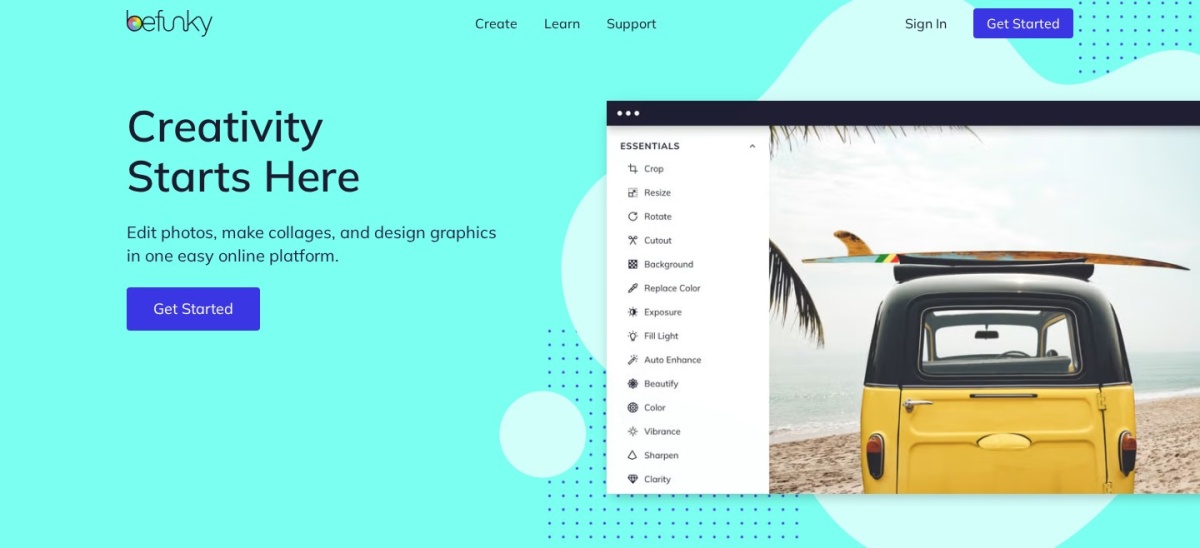
befunky.com
BeFunky homepage, captured Nov 2026.
BeFunky is a browser and mobile photo editor with text tools, graphics and collage layouts. The free plan covers basic meme making from a photo, and the editor loads fast with no install.
The trade off is the paywall. Plus costs $83.88 a year and unlocks the full font, graphic and effect library that free users only sample. It suits people who make photo memes and simple collages in the browser.
Photopea is a free browser editor that works much like Photoshop, with layers, masks and text tools. The free version is the full editor, so you can build a custom meme from any image, add text and export it without signing up.
The trade off is ads and a learning curve. The free version shows ads, and the Photoshop-style layout takes longer to learn than a template app. Premium costs $5 a month and removes ads. It suits people who want full control over a meme.
GIMP is a free desktop image editor with layers, text tools and filters. It costs nothing and handles any meme from scratch: cut out a photo, add bold text, adjust the image and export it as a JPG or PNG.
The trade off is effort. GIMP has no meme templates, and the desktop layout takes time to learn, so a first meme is slower than in a template app. It suits people who want a free desktop editor and full control.
Free plans cover most meme making. Templates, text, stickers and basic export are free in all 9 tools.
Paid plans mostly remove ads and watermarks and unlock premium templates, fonts and assets. Photopea Premium is $5 a month, while CapCut Pro is $19.99 a month.
Start free and pay only if you hit a limit. If you make memes daily, a watermark-free export is usually the first feature worth paying for.
How we chose
We started from the best-known meme and photo editing apps with public ratings on G2, Capterra or the App Store, then kept those with a usable free plan.
Prices come from each vendor's pricing page and ratings from G2, Capterra or the App Store, checked in November 2026, with Canva's Pro price of $144 a year confirmed on 25 November 2026. Where a vendor shows a sale, the list shows the regular price.
We left out dedicated meme apps whose ratings could not be verified today. No vendor paid for a place, and we do not claim to have used these tools ourselves.
How to choose a meme creation app
Match the app to the kind of meme you make most, then check the free plan before paying.
Decide still image or video. Still memes need templates and text tools; video memes need clips, captions and GIF export, which points to Kapwing or CapCut.
Try the free plan first. Make a few memes and check the export for watermarks, ads and image quality before you pay.
Check the template library. A good library saves time. Canva and Picsart have the widest meme templates in this list.
Pay only for a limit you hit. Pay to remove a watermark or unlock a font you use often, not for features you may never open.
FAQ
What is the best app for meme creation?
Canva is the best app for meme creation for most people. It has a large template library, easy text tools and a free plan, and it is rated 4.7 out of 5 on G2 from 7,643 reviews. Picsart is the best phone-first choice.
Can I make memes for free?
Yes. All 9 apps in this list have a free plan that covers templates, text and export. Free plans may show ads or add a watermark, as Kapwing does on video exports, while GIMP and Photopea export without a watermark.
Which app is best for video memes?
Kapwing is the best choice for video memes and GIFs in the browser, with caption tools and a meme generator. CapCut is the best mobile choice, with trending video templates and auto captions. Both have free plans.
Do meme apps add a watermark?
Some do. Kapwing adds a watermark to free video exports, and Pro at $16 a month removes it. Canva, Picsart, Photopea and GIMP do not watermark free image exports.
Can I make memes on my phone?
Yes. Picsart, Canva, CapCut, Fotor and BeFunky all have mobile apps with text, stickers and templates. Picsart is the strongest phone-first pick in this list.
What is the cheapest paid meme app?
Photopea Premium is the cheapest paid plan at $5 a month, and it only removes ads because the full editor is free. GIMP costs nothing at all. Fotor Pro is the next cheapest paid plan at $39.99 a year.
SaaS SEO and WordPress specialist with about 8 years of experience. Rakib compares WordPress plugins, themes, hosting and software using public pricing, documentation and user reviews. See how we rank.