Canva is the best app for creating family portraits for most families, with a free plan covering collages, cards and print-ready layouts and a 4.9/5 App Store rating. Pick Remini to restore old family photos and Picsart for playful AI edits on your phone.
How we make this list: we compare pricing pages, product documentation and public user reviews, then re-check every price before each update. No product paid for a place. Disclosure.
Canva is the strongest all-round pick: free collages, cards and print layouts, rated 4.9 out of 5 on the App Store.
Remini is the one for old family photos, sharpening blurry, faded and scratched prints into usable portraits.
Picsart, Fotor and BeFunky all combine editing, collages and AI tools, with paid plans from $29.99 to $83.88 a year.
Adobe Express is the best pick if you already use Adobe tools, with Firefly AI backgrounds and 250 generative credits a month on Premium.
Lensa is best for stylised portraits and retouching faces, but its Magic Avatars are sold separately from the subscription.
All 7 apps have a free plan. Paid plans run from $29.99 a year for Lensa to $144 a year for Canva Pro.
What to look for in a family portrait app
A family portrait app has two jobs: make the photo look good, then turn it into something you can share or print. The best apps cover both, with editing and a layout or card step in the same place.
Restoration matters more than filters for most families. Old prints are often blurry, faded or scratched, so an enhancer that sharpens faces is worth more than another set of presets.
Check what the free plan actually lets you export. Some free plans watermark exports or lock high-resolution downloads behind a subscription, which matters when you want to print. Our guide on how to properly size images in WordPress explains why export size matters for print quality.
Privacy is worth a minute before you upload photos of children. Prefer apps that state plainly how long they keep your uploads and whether they use them to train models.
4.9/5on App Store (3,605,264 reviews, checked Nov 2026)
Paid from$144/yr
Best app for creating family portraits overall
Free collage templates250,000+
Background removerPro only
Print-ready exportYes, PDF and JPG
Paid planPro, $144/yr
canva.com
Canva homepage, captured Nov 2026.
Canva is a design app that turns family photos into finished portraits, cards and collages. The free plan includes more than 250,000 templates, basic editing tools and 5GB of cloud storage, and you can drop photos into a layout, add names and dates, and export a print-ready file.
The trade off is that the useful extras sit behind Pro at $144 a year, including the background remover, Magic Resize and the full template library. It suits families who want a finished portrait to frame or send, rather than just an edited photo.
What we like
Largest free template library in this list
Rated 4.9 out of 5 from 3.6 million App Store ratings
Print-ready exports and card layouts in one place
Watch out for
Background remover and Magic Resize need Pro
Free plan nags you to upgrade often
Most expensive paid plan in this list
Pro adds background remover, Magic Resize and 1TB storageVisit canva.com
02
Remini
4.6/5on App Store (356,500 reviews, checked Nov 2026)
Paid from$9.99/mo
Best for restoring old family photos
AI photo enhancementYes
Old photo repairYes
Free tierLimited, with ads
Paid planPro, $9.99/mo
remini.ai
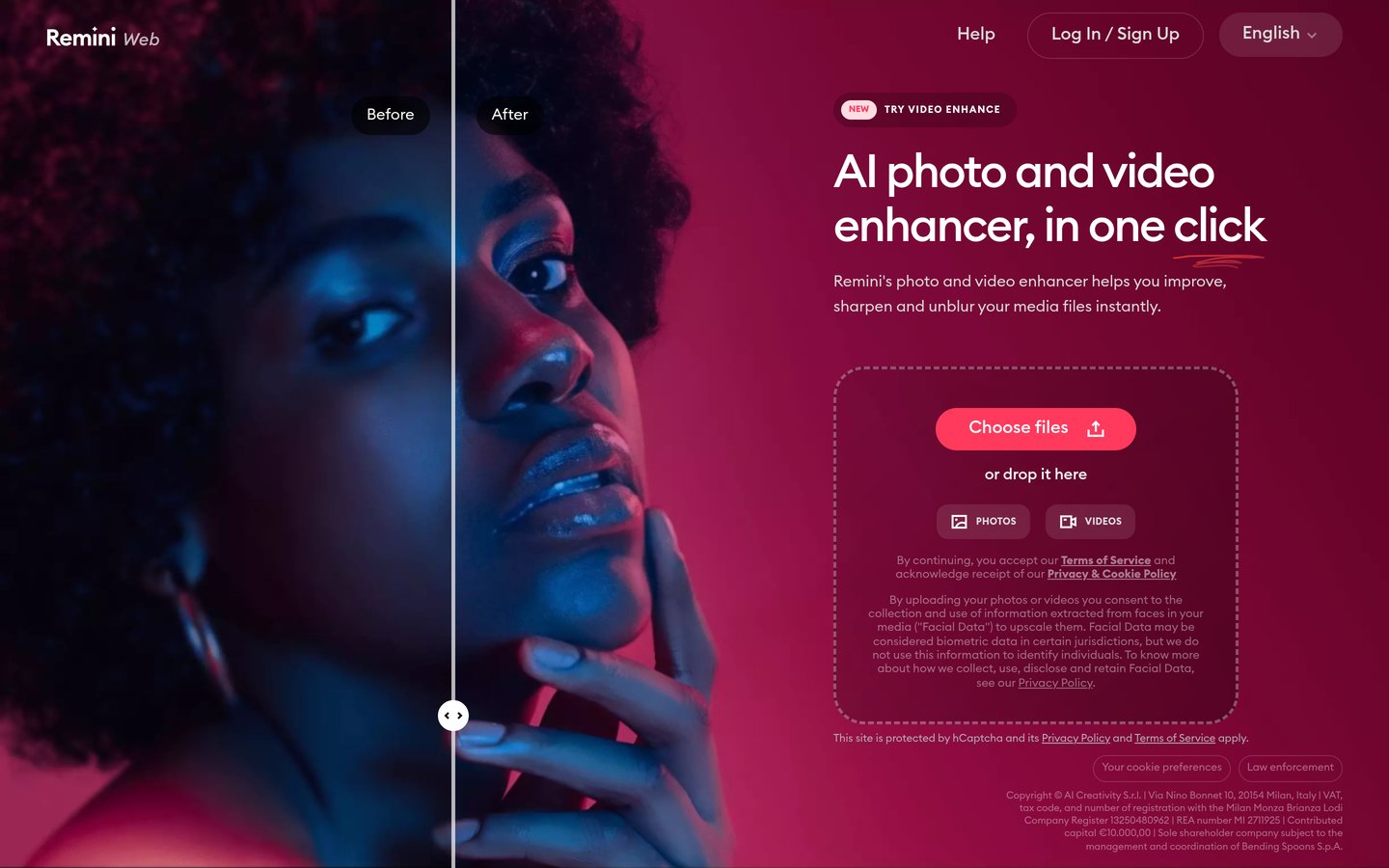
Remini homepage, captured Nov 2026.
Remini is an AI photo enhancer that sharpens blurry, low-resolution and damaged photos. Upload a faded print or a soft phone photo and it returns a clearer version, with modes for faces and old family pictures, and a free tier covers a few photos a day with ads.
The trade off is price. Pro is sold mainly as a weekly pass at $9.99 a week on the App Store, and the monthly option is $9.99 a month, so a full year of monthly billing costs $119.88. It suits families with a box of old prints to rescue before a reunion or a gift.
What we like
Best restoration in this list for old prints
Simple one-tap enhance with no editing skill needed
Free tier covers a few photos a day
Watch out for
Weekly billing is expensive if you keep it all year
4.7/5on App Store (1,200,000 reviews, checked Nov 2026)
Paid from$57/yr
Best for creative AI edits on your phone
Background removerYes
AI enhancerYes
Collage makerYes
Paid planGold, $57/yr
picsart.com
Picsart homepage, captured Nov 2026.
Picsart is an all-round photo and video editor with strong AI tools for family portraits. The free plan covers basic editing, filters and collages, while Gold adds background removal, object removal, a one-tap enhancer and the full template library.
The trade off is the free plan. It shows ads and puts watermarks on some exports, and Gold costs $12.99 a month or $57 a year on the App Store. It suits creative families who want playful portraits with stickers, effects and new backgrounds.
What we like
Rated 4.7 out of 5 from 1.2 million App Store ratings
Background and object removal in one tap
Collages, stickers and AI tools in a single app
Watch out for
Free plan is ad-heavy with watermarks on some exports
AI results vary in quality from photo to photo
Extra Plus and Pro tiers above Gold confuse the pricing
Gold removes ads and watermarks and unlocks all templatesVisit picsart.com
04
Adobe Express
4.8/5on App Store (370,000 reviews, checked Nov 2026)
Paid from$99.99/yr
Best for AI backgrounds and Adobe users
Background removerYes, free
AI background generationYes, Firefly
Generative credits250/mo on Premium
Paid planPremium, $99.99/yr
adobe.com
Adobe Express homepage, captured Nov 2026.
Adobe Express is Adobe's design app for templates, cards and quick photo edits on the web and on phones. The free plan includes more than 345,000 templates and background removal, and Premium adds Firefly AI backgrounds, one-click resize, brand kits and 250 generative credits a month.
The trade off is that Premium is $9.99 a month on Adobe's pricing page, or $99.99 a year through the App Store, and the mobile-only plan is a separate, cheaper tier. It suits families already in the Adobe world who want a polished card or a new backdrop behind a portrait.
What we like
Rated 4.8 out of 5 from about 370,000 App Store ratings
Background removal included on the free plan
Firefly AI generates new portrait backdrops
Watch out for
Generative credits do not roll over to the next month
Cheapest mobile-only plan is easy to confuse with Premium
Fewer collage layouts than Canva or BeFunky
Premium adds 250 generative credits a month and 100GB storageVisit adobe.com
05
Fotor
4.7/5on App Store (43,000 reviews, checked Nov 2026)
Paid from$39.99/yr
Best budget all-rounder for edits and collages
AI enhancerYes, one-click
Collage layouts1,000+
Background removerYes
Paid planPro, $39.99/yr
fotor.com
Fotor homepage, captured Nov 2026.
Fotor is an online photo editor and design tool that covers editing, collage and layout in one place. Its one-click AI enhancer brightens dull phone photos, the background remover cuts family members out for a clean backdrop, and more than 1,000 collage layouts turn a day out into a single framed page.
The trade off is the free plan, which watermarks exports and limits AI credits. Pro costs $39.99 a year on fotor.com, or $47.99 a year through the App Store, with 100 AI credits a month. It suits families who want one cheap tool for fixes and collages without learning layers.
What we like
Cheapest yearly paid plan in this list on the web
Rated 4.7 out of 5 from 43,000 App Store ratings
More than 1,000 collage layouts included
Watch out for
Free exports carry a watermark
App Store price is higher than the web price
Interface can feel cluttered for simple edits
Pro removes watermarks and adds HD exports and batch editingVisit fotor.com
06
Lensa
4.7/5on App Store (418,000 reviews, checked Nov 2026)
Paid from$29.99/yr
Best for stylised portraits and face retouching
Face retouchingYes
Object eraserYes
Magic AvatarsPaid packs
Paid planAnnual, $29.99/yr
lensa.app
Lensa homepage, captured Nov 2026.
Lensa is a phone photo editor built around faces, which makes it a natural fit for portraits. It smooths skin while aiming for a natural look, and its eraser removes a stranger or a stray object from the background of a family photo in one tap.
The trade off is cost clarity. The annual plan is listed at $29.99 a year, but other annual offers up to $49.99 appear on the store listing, and Magic Avatars are sold separately in packs from $3.99. It suits families who want polished, stylised portraits from ordinary phone photos.
What we like
Rated 4.7 out of 5 from 418,000 App Store ratings
Retouching aims for a natural look, not a plastic one
Cheapest annual plan in this list
Watch out for
Magic Avatars cost extra on top of the subscription
Annual price varies between store offers
Phone only, with no desktop app
Paid access unlocks unlimited editing and high-resolution exportsVisit lensa.app
07
BeFunky
4.7/5on App Store (11,000 reviews, checked Nov 2026)
Paid from$83.88/yr
Best for quick, simple edits and collages
Collage WizardYes
One-click effectsYes
AI image generator20 free, then Plus
Paid planPlus, $83.88/yr
befunky.com
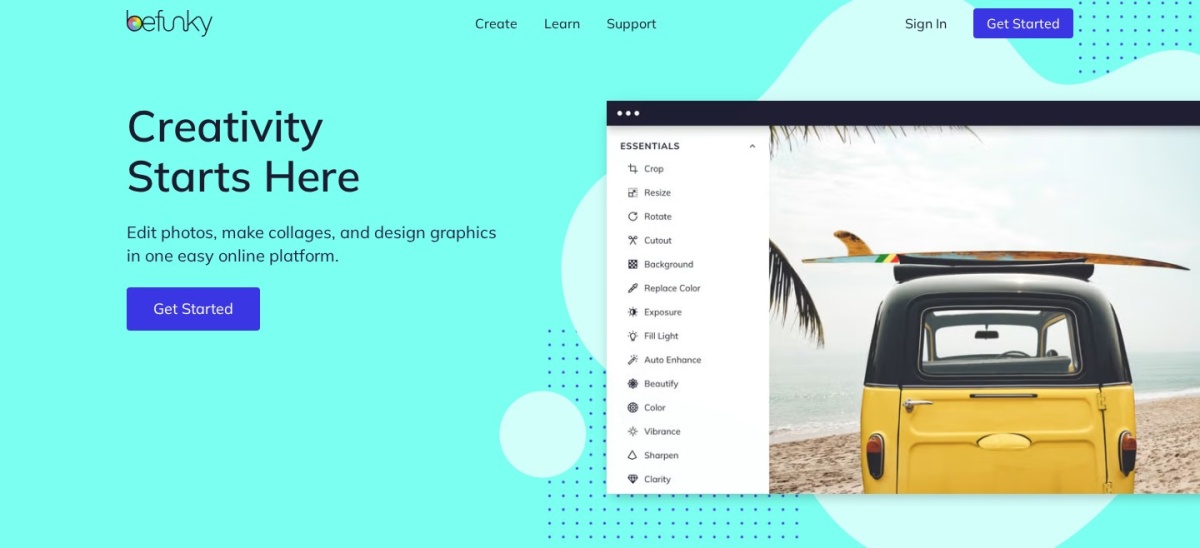
BeFunky homepage, captured Nov 2026.
BeFunky is a web and mobile editor that combines a photo editor, a collage maker and a graphic designer. Its Collage Wizard arranges your photos into a finished layout on its own, and one-click effects give a family portrait a finished look without learning layers or masks.
The trade off is price for what you get. Plus costs $6.99 a month billed annually at $83.88 a year, or $14.99 billed monthly, which is dear for a simple editor. It suits families who want a finished portrait fast, with little learning.
What we like
Rated 4.7 out of 5 from 11,000 App Store ratings
Collage Wizard builds a finished layout automatically
Runs in the browser and on mobile with one account
Watch out for
Plus is pricey next to Fotor and Lensa
Some web features are missing from the mobile app
No desktop app
Plus adds premium effects, 1,000 AI credits a month and bulk editingVisit befunky.com
Free vs paid: what you give up
Free plans cover the basics well. Most include basic edits, a few collage layouts and low-resolution exports.
Paid plans mostly add clean exports and AI tools. You get no watermarks, higher-resolution downloads, background removal and more AI credits.
If you only need one portrait a year, start free and pay for a single month. A yearly plan only pays off if you edit photos most months.
How we chose
We started from the apps most often recommended for family portraits, then kept those with a real free plan and a public App Store rating.
Prices come from each vendor's pricing page and App Store listing, checked on 25 November 2026. Ratings and review counts come from the App Store on the same day. Where a vendor shows a sale, the list shows the regular price.
We left out apps with no public rating and desktop-only editors with no phone app. No vendor paid for a place, and we do not claim to have used these tools ourselves.
How to choose an app for creating family portraits
Start with the photo you have, then pick the app that fixes its biggest problem.
Fix old photos first. If your best family photos are faded prints, start with Remini to sharpen them before you design anything around them.
Decide whether you need a layout. If the portrait ends up on a card or a wall, pick Canva, Adobe Express or BeFunky for templates and print-ready exports.
Check the free export. Open the free plan and export one photo before you pay, so you can see whether it carries a watermark or a low resolution.
Pay monthly before you pay yearly. Try one month of the paid plan first. A yearly plan only saves money if you edit family photos most months.
FAQ
What is the best app for creating family portraits?
Canva is the best pick for most families. Its free plan covers collages, cards and print-ready layouts, and it holds a 4.9 out of 5 rating from 3.6 million App Store ratings.
Which app is best for restoring old family photos?
Remini is the best choice for old photos. It sharpens blurry, faded and scratched prints and brings faces back into focus, with a free tier covering a few photos a day.
Can I create a family portrait for free?
Yes. All 7 apps in this list have a free plan. Canva, Picsart, Fotor and BeFunky all let you build a collage or card without paying, though some free exports carry a watermark.
Which app is cheapest for family portraits?
Lensa has the cheapest annual plan at $29.99 a year, followed by Fotor Pro at $39.99 a year on the web. Both are cheaper than Canva Pro at $144 a year, but neither covers cards and layouts as well as Canva.
Do these apps work on both iPhone and Android?
Yes, all 7 apps run on iPhone and Android. Canva, Adobe Express, Fotor, Picsart and BeFunky also run in a web browser, which helps when you want a bigger screen for layouts.
Should I upload photos of my children to these apps?
Be careful with photos of children. Check each app's privacy policy for how long it keeps your uploads and whether it uses them to train AI models, and prefer apps that state this plainly.
SaaS SEO and WordPress specialist with about 8 years of experience. Rakib compares WordPress plugins, themes, hosting and software using public pricing, documentation and user reviews. See how we rank.