Best AI Tools to Animate Old Photos in 2026: 9 Tools Compared
WLWPLegible EditorsLast verified 24 Nov 2026How we rank14 min read
★ Short answer
MyHeritage Deep Nostalgia is the best AI tool to animate old photos for most people, with face animation plus photo restoration and colorization in the same account. Pick Immersity AI for cheap depth motion under five dollars a month, or Runway for full creative control.
How we make this list: we compare pricing pages, product documentation and public user reviews, then re-check every price before each update. No product paid for a place. Disclosure.
MyHeritage is the only tool built for old family photos, with restoration and colorization beside face animation.
Immersity AI is the cheapest paid route at $4.99 a month, turning a flat photo into a depth-motion clip.
Runway, Kling and Pika animate any still image, but they need a prompt and credits for every clip.
Free plans are short: MyHeritage gives several watermarked animations, and Hailuo's welcome credits expire in 3 days.
Paid plans start at $49.90 a year for MyHeritage and $4.99 a month for Immersity, rising to $30 a month for Luma.
How AI animation works on an old photo
An old photo can move in three ways. Face animation makes the person blink and smile, depth motion moves a virtual camera through the scene, and full video generation invents motion from a text prompt.
Face animation fits portraits of one person. Depth motion fits group shots and places. Full video generation fits creators who want to direct the scene, but it can change details the photo never had.
Check the free tier before you pay. Most tools watermark free exports or cap them at 720p, and credit packs expire or reset each month. Our guide on generating images with AI in WordPress explains how these tools handle still images.
Keep the original scan. AI animation invents movement, so a blink or a smile is the model's guess, not a record of how the person moved. Save the untouched file before you animate a one-of-a-kind print.
4.4/5on Trustpilot (111,816 reviews, checked Nov 2026)
Paid from$49.90/yr
Best for old family photos overall
Face animationBlink, smile, head turn
Photo toolsRestore and colorize
Free animationsSeveral, watermarked
Paid planPhoto, $49.90/yr
myheritage.com
MyHeritage homepage, captured Nov 2026.
MyHeritage is a family-history service, and its Deep Nostalgia feature animates the face in an old photo with blinks, smiles and small head turns. It also restores and colorizes damaged prints in the same account, so a faded 1950s portrait can be repaired and then moved in one place.
The trade off is the subscription. Free users get several watermarked animations, and unlimited logo-free animation needs the Photo plan at $49.90 a year, which also covers restoration tools. It suits anyone animating family photos who wants the gentlest, most respectful result.
Immersity AI (formerly LeiaPix) homepage, captured Nov 2026.
Immersity AI is the new name for LeiaPix, a converter that builds a depth map from a flat photo and moves a virtual camera through it. The result is a short parallax clip rather than a moving face, which fits group photos and landscapes where no single face carries the shot.
The trade off is that it does not animate faces. Free exports are watermarked and capped at 720p with no commercial use, and the Image plan costs $4.99 a month for 500 credits. It suits social posts and slideshows that need depth rather than a talking portrait.
Runway is a pro video studio whose Gen-4.5 model turns a still image into a short clip from a text prompt. You describe the motion, such as a slow head turn or wind in the trees, and it renders up to 25 seconds per clip on the Standard plan.
The trade off is cost and control. The free plan holds only 125 one-time credits, and Standard costs $15 a month for 625 credits, about 52 seconds of Gen-4.5 video. It suits creators who want to direct the motion and already edit video.
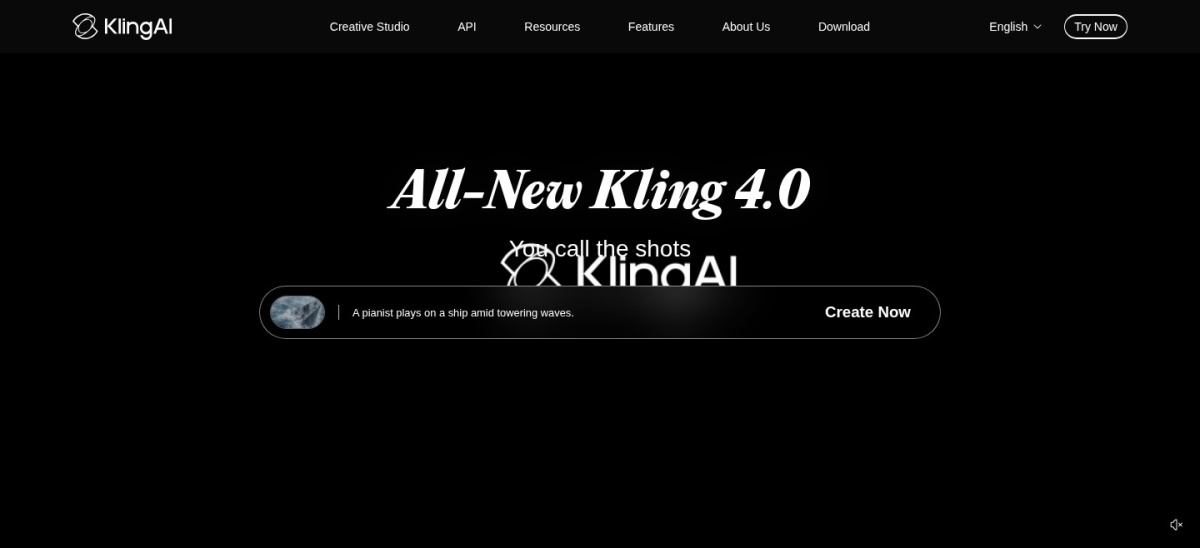
Kling AI is Kuaishou's video generator, and its Kling 4.0 model animates a still image with natural human motion and lip sync. The free tier gives 66 credits a day, enough to try a short clip from an old portrait before paying anything.
The trade off is the price maze. Standard lists at $10 a month for 660 credits, but the first month is $6.99 and renewals show $8.80, so the figure at checkout can differ. It suits creators who want realistic motion at a low entry price.
4.9/5on Product Hunt (14 reviews, checked Nov 2026)
Paid from$10/mo
Best creative effects for social clips
ModelsPika 2.5, Seedance, Kling 4.0
Free creditsNone monthly, packs only
Starter credits600 a month
Paid planStarter, $10/mo
pika.art
Pika homepage, captured Nov 2026.
Pika is a creative video platform that turns a still image into a short clip, with effects such as Pikaframes for start-to-end transitions. It also runs other models, including Seedance and Kling 4.0, from one credit balance, so one subscription covers several looks.
The trade off is that the free plan holds no monthly credits, so you buy credit packs to generate at all. Starter costs $10 a month for 600 credits, and a 5-second 720p clip costs 20 credits. It suits social creators who want playful effects rather than a faithful restoration.
What we like
Several video models under one subscription
Fun effects for short social clips
No watermark even on the free plan
Watch out for
No free monthly credits to try it with
Stylized output, less faithful to the photo
Thin review base on Product Hunt
Starter adds 600 credits a month and a commercial licenseVisit pika.art
06
Hailuo AI
1.4/5on Trustpilot (132 reviews, checked Nov 2026)
Paid from$14.99/mo
Best MiniMax model at a low price
ModelMiniMax H3, up to 15s at 2K
Free creditsOne-time welcome credits
Standard credits1,000 a month
Paid planStandard, $14.99/mo
hailuoai.video
Hailuo AI homepage, captured Nov 2026.
Hailuo AI is MiniMax's video generator, built around the MiniMax H3 model, which animates a still image with native sound and clips up to 15 seconds at 2K. New accounts get one-time welcome credits, so you can try a photo animation before subscribing.
The trade off is the billing. Standard lists at $14.99 a month for 1,000 credits, welcome credits expire 3 days after sign-up, and Hailuo states it does not refund subscriptions. It suits creators who want MiniMax's model at a low monthly price.
Luma Dream Machine is a creative workspace built on its Ray video models, and its image-to-video mode turns a still photo into a cinematic clip with camera moves and realistic physics. The Plus plan includes 10,000 credits a month and commercial use on every paid tier.
The trade off is price and the missing free tier. Plus costs $30 a month, the highest entry price in this list, and the current pricing page lists no standing free plan. It suits creators who already generate video often and want fast, polished motion.
What we like
Fast, cinematic camera motion
Realistic physics in the clips
Commercial use on every paid plan
Watch out for
Highest entry price in this list
No free tier on the current pricing page
Low Trustpilot score on a small sample
Plus adds 10,000 credits a month and third-party modelsVisit lumalabs.ai
08
Vidu
4.7/5on G2 (Not published reviews, checked Nov 2026)
Paid from$10/mo
Best character consistency
ModelVidu Q4 image-to-video
Free creditsTrial and daily log-in credits
Standard credits800 a month
Paid planStandard, $10/mo
vidu.com
Vidu homepage, captured Nov 2026.
Vidu is an AI video generator from Shengshu Technology whose reference-to-video mode keeps a person or object consistent across shots from one or more photos. Its Q4 model animates a still image at 540p for 2 credits a second, so a short clip costs little.
The trade off is the learning curve. Credit costs for higher resolutions and other models appear inside the app rather than on the pricing page, and Standard costs $10 a month for 800 credits. It suits creators animating the same face or subject across several clips.
What we like
Keeps the same face steady across clips
Cheap per-second cost at 540p
Clips from 3 to 16 seconds
Watch out for
Higher-resolution costs are not on the pricing page
No published G2 review count
Trustpilot reviewers complain about billing
Standard adds 800 credits a month and commercial useVisit vidu.com
09
CapCut
4.6/5on G2 (500 reviews, checked Nov 2026)
Paid from$19.99/mo
Best free editor with animation built in
AnimationDreamina image-to-video
Free exports1080p, core editor free
Pro AI credits1,200 a month
Paid planPro, $19.99/mo
capcut.com
CapCut homepage, captured Nov 2026.
CapCut is a free video editor from ByteDance, and its Dreamina image-to-video tool animates a still photo from a prompt inside the same editor. The free plan covers the core editor with 1080p exports, so you can animate a photo and cut it into a finished video in one app.
The trade off is that animation is a side feature, not the focus. Pro costs $19.99 a month and adds 1,200 AI credits, 4K export and 1 TB of storage, while some free exports carry a watermark. It suits phone-first creators finishing short clips for social feeds.
Free plans are demos in most of these tools. You get a few clips, a watermark and a low resolution, which is enough to judge the quality.
Paid plans remove the watermark, raise the resolution and add credits. The cheapest useful plans are Immersity AI at $4.99 a month and MyHeritage at $49.90 a year.
Credits are the hidden cost. A 5-second clip can cost 10 to 120 credits depending on the model, so a small monthly allowance runs out fast if you regenerate often.
How we chose
We started from the tools people actually use to animate old photos: face-animation services, depth-motion converters and general image-to-video generators with a free tier.
Prices come from each vendor's pricing page, checked on 24 November 2026. Ratings come from G2, Trustpilot, Product Hunt and SourceForge on the same day. Where a vendor shows a sale, the list shows the regular price.
We left out tools with no public pricing and tools that only edit video. No vendor paid for a place, and we do not claim to have used these tools ourselves.
How to choose an AI tool to animate old photos
Start with the photo itself, then match the tool to what the photo needs.
Decide what should move. A single portrait needs face animation. A group shot or a place needs depth motion or a gentle camera move instead.
Try the free tier first. Animate one photo and watch the result closely. If the face warps or the eyes look wrong, try another tool before paying.
Check the watermark and resolution. Free exports are often watermarked and capped at 720p. Pay only if you need a clean, full-resolution clip.
Count the credits per clip. A cheap monthly plan can still cost more than a yearly one if every retake spends credits. Pick the plan that covers your retakes.
FAQ
What is the best AI tool to animate old photos?
MyHeritage Deep Nostalgia is the best pick for most people. It animates the face in an old photo with blinks and small head turns, and it restores and colorizes the print in the same account. Free users get several watermarked animations, and the Photo plan costs $49.90 a year.
Can I animate an old photo for free?
Yes, several tools in this list have a free tier. MyHeritage gives several watermarked animations, Immersity AI offers watermarked conversions up to 720p, and Kling AI gives 66 credits a day. Free exports usually carry a watermark and a resolution cap.
Will AI animation damage my original photo?
No, animation creates a new video file and leaves the original scan untouched. Keep a backup of the scan anyway, because the animation itself is the model's guess at movement, not a record of how the person actually moved.
Which tool is cheapest for animating old photos?
Immersity AI is the cheapest paid option at $4.99 a month for 500 credits, and its free plan covers watermarked conversions up to 720p. MyHeritage is the cheapest yearly option at $49.90 a year for its Photo plan.
Can AI animate a photo of a person who has died?
Yes, and that is the most common use. MyHeritage built Deep Nostalgia for family photos, and its motion is deliberately gentle: blinks, smiles and small head turns. Check the tool's rules on consent and likeness before animating a photo of someone else.
Do these tools work on damaged or blurry photos?
MyHeritage handles damaged prints best, because it restores and colorizes the photo before animating it. General video generators often struggle with grainy or torn prints and can distort the face, so repair the image first when you can.