Best AI Image Outpainting Tools in 2026: 9 Tools Compared
WLWPLegible EditorsLast verified 24 Nov 2026How we rank11 min read
★ Short answer
Adobe Photoshop is the best AI image outpainting tool for most serious work: its Generative Expand puts new scenery on its own layer, and the Photography plan costs $19.99 a month. Pick Firefly for the same engine in a browser for $9.99 a month, or Canva if your designs already live there.
How we make this list: we compare pricing pages, product documentation and public user reviews, then re-check every price before each update. No product paid for a place. Disclosure.
Photoshop's Generative Expand is the reference: new scenery lands on its own layer, with several variations per expansion.
Firefly gives the same Adobe engine in a browser from $9.99 a month, with unlimited standard features on paid plans.
Canva Magic Expand needs Pro at $120 a year, and output caps around 2K, so it suits social, not large print.
Pixlr Plus is the cheapest paid route at $23.88 a year, and Fotor Pro follows at $39.99 a year.
Paid plans run from $23.88 to $239.88 a year, and seven of the nine tools have a free tier.
What to look for in an outpainting tool
Outpainting extends an image past its original frame. The tool invents the new area, so the join is where quality shows: a good expansion matches light, perspective and texture, while a weak one warps straight lines or repeats patterns.
Resolution matters as much as the join. Some tools cap output around 2K, which is fine for social posts but short for large print. Check the export size against your largest placement before you pay.
Free tiers suit one-off reframes and trials. Regular production work needs a paid plan, and the cheapest paid routes here start at $23.88 a year. Our guide on generating images with AI in WordPress shows how AI images fit a publishing workflow.
Never present an extended scene as documentary truth. The new margin is generated, not photographed, and product images must not gain features the product lacks.
Adobe Photoshop is the reference tool for outpainting. Drag the Crop tool past the edge of a photo and Generative Expand fills the new canvas to match the light, perspective and texture of the original, with several variations to choose from. The Photography plan costs $19.99 a month and includes Photoshop, Lightroom and 1TB of storage.
The trade off is price and depth. The single-app plan costs $22.99 a month on an annual plan and gives 25 generative credits a month, so heavy expanders must watch the allowance, and beginners face a real learning curve. It suits professionals and client work where a flawed join must be fixable.
What we like
Reference-quality edge matching on most scenes
Expanded content lands on its own layer for masking and retouching
Several variations per expansion to choose from
Firefly models are trained on licensed content, which suits client work
Watch out for
Subscription only, from $19.99 a month
Only 25 generative credits a month on the single-app plan
Architecture and repeating patterns can warp and need manual repair
Adobe Firefly is the browser version of the same engine behind Photoshop's Generative Expand. Widen a photo, change its aspect ratio, or add sky and floor around a subject without installing Photoshop, and paid plans include unlimited standard features such as Generative Expand. Standard costs $9.99 a month with 2,000 generative credits.
The trade off is editing depth. There are no layers, masks or retouching tools, so a flawed join cannot be repaired in Firefly itself, and video and partner models draw on the same credit pool. It suits creators who expand images often but do not need desktop Photoshop.
Canva is a design platform, and Magic Expand extends images to preset aspect ratios or freeform selections directly inside a Canva design. A square social post becomes a wide banner without leaving the file or the brand kit, with several output options per request. Pro costs $15 a month, or $120 a year.
The trade off is access. Magic Expand needs the paid Pro plan, so the free tier cannot use it, and output resolution caps around 2K, which limits large-format print use. It suits design teams and social creators whose images already live in Canva.
What we like
Zero friction if the design already sits in Canva
Several output options per request
Brand kit, templates and background remover in the same file
Watch out for
Magic Expand needs the Pro plan
Output caps around 2K
Complex patterns can repeat or smudge
Pro also adds Brand Kit, 1TB storage and background removerVisit canva.com
04
Pixlr
4.4/5on G2 (749 reviews, checked Nov 2026)
Paid from$23.88/yr
Best budget browser option for expanding
Generative expandYes, in the browser
Free planYes, with ads
Plus AI credits80 a month
Paid planPlus, $1.99/mo
pixlr.com
Pixlr homepage, captured Nov 2026.
Pixlr is a browser photo editor that includes generative expand alongside Generative Fill and background removal, so a quick widen-the-frame job takes minutes on any computer with nothing to install. Plus costs $1.99 a month billed annually, with 80 AI credits a month, and the free plan covers a test extension.
The trade off is credits. Every AI action spends credits, so heavy use on many images burns through the 80 a month, and Premium at $9.99 a month is the realistic tier for regular work. It suits budget users who want occasional fixes with layers on hand.
What we like
Cheapest paid plan in this list at $23.88 a year
Runs in the browser with nothing to install
Pixlr Editor adds layers and masks for blending seams
Watch out for
80 AI credits a month runs out fast on heavy use
Free plan shows ads and limits saves
No RAW processing, so it cannot replace a desktop editor
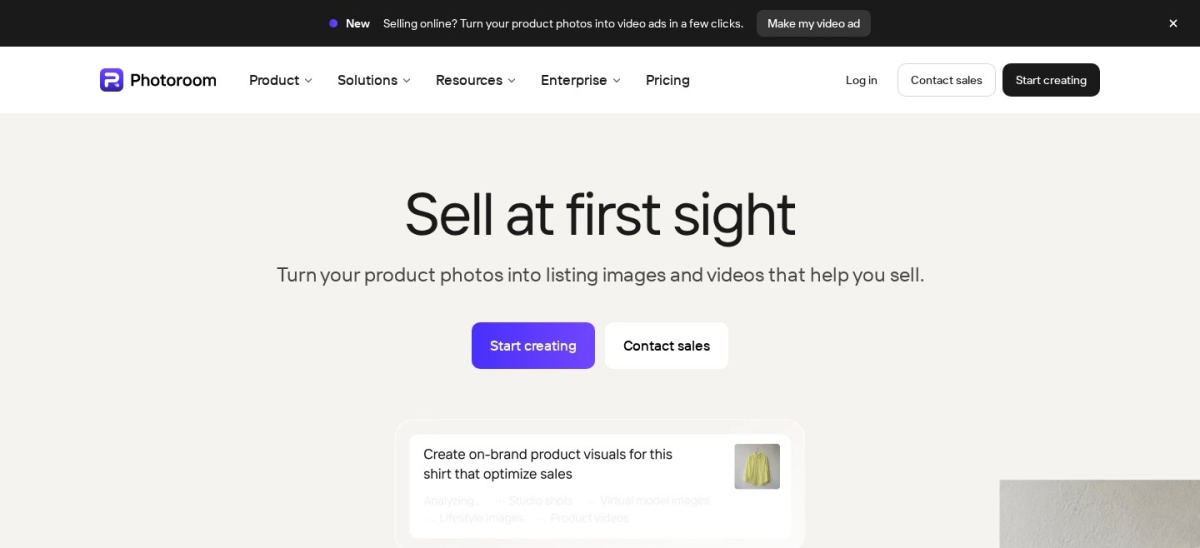
Photoroom is a product-photo editor, and AI Expand sits inside a resize workflow built for sellers. Apply a template, extend the background around the product, and export every marketplace shape from one shot. Pro costs $12.99 a month, or $90 a year.
The trade off is range. It is a product specialist, so scenery and editorial expansion get less attention than in Photoshop, and the top Ultra tier jumps to about $99 a month. It suits sellers whose images feed several marketplaces.
What we like
Built for product photos and batch exports
Background removal, shadows and relighting included
Free plan lets you judge quality first
Watch out for
Weaker on scenery and editorial scenes
Highest tier jumps to about $99 a month
Expansion can alter the product at the edges, so check each image
Leonardo AI is a generation platform, and its AI Canvas editor places your image on a workspace and outpaints around it with prompt control and generation strength settings. The free tier grants 150 tokens a day, and Essential costs $12 a month with 8,500 tokens a month.
The trade off is realism. Photoreal edge matching is not its strength, and the interface has a real learning curve next to one-click expanders. It suits generative artists who want the extension to grow a scene imaginatively rather than invisibly.
Fotor is a browser photo editor, and its AI Image Extender takes a photo, an output size and a prompt, then returns two variations per request, with inpainting beside it for fixes. Pro costs $8.99 a month, or $39.99 a year, with 100 AI credits a month.
The trade off is quality. Generation is uneven, with hands and feet in expanded areas sometimes unusable, and 100 credits a month runs out fast on heavy AI use. It suits bloggers and small sellers expanding occasional images.
Picsart is a creator app, and AI Expand extends images beyond the frame with custom expand prompts, beside a template library built for social posts. The free allowance covers a few images, and Plus costs $13 a month. It runs on web, iOS and Android.
The trade off is depth. It is a consumer platform first, so batch work, colour management and fine repair tools trail the professional entries, and free use is a taster. It suits creators whose whole workflow is phone based.
Runway is a creative platform whose image tools extend stills with a filmmaker's eye, and the same account animates the result into video. That makes it the natural pick when an expanded image is really the first frame of a clip. Standard costs $12 a month billed annually, with 625 credits a month.
The trade off is sharing. Credits are shared across image and video generation, and video burns them fast, so stills-only users may find the allowance tight. It suits creators whose expanded image becomes a clip.
What we like
Expanded still can become a video in the same account
Strong on dramatic scenes, skies and environments
No watermark on paid plans
Watch out for
Credits shared with video generation
Not a retouching suite, so a bad join needs another editor
Free tiers cover trials and one-off reframes well. Pixlr, Leonardo AI, Fotor, Picsart, Photoroom and Runway all let you expand images without paying, though caps and watermarks vary.
Paid plans mostly add volume and resolution. You get more generations a month, higher-resolution output, faster queues and, in Photoshop's case, layers to repair a bad join.
Credit pools are the catch to read. Most tools meter AI work in credits or tokens, and video generation draws on the same pool in Runway and Firefly, so stills-only users should check what one expansion actually costs.
For client work, the paid plan also buys the licence. Adobe markets Firefly as commercially safe, while Leonardo and Runway tie commercial terms to tiers, so read your plan's terms before delivery.
How we chose
We started from the outpainting tools that 2026 extender reviews rank most consistently, then kept those with a genuine generative expand function, not simple blur or mirror edge tricks.
Prices come from each vendor's pricing page, checked on 24 November 2026. Ratings come from G2 on the same day. Where a vendor shows a sale, the list shows the regular price.
We left out tools with no verified public rating rather than guessing one. No vendor paid for a place, and we do not claim hands-on testing for this list.
How to choose an AI image outpainting tool
Start with where the image lives, then match the tool to the job it has to do.
Check where the image already lives. If the design sits in Canva, Magic Expand wins on friction alone. If it is a product shot, Photoroom's resize workflow saves the most time.
Try a hard image before paying. Use a scene with straight lines crossing the edge, a repeating pattern, and a person at the frame border. Those three expose warping, pattern breaks and anatomy errors fast.
Match the plan to your volume. Occasional reframes fit a free tier. Daily production needs a paid plan with enough credits, and Photoshop's Photography plan is the sensible route for client work.
Check output size and licence. Confirm the export resolution against your largest placement, and confirm your plan's licence covers commercial use before you deliver.
FAQ
What is the best AI image outpainting tool?
Adobe Photoshop is the best pick for most serious work. Its Generative Expand puts new scenery on its own layer with several variations, and the Photography plan costs $19.99 a month with Lightroom included.
Which outpainting tool is free?
Pixlr, Leonardo AI, Fotor, Picsart, Photoroom and Runway all have free tiers, and Firefly has limited free daily generations. Canva Magic Expand and Photoshop need paid plans. Free tiers suit trials and occasional images.
How far can I expand an image?
Most tools handle moderate extensions well, such as turning a square into a wide banner or adding headroom. Very large expansions multiply invention, because each step generates from generated content, so expand in one step where possible.
Does outpainting reduce image quality?
The original pixels stay untouched. The new margins are generated at the tool's output resolution, which varies from about 2K in Canva to higher in desktop suites. Always view the join at full size before delivery.
Can I use outpainted images commercially?
On paid plans, generally yes, but licences differ. Adobe markets Firefly as commercially safe, while Leonardo and Runway tie commercial terms to tiers. Read your plan's terms and disclose AI extension where your audience could feel misled.
Is outpainted content real?
No. The extended area is generated by a model guessing what might sit outside the frame. It can look photographic, but it is invented content, so never present it as documentary evidence.