Canva is the best Adobe Express alternative for most people, with the deepest template library, a free plan, and a 4.7/5 G2 rating from 7,657 reviews. Pick VistaCreate if a small team shares one subscription, or Pixlr if you want the cheapest paid plan at $1.99 a month.
How we make this list: we compare pricing pages, product documentation and public user reviews, then re-check every price before each update. No product paid for a place. Disclosure.
Canva is the top pick at 4.7/5 from 7,657 G2 reviews, with Pro at $144 a year.
VistaCreate Pro costs $120 a year and covers up to 10 team members on one subscription.
Pixlr Plus is the cheapest paid plan here at $23.88 a year, with a free plan that needs no account.
Eight of the nine tools have a free plan; PicMonkey is the only one with a trial instead.
Paid plans in this list run from $23.88 to $168 a year, against Adobe Express Premium at $9.99 a month.
How do you choose the best Adobe Express alternatives?
Adobe Express Premium costs $9.99 a month, so switching only pays off if the replacement covers the same jobs: social posts, ads, flyers and quick video edits, with templates and brand tools included.
Start with the free plan. Eight of the nine tools here let you design and export without paying, so you can check the template range and the export quality before you spend anything.
Watch the per-seat rules. Canva Pro covers one person, while VistaCreate Pro covers up to 10 people for $120 a year, which changes the real cost for a small team.
Size rules matter as much as templates. If you crop and resize images for WordPress, our guide on cropping an image in WordPress shows the built-in cropper and when an app does the job better.
Canva is a browser design tool with templates for social posts, presentations, flyers and video, plus AI tools and a large stock library. The free plan covers thousands of templates and basic AI tools, while Pro costs $144 a year, or $18 a month billed monthly, and adds 3.6 million templates, 141 million premium assets, 5 Brand Kits and 100GB of storage.
The trade off is price and seats. Pro covers one person only, so a team pays per seat or moves to Business at $250 a person a year, and premium templates and assets sit behind the paywall. It suits most creators who want the widest template range in one place.
What we like
Widest template range in this list
Free plan covers thousands of templates
Magic Resize reflows one design into many sizes
Highest G2 rating here at 4.7/5
Watch out for
Pro covers one person only
Premium templates and assets need a paid plan
Heavy designs can feel slow in a browser
Pro adds premium templates, Brand Kits and Magic ResizeVisit canva.com
02
VistaCreate
4.5/5on G2 (171 reviews, checked Nov 2026)
Paid from$10/mo
Best value for small teams
Free planYes, Starter plan
Templates on Pro200K+
Assets on Pro170M+
Paid planPro, $120/yr
create.vista.com
VistaCreate homepage, captured Nov 2026.
VistaCreate is a browser design tool from Vista with templates for social posts, ads and print, plus animation and AI tools. The free Starter plan covers 100,000 templates, 1 million assets and 10GB of storage, while Pro costs $120 a year, or $13 a month, and adds 200,000 templates, 170 million assets and team seats for up to 10 people.
The trade off is depth. The AI suite is smaller than Canva's, and some premium templates are hard to tell apart from free ones until you try to use them. It suits small teams that want one flat subscription instead of paying per seat.
Snappa is a browser design tool built for speed, with preset sizes for every social feed, templates, stock photos and one-click background removal. The free plan gives 10 image credits a month with every feature included, and Pro costs $120 a year, or $15 a month, with 3,000 credits a year up front.
The trade off is the credit system. Every graphic you create uses a credit, so heavy users must watch the balance or buy top-ups. It suits solo marketers who need a few social graphics a day without learning a full editor.
What we like
Preset sizes for every social feed
Fastest editor to learn in this list
Same features on free and paid plans
Rated 4.6 out of 5 on G2
Watch out for
Every graphic uses a credit
Free plan gives only 10 credits a month
No batch editing
Pro adds 3,000 credits a year and background removalVisit snappa.com
04
Pixlr
4.4/5on G2 (749 reviews, checked Nov 2026)
Paid from$1.99/mo
Best cheapest paid plan
Free planYes, with ads
Cheapest paid planPlus, $1.99/mo
AI credits80/month on Plus
Unlimited savesPlus only
pixlr.com
Pixlr homepage, captured Nov 2026.
Pixlr is a browser photo editor with Pixlr X for quick fixes, Pixlr E for layered editing and Express for fast crops and filters. The free plan needs no account and covers basic editing, while Plus costs $1.99 a month billed yearly, or $2.49 billed monthly, and removes ads with unlimited saves and 80 AI credits a month.
The trade off is polish. The free plan shows ads and caps AI use, and the editor feels busier than Canva or Snappa. It suits anyone who wants the cheapest ad-free editor and does not need templates or brand tools.
Fotor is an online photo editor and design tool with one-click enhancement, batch editing, collage layouts and AI tools. The free Basic plan covers simple edits and collages, and Pro costs $39.99 a year, or $8.99 a month, with 100 AI credits a month and high-resolution exports.
The trade off is the free plan. Exports carry a watermark and cap resolution, and ads sit through the workspace. It suits sellers and creators who touch up photo sets for a store or social feed.
What we like
Batch editing for whole photo sets
One-click enhancement before designing
Low annual price at $39.99 a year
More than 1,000 collage layouts
Watch out for
Free exports carry a watermark
Free plan caps export resolution
Ads through the free workspace
Pro adds batch editing and high-resolution exportsVisit fotor.com
06
BeFunky
4.2/5on G2 (109 reviews, checked Nov 2026)
Paid from$83.88/yr
Best for photo editing first
Free planYes, basic tools
Smart ResizeYes, on Plus
AI credits1,000/month on Plus
Paid planPlus, $83.88/yr
befunky.com
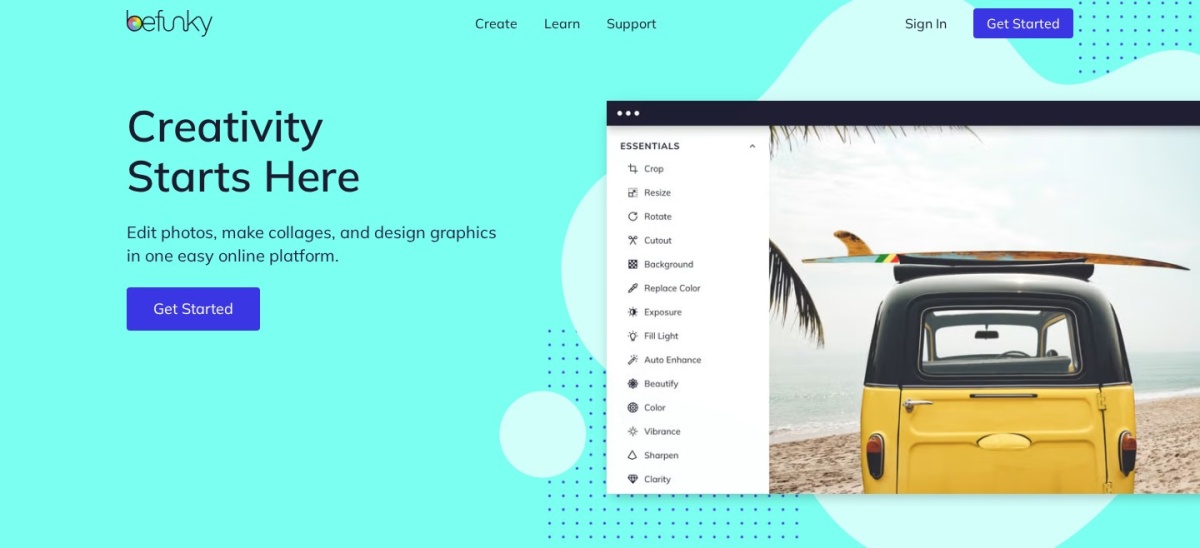
BeFunky homepage, captured Nov 2026.
BeFunky is a browser photo editor and collage maker with photo effects, frames, Smart Resize and batch tools. The free plan covers basic editing and collages, and Plus costs $83.88 a year, or $14.99 a month, with premium tools, 1,000 AI credits a month and full-resolution exports.
The trade off is the monthly price. At $14.99 billed monthly, Plus costs more month-to-month than most tools here, and batch AI editing needs Pro at $149.88 a year. It suits creators who edit photos first and design second.
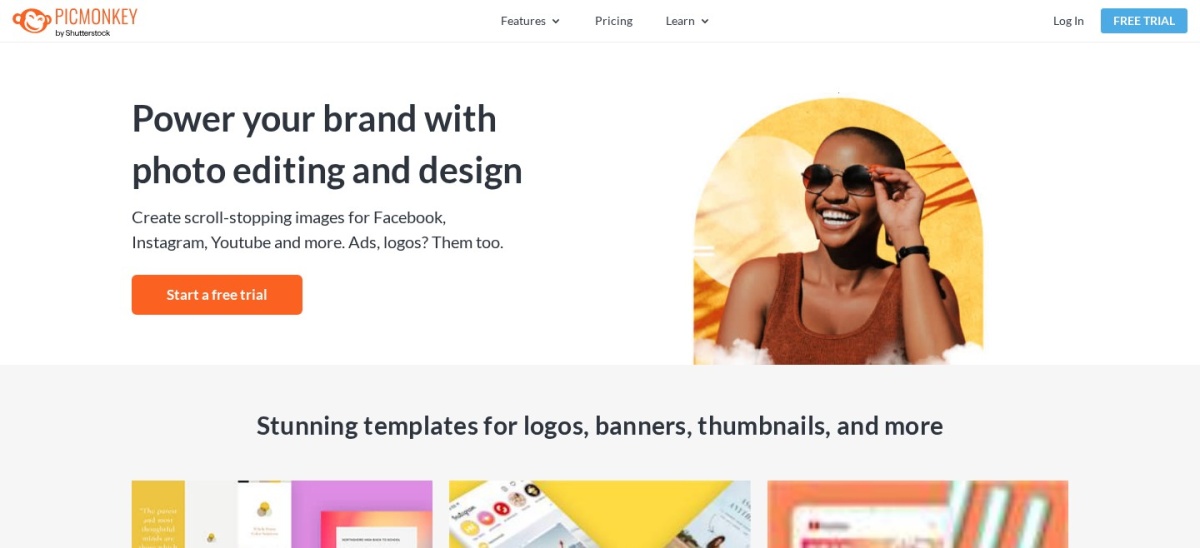
PicMonkey is a photo-first design tool with templates, touch-up tools, effects and preset sizes aimed at marketers and sellers. There is no free plan, only a trial, and Basic starts at $72 a year billed annually, or $7.99 a month, with templates, effects and photo editing.
The trade off is the paywall. You cannot export anything without paying, and Smart Resize needs the Pro plan at $12.99 a month. It suits small businesses that want a simple photo editor and will pay from day one.
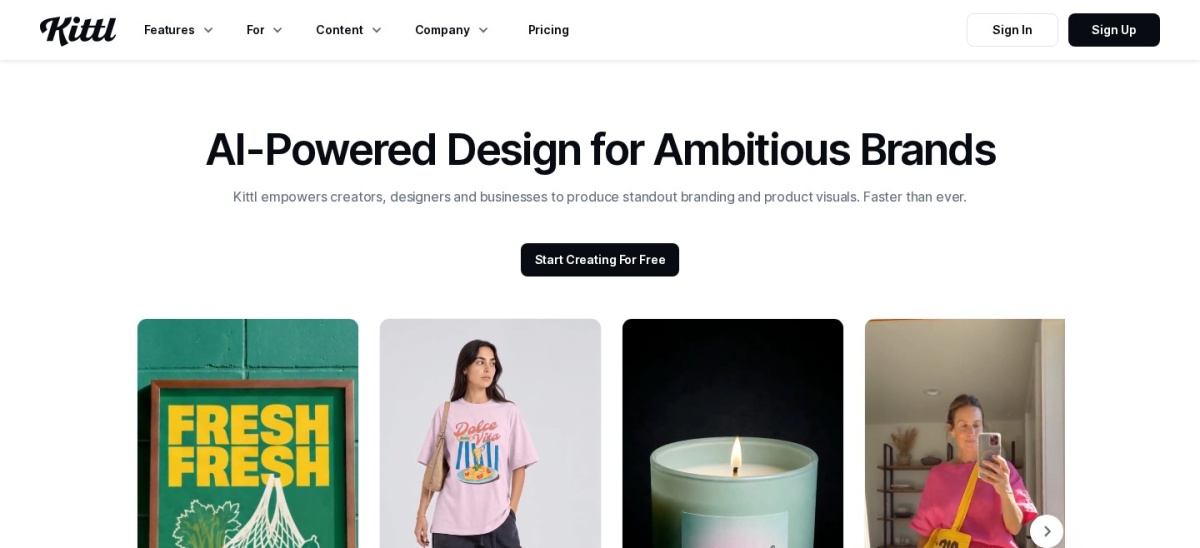
Kittl is a browser design tool focused on typography, vector graphics and AI image tools, with templates for logos, apparel and marketing visuals. The free plan covers one user with basic templates and AI credits, while Pro starts at $14 a month per user and adds more AI credits, premium templates and fonts.
The trade off is cost. Pro is the dearest plan in this list at $19 a month billed monthly, or $14 a month billed yearly, and AI work runs on credits, so heavy AI use costs extra. It suits creators who want distinctive type-led designs and sell print-on-demand products.
Photopea is a free browser editor that opens layered PSD, AI, Sketch and XD files, with a full set of editing tools and no install. Every editing feature is free with ads, and Premium costs $50 a year, or $5 for 30 days, to remove ads and add 5GB of storage.
The trade off is templates. Photopea has no templates or social presets, so every design starts from a blank canvas or an imported file. It suits designers who edit layered files and do not need template-led social posts.
Free plans cover the basics well. Most include templates, basic AI tools and exports without a watermark, which is enough for occasional social posts.
Paid plans mostly add assets and scale. You get premium templates and stock, background removal, one-click resizing and more storage.
The dearest upgrade here is Kittl Pro at $14 a month billed yearly, or $19 billed monthly, while Pixlr Plus costs $1.99 a month billed yearly. Match the plan to how often you publish, not to the feature list.
If you publish every day, a paid plan usually pays for itself in saved time. If you design once a month, a free plan plus the odd monthly payment may cost less.
How we chose
We started from the tools most often named as Adobe Express alternatives, then kept those with a working free plan or trial, template-led design and a public rating.
Prices come from each vendor's pricing page or help centre, checked on 29 November 2026. Ratings and review counts come from G2 on the same day. Where a vendor shows a sale, the list shows the regular price.
We left out tools with no public rating and desktop-only editors. No vendor paid for a place, and we do not claim to have used these tools ourselves.
How to choose an Adobe Express alternative
List the jobs Adobe Express does for you now, then match each tool to those jobs.
Count how many people design. VistaCreate Pro covers up to 10 people for $120 a year, while Canva Pro covers one person. A team of three or more usually saves money on a flat team plan.
Check the free plan first. Eight tools here export for free. Try the templates and the export quality on a real post before you pay for anything.
Weigh templates against editing. Canva, VistaCreate and Snappa lead on templates. Pixlr, Fotor and Photopea lead on photo editing, so pick the side you use most.
Compare the yearly price, not the monthly one. Monthly billing costs more: Snappa is $15 a month but $10 a month billed yearly, and Pixlr Plus is $2.49 a month but $1.99 billed yearly.
FAQ
What is the best Adobe Express alternative in 2026?
Canva is the best Adobe Express alternative for most people. It has the deepest template library, a free plan, and a 4.7 out of 5 G2 rating from 7,657 reviews, with Pro at $144 a year.
Is there a free Adobe Express alternative?
Yes. Eight of the nine tools in this list have a free plan, including Canva, VistaCreate, Snappa and Pixlr. PicMonkey is the only one with a trial instead of a free plan, so exports need a paid Basic plan.
Which Adobe Express alternative is cheapest?
Pixlr is the cheapest paid option here. Plus costs $1.99 a month billed yearly, or $23.88 a year, and removes ads while adding unlimited saves and 80 AI credits a month.
Canva vs VistaCreate: which is better?
Canva is better for most people, with the widest template library and a 4.7/5 G2 rating from 7,657 reviews. VistaCreate is better for a small team, because one $120-a-year Pro plan covers up to 10 people, while Canva Pro covers one person and charges per seat for teams.
Which Adobe Express alternative is best for beginners?
Snappa is the easiest starting point, with preset sizes for every social feed and the same features on its free and paid plans. Canva is the better long-term pick for beginners who want more templates, with thousands free and Pro at $144 a year.
Can I use these tools for commercial work?
Most tools in this list allow commercial use of designs made on free plans, but stock photos and fonts can carry their own licence terms. Check the licence on each asset before using it in paid ads or products you sell.
Do any Adobe Express alternatives include video editing?
Canva and VistaCreate both include basic video editing and animation on their free plans. Pixlr, Snappa and Photopea focus on still images, so pair them with a video editor if you cut clips often.
Which alternative is best for a small team?
VistaCreate is the best pick for a small team. One Pro subscription at $120 a year covers up to 10 people, while Canva Pro covers one person and charges per seat for teams.
SaaS SEO and WordPress specialist with about 8 years of experience. Rakib compares WordPress plugins, themes, hosting and software using public pricing, documentation and user reviews. See how we rank.